Help with using variables in a plugin

● ARCHIVED · READ-ONLY
Started by Poppie360 16 posts View original ↗
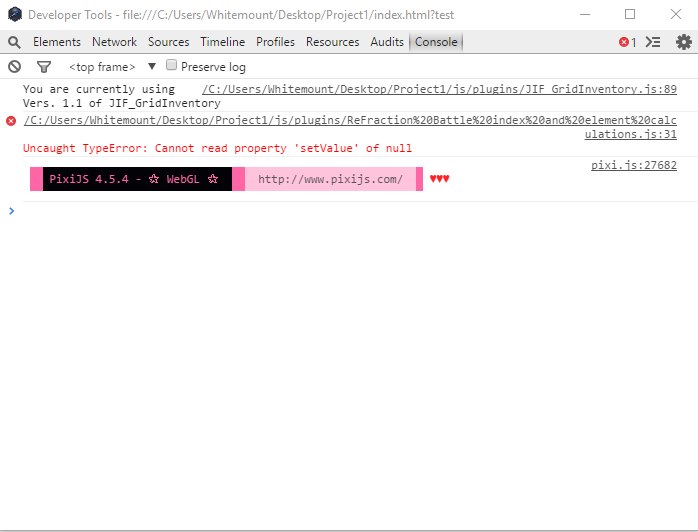
  1. Hey guys, im trying to make a plugin to deal with a large task that would be too much for the event system, however i haven't even gotten that far. i am having an issue with being able to set variables in the plugin:

    Screenshots
    88a06483e7ada6a3ebe7a613c59148c0.png
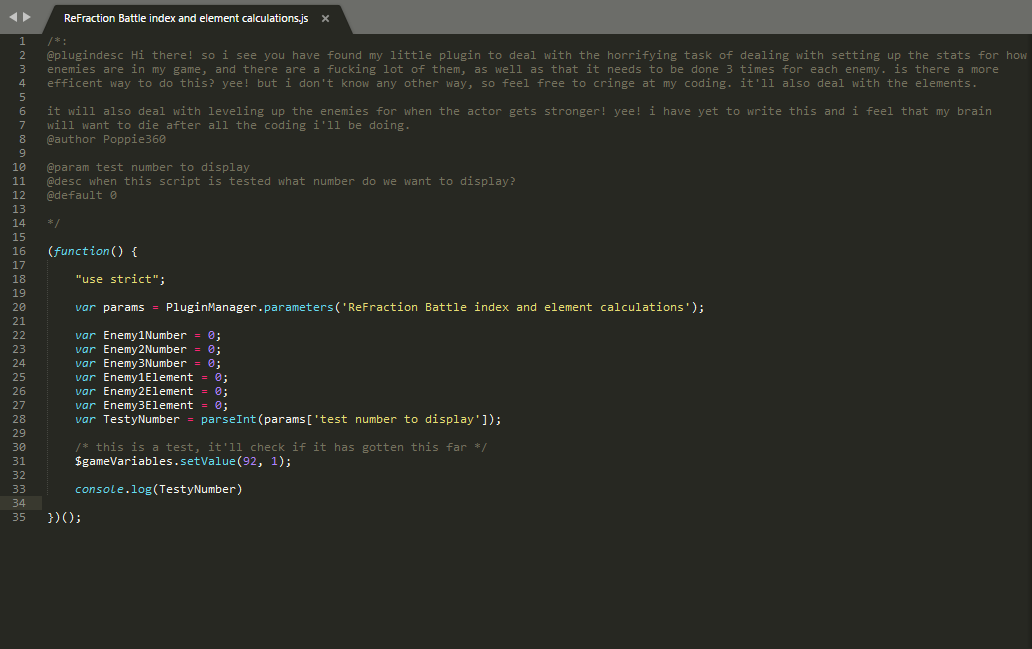
    4b22bf5abeef3c694316f8878c20ee39.png

    help would be greatly appreciated, i haven't been able to figure it out looking at other plugins or looking it up.
  2. if your global variable $gameVariable are null, it because your plugin start before the game are booted.
    You need to wait rmmv fully loaded and booted before start use rmmv globals variables.

    add a breakPoint to this line and console.log($gameVariable) to debug .
  3. Jonforum said:
    if your global variable $gameVariable are null, it because your plugin start before the game are booted.
    You need to wait rmmv fully loaded and booted before start use rmmv globals variables.

    add a breakPoint to this line and console.log($gameVariable) to debug .
    could you please go into more detail? where exactly would i put it?
  4. did you add your .js inside the rmmv plugin manager or inside index.html ?
  5. Jonforum said:
    did you add your .js inside the rmmv plugin manager or inside index.html ?
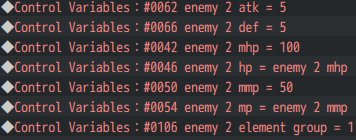
    i had added it to the plugin manager, for reference the script is going to be called during my map based battle system, it's going to be adjusting and checking variables, it will be doing this:
    explanation as to what the plugin will be doing.
    8a78aa24c5bd01aa52aae4a14a8bdf60.png
    about 3 times, but the issue is it needs to check if it is enemy 1-321. it's more of an issue with how long the check is and that's why i have to move it to a plugin rather than in an event.
  6. As mentioned, your code is currently being run once, when page loads, before $gameVariables is defined. :kaoswt:

    If you actually want an on-demand function accessible via script call, I'd suggest rewriting it something like this (untested [EDIT: this doesn't work, see following posts for correction!]):
    Code:
    (function() {
    
    	"use strict";
    
    	// Stuff here will run on game start, when index.html loads.
    	var params = PluginManager.parameters('ReFraction Battle Index and element calculations');
    	// Other parameter stuff here...
    
    	// Define a global function (contents are not immediately invoked).
    	calculateVariables = function() {
    		// the code in here will run when this function is called
    		$gameVariables.setValue(92, 1);
    		console.log('Variable 92 = 1.');
    	};
    
    })();
    Then in an event you can use:
    Code:
    ◆Script:calculateVariables();
    Incidentally, I'd also recommend removing the spaces from your plugin's name (and maybe abbreviating it, too, though that's optional).
  7. caethyril said:
    As mentioned, your code is currently being run once, when page loads, before $gameVariables is defined. :kaoswt:

    If you actually want an on-demand function accessible via script call, I'd suggest rewriting it something like this (untested):
    Code:
    (function() {
    
        "use strict";
    
        // Stuff here will run on game start, when index.html loads.
        var params = PluginManager.parameters('ReFraction Battle Index and element calculations');
        // Other parameter stuff here...
    
        // Define a global function (contents are not immediately invoked).
        calculateVariables = function() {
            // the code in here will run when this function is called
            $gameVariables.setValue(92, 1);
            console.log('Variable 92 = 1.');
        };
    
    })();
    Then in an event you can use:
    Code:
    ◆Script:calculateVariables();

    Incidentally, I'd also recommend removing the spaces from your plugin's name (and maybe abbreviating it, too, though that's optional).
    thanks for that! i'll try it out once i get the chance but hopefully this will help!

    (edit: ) there was an issue with that, it said that calculateVariables is not defined.
  8. @caethyril IIFE will shield all functions from the global scope :)
  9. Aloe Guvner said:
    @caethyril IIFE will shield all functions from the global scope :)
    this would be my first rpg maker mv plugin, im a bit confused, would you be able to help?
  10. Aloe Guvner said:
    @caethyril IIFE will shield all functions from the global scope :)
    Ack, thank you, I keep making that mistake! Too used to using a template for my own plugins... :kaosigh:

    Poppie360 said:
    thanks for that! i'll try it out once i get the chance but hopefully this will help!

    (edit: ) there was an issue with that, it said that calculateVariables is not defined.
    Yes, whoops. :kaoswt2: You'd need to define the function on a global object (defined outside the IIFE, as @Aloe Guvner mentions). You can create a "namespace" object globally (i.e. outside the main function) to store the required plugin pieces. Something like this (I tested it this time!):
    Code:
    var Poppie = Poppie || {};	// namespace for your plugins, equal to itself if already defined or an empty object otherwise
    Poppie.eleCalc = {};		// namespace for persistent properties of this plugin
    
    (function($) {			// add parameter $ to represent the plugin namespace (see final line)
    
    	"use strict";
    
    	// Stuff here will run on game start, when index.html loads.
    	var params = PluginManager.parameters('ReFraction Battle Index and element calculations');
    	// define persistent stuff as properties of the namespace, e.g.
    	$.test = params['test number to display'];
    	// Other parameter stuff here...
    
    	// Define a function on your global namespace.
    	$.calculateVariables = function() {
    		// the code in here will run when this function is called
    		$gameVariables.setValue(5, 1);
    		console.log('Variable 5 =', $gameVariables.value(5));
    	};
    
    })(Poppie.eleCalc);		// pass the plugin's namespace in as the first parameter, $
    Then to invoke by script call you just need to include the namespaces:
    Code:
    ◆Script:Poppie.eleCalc.calculateVariables();
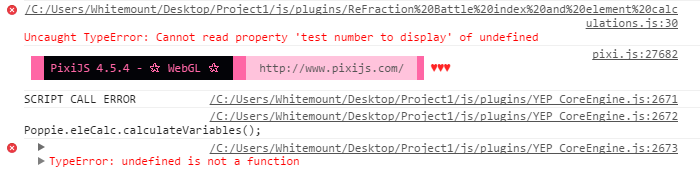
    You can use whatever names you like for the namespaces etc, of course, this is just for an example. :kaoswt:

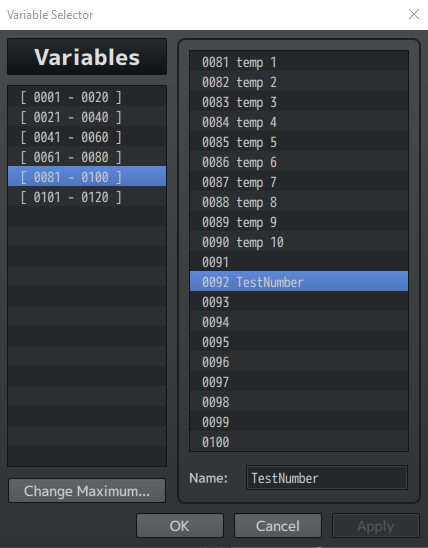
    Also, beware of setting values for variable IDs that you haven't "defined" in the editor, seems it doesn't assign the value in that case. Just view the variable list in the editor, make sure you've changed the maximum to accommodate all the variables you want to use, and I think it should be OK. :kaoslp:
  11. caethyril said:
    Ack, thank you, I keep making that mistake! Too used to using a template for my own plugins... :kaosigh:


    Yes, whoops. :kaoswt2: You'd need to define the function on a global object (defined outside the IIFE, as @Aloe Guvner mentions). You can create a "namespace" object globally (i.e. outside the main function) to store the required plugin pieces. Something like this (I tested it this time!):
    Code:
    var Poppie = Poppie || {};    // namespace for your plugins, equal to itself if already defined or an empty object otherwise
    Poppie.eleCalc = {};        // namespace for persistent properties of this plugin
    
    (function($) {            // add parameter $ to represent the plugin namespace (see final line)
    
        "use strict";
    
        // Stuff here will run on game start, when index.html loads.
        var params = PluginManager.parameters('ReFraction Battle Index and element calculations');
        // define persistent stuff as properties of the namespace, e.g.
        $.test = params['test number to display'];
        // Other parameter stuff here...
    
        // Define a function on your global namespace.
        $.calculateVariables = function() {
            // the code in here will run when this function is called
            $gameVariables.setValue(5, 1);
            console.log('Variable 5 =', $gameVariables.value(5));
        };
    
    })(Poppie.eleCalc);        // pass the plugin's namespace in as the first parameter, $
    Then to invoke by script call you just need to include the namespaces:
    Code:
    ◆Script:Poppie.eleCalc.calculateVariables();
    You can use whatever names you like for the namespaces etc, of course, this is just for an example. :kaoswt:

    Also, beware of setting values for variable IDs that you haven't "defined" in the editor, seems it doesn't assign the value in that case. Just view the variable list in the editor, make sure you've changed the maximum to accommodate all the variables you want to use, and I think it should be OK. :kaoslp:
    thanks, and yes, i know about that part, i'm pretty familar with the variable system in game, let's see if it works now.

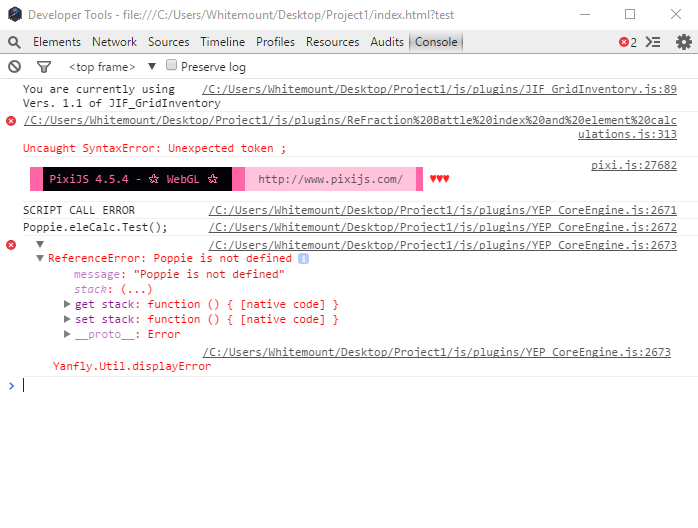
    (Edit: ) so it isn't working, here is a breakdown of everything that is in it.
    Said breakdown
    e22fd072875ec786b011a5c533055750.png
    unless i do not know what you mean by the plugin not being defined, i am pretty sure that i have done that already.
    90089713faaf394c635bd977b45cf92c.png
    this is the message that got logged into the console, it's different than the last one so that's a good thing i guess.

    Code:
    var Poppie = Poppie || {};    // namespace for your plugins, equal to itself if already defined or an empty object otherwise
    Poppie.eleCalc = {};        // namespace for persistent properties of this plugin
    
    (function($) {            // add parameter $ to represent the plugin namespace (see final line)
    
        "use strict";
    
        // Stuff here will run on game start, when index.html loads.
    
        var params = PluginManager.parameters('ReFraction Battle Index and element calculations');
        // define persistent stuff as properties of the namespace, e.g.
        $.test = params['test number to display'];
        // Other parameter stuff here...
    
        // Define a function on your global namespace.
        $.calculateVariables = function() {
            // the code in here will run when this function is called
            $gameVariables.setValue(92, 1);
            console.log($gameVariables.value(92));
        };
    
    })(Poppie.eleCalc);        // pass the plugin's namespace in as the first parameter, $
    and here is what the code part of the plugin looks like right now.
  12. Oh, whoops, I used a capital "I" on "Index" in your plugin name! :kaoback: Try this instead:
    Code:
        var params = PluginManager.parameters('ReFraction Battle index and element calculations');
  13. caethyril said:
    Oh, whoops, I used a capital "I" on "Index" in your plugin name! :kaoback: Try this instead:
    Code:
        var params = PluginManager.parameters('ReFraction Battle index and element calculations');
    It works now, thanks for the help
  14. I'm getting a new error and i'm not sure what to do:
    336e682c58caf47c6c1808feac1265b7.png
    (here is the plugin: V )
  15. For syntax, the number of opening brackets and closing brackets has to always be the same. In the file you attached, you have an extra closing curly bracket, so you need to remove the extra one (not just any, has to be the specific one). Curly brackets are these: { }

    You can enter your code into a linter to pinpoint where the syntax error is.
  16. Aloe Guvner said:
    For syntax, the number of opening brackets and closing brackets has to always be the same. In the file you attached, you have an extra closing curly bracket, so you need to remove the extra one (not just any, has to be the specific one). Curly brackets are these: { }

    You can enter your code into a linter to pinpoint where the syntax error is.
    thanks, i forgot to add an opening bracket to the "else" in the calculatestats function, it's working now, time to test if the plugin actually does it's job!

    (Edit: )
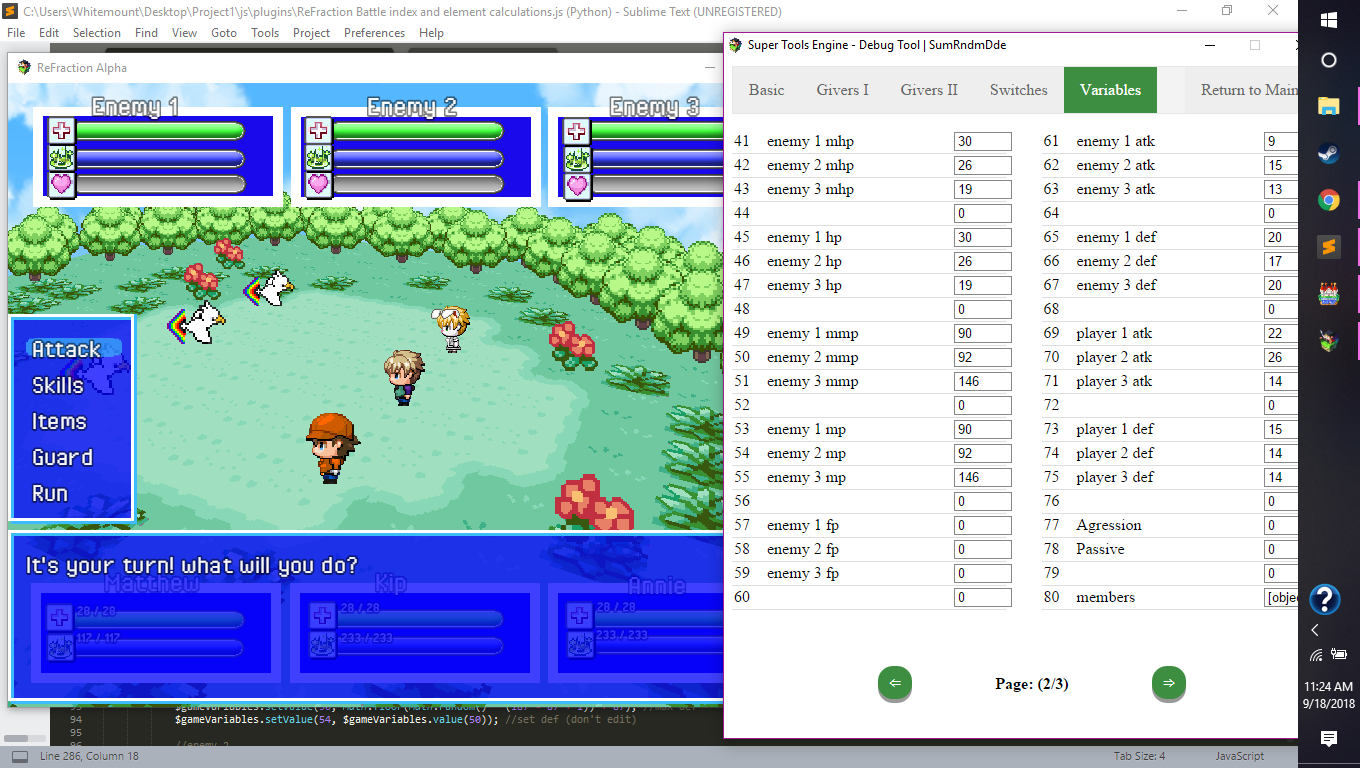
    woooo, it finally works. now i just have to figure out how to involve element group dynamics to the stat calculations. any ideas how i should do that without making it a huge group of if statements?
    bceedfacc1ecbb2c46e21d3f4e93831f.png