Am I doing something wrong here? Any help would be appreciated.
I put the notetag to change the actor's face whenever affected by "Poison", but the face is still the same. And I have 8 different faces for the actor.
I followed the sample when it came to face graphics so I typed "<fe: 1, RK DracoRoy - Luna, RK DracoRoy - Luna(2)>" and had it on the Poison state's notetag, but the face won't change if inflicted with poison.
If I'm missing something important, please point it out to me. I do wish an example was provided on the user's Graphics Changer, because I want to change the actor's faces if their inflicted with a state.
Just to let you know I'm using Yanfly's Party plugins along with the patched Graphics Changers provided by @SuperMasterSword.
Graphics Changer
● ARCHIVED · READ-ONLY
-
-
Hey there I am not able to get this working. I dropped the js inside my plugins folder, Enabled it to ON in the Plugin Manager, I created a state and added the following note,
<sve: Jarek, GeistJarekBtl>
Saved everything and it still won't change my sv_actor to the new image when I put the state on my actor. Please help! -
The author has dropped the support for this plugin for years. Of course it currently doesn't work. Find another one.
-
none of the screenshots are working anymore...
-
yeah can't use this without know what to do. please fix the ss's
-
Tysm, this is exactly what I was looking for!
-
Question in regards to this. What is the face_index exactly?
-
Just what I needed for my equipping/unequipping system, thanks!
-
Looks like this plugin is first and only.
Too bad that it glitches while working together with Yanfly's Item Core 1.30 -
Hey when I use the plugin I get this error
Not sure if it's incompatible with my other plugins or what. Can you help?
There's a list of my plugins below. -
Weird,because it is working for me. Im using RMMZ with FOSIL compatibility layer.
By the way Destroy DX,Yanfly/Visu Stella plugins a very incompatible with a lot of plugins. So you must ask someone to make you a patch or use other plugins and Dead Man Joe. You must put the actor index not the actor name. Here is a example:
<fe: 1, Actor3, 2>
This will change the actor 1 graphic faceset to Actor3 index 2. -
Thanks for the info I'll try it out and give it a tryWeird,because it is working for me. Im using RMMZ with FOSIL compatibility layer.
By the way Destroy DX,Yanfly/Visu Stella plugins a very incompatible with a lot of plugins. So you must ask someone to make you a patch or use other plugins and Dead Man Joe. You must put the actor index not the actor name. Here is a example:
<fe: 1, Actor3, 2>
This will change the actor 1 graphic faceset to Actor3 index 2. -
Wait, are you not able to change the actor's side view?
Graphics Auto-ChangerIntroduction
Version: 1.2.2
By Jeneeus Guruman
This plugin allows to change sprite, face, and sideview graphics automatically depending on the current battler's states, equipment, and class.
Features
- Changes sprites depending on states, equipment, and class.
- Changes faces depending on states, equipment, and class.
- Changes battler graphics depending on states, equipment, and class.
- Changes weapon animation depending on states.
- You can change the default graphics (if you don't equip anything that assigned to replace it) by Change Actor Graphic event command.
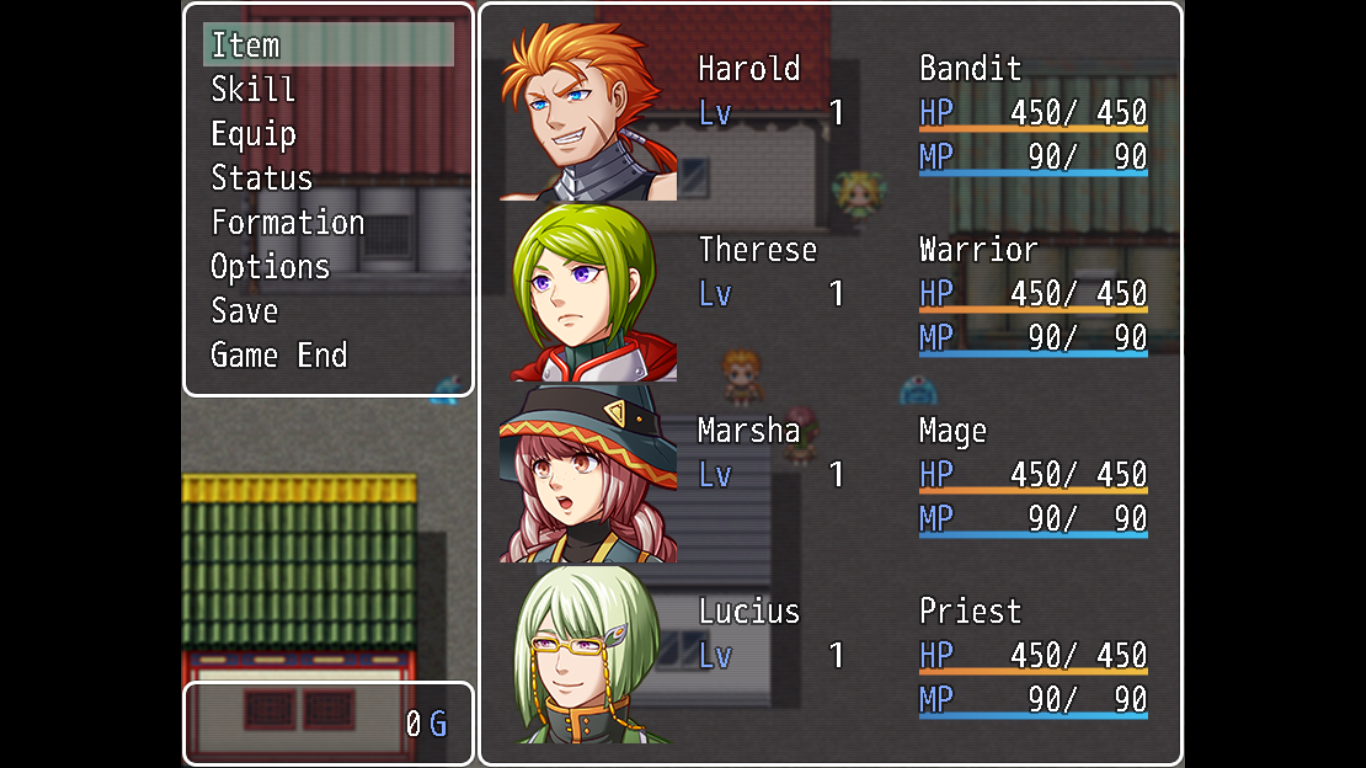
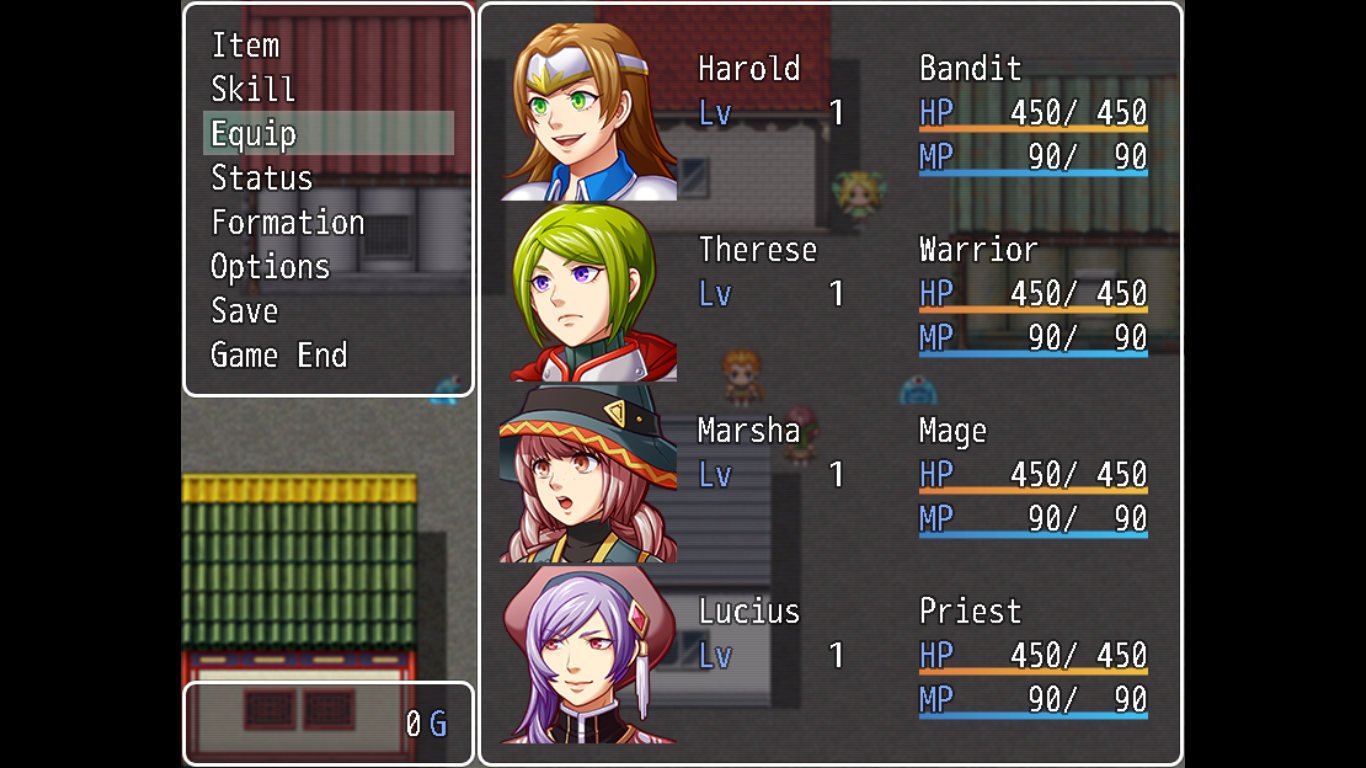
How to UseSpoilerBase on these characters...
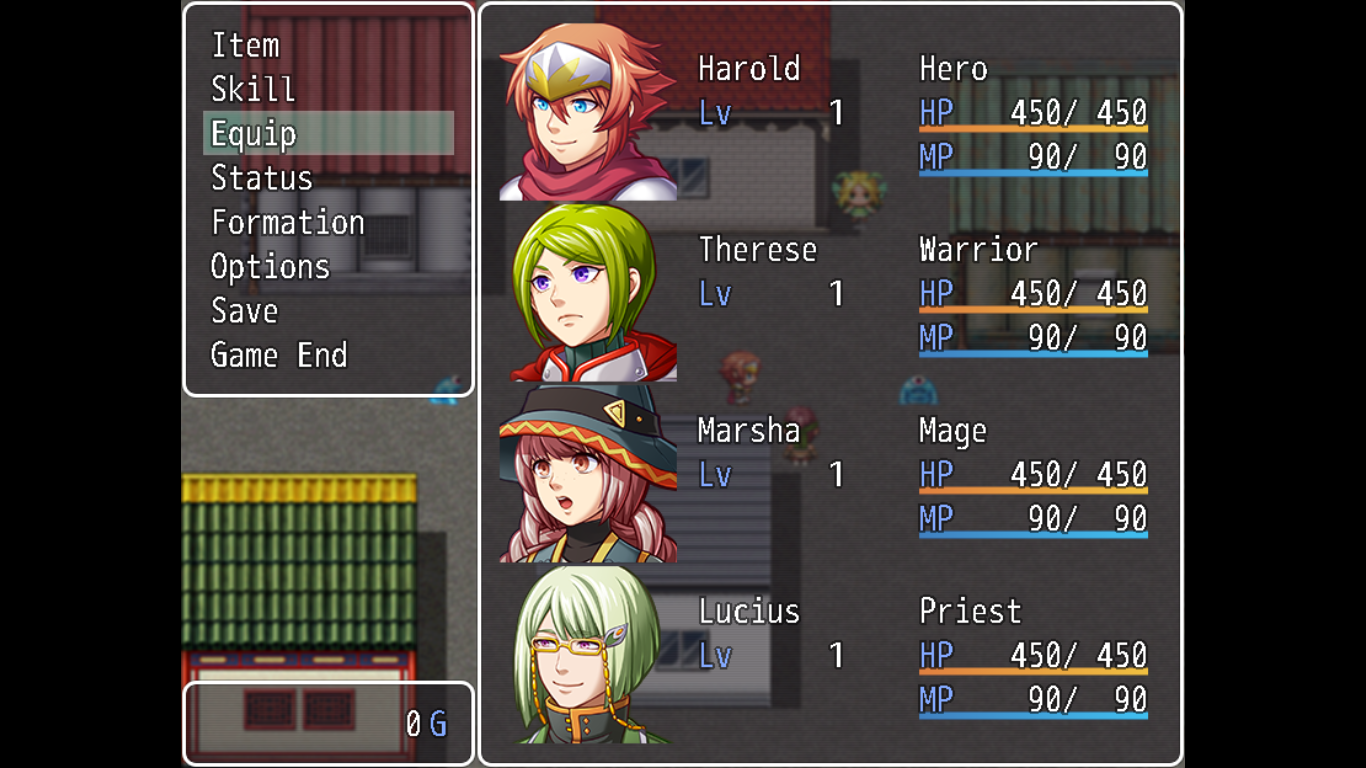
Harold is changing class to Bandit.
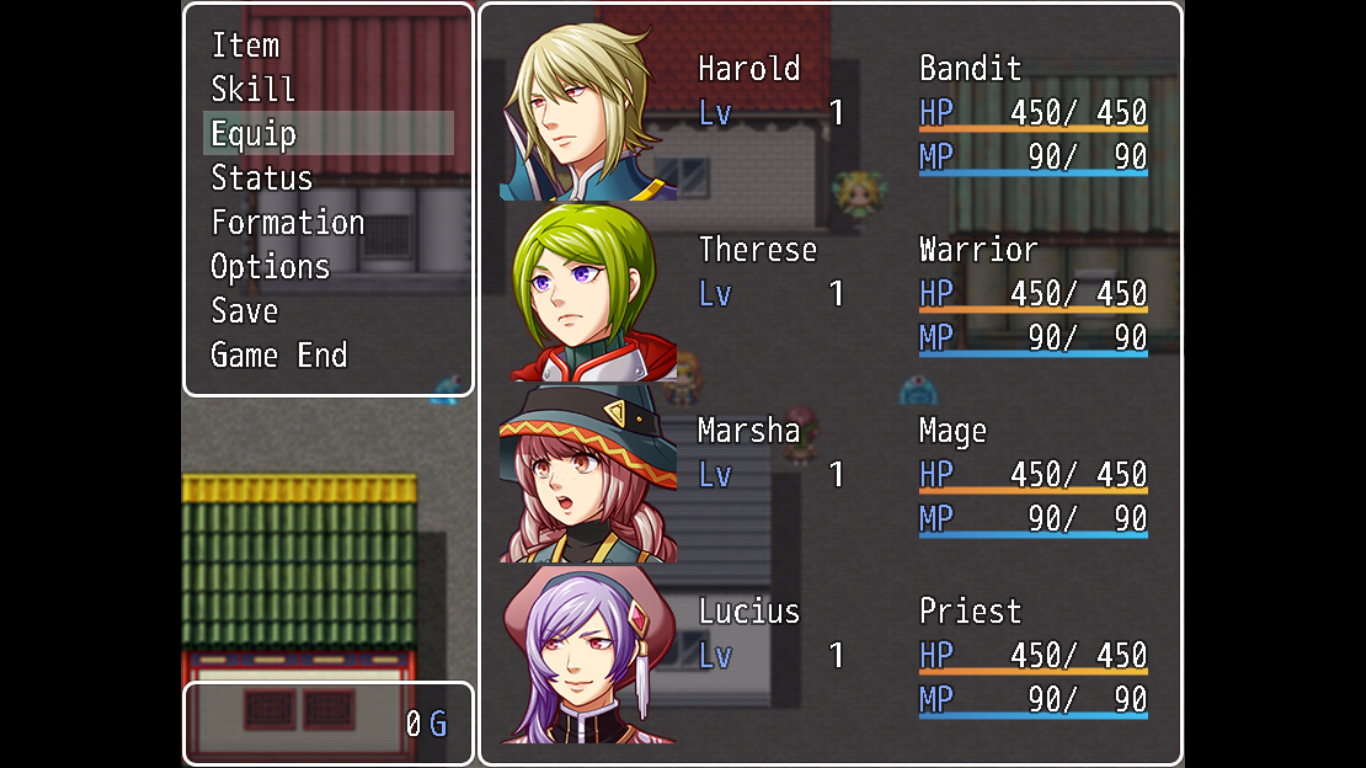
If the boys are equipping these rings...
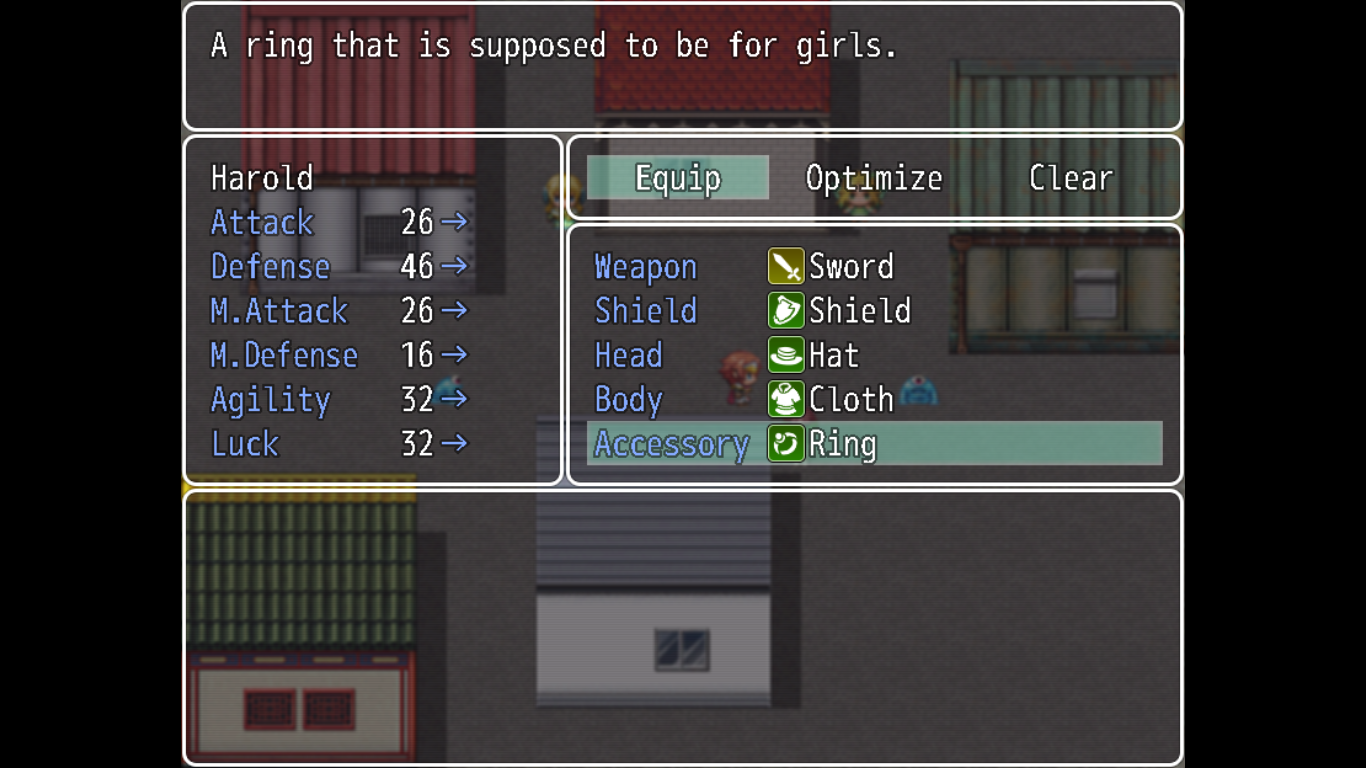
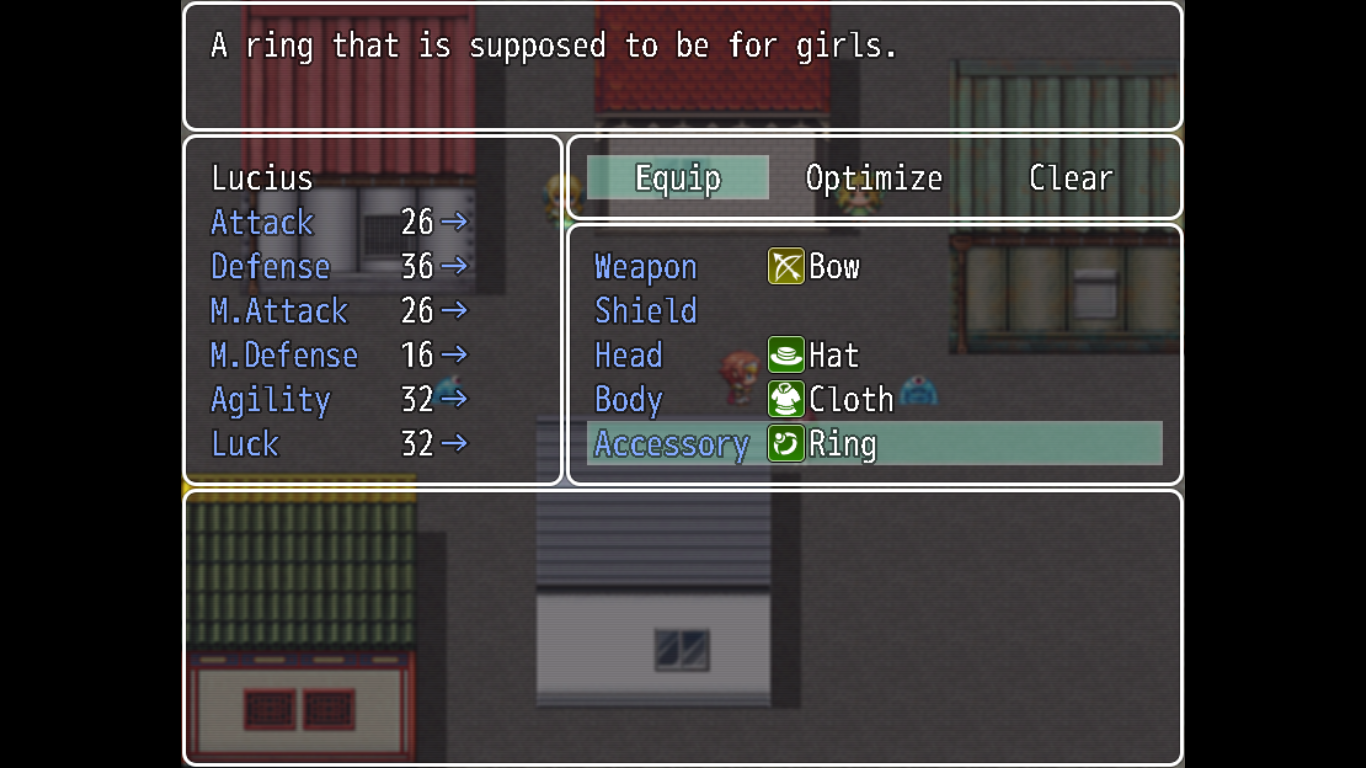
They will become...
And then there's this weapon...
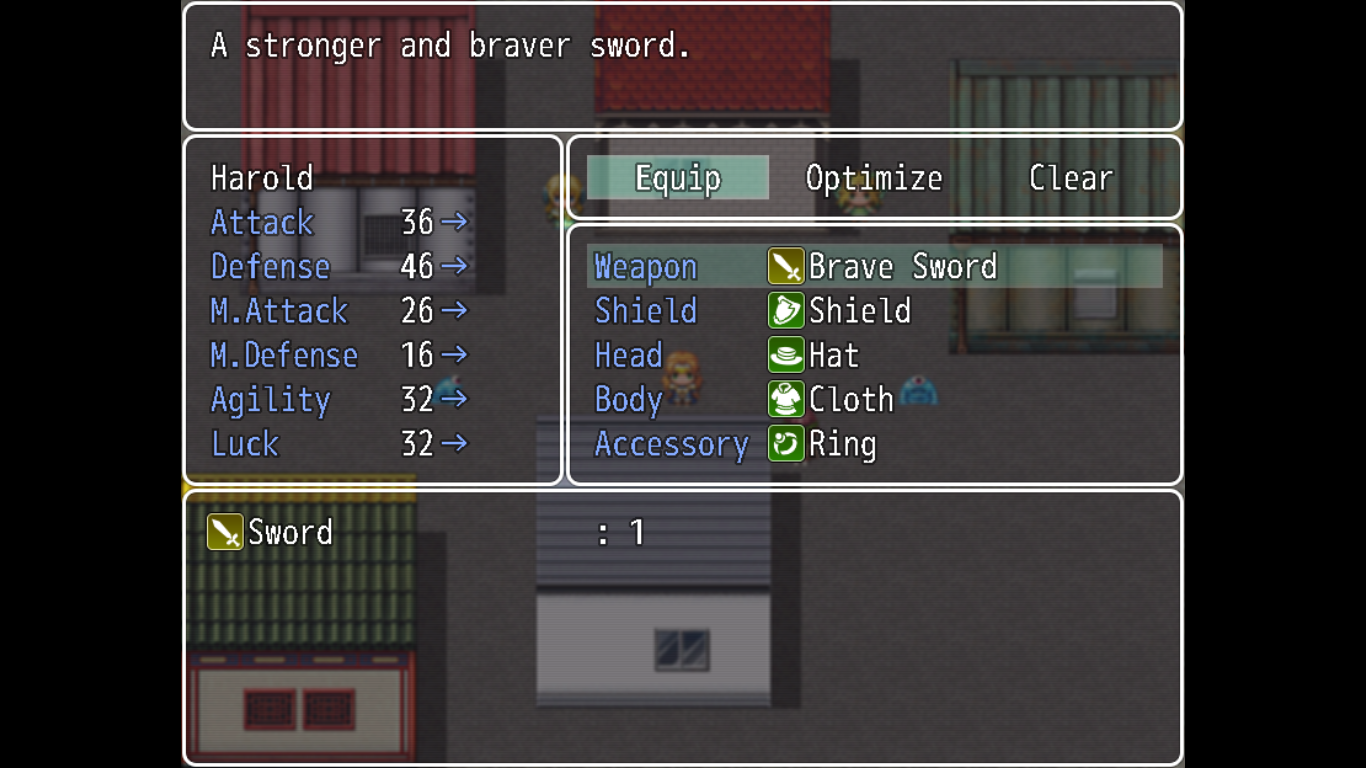
That make the wearer change too...
All of the changes can be also applied in battle.
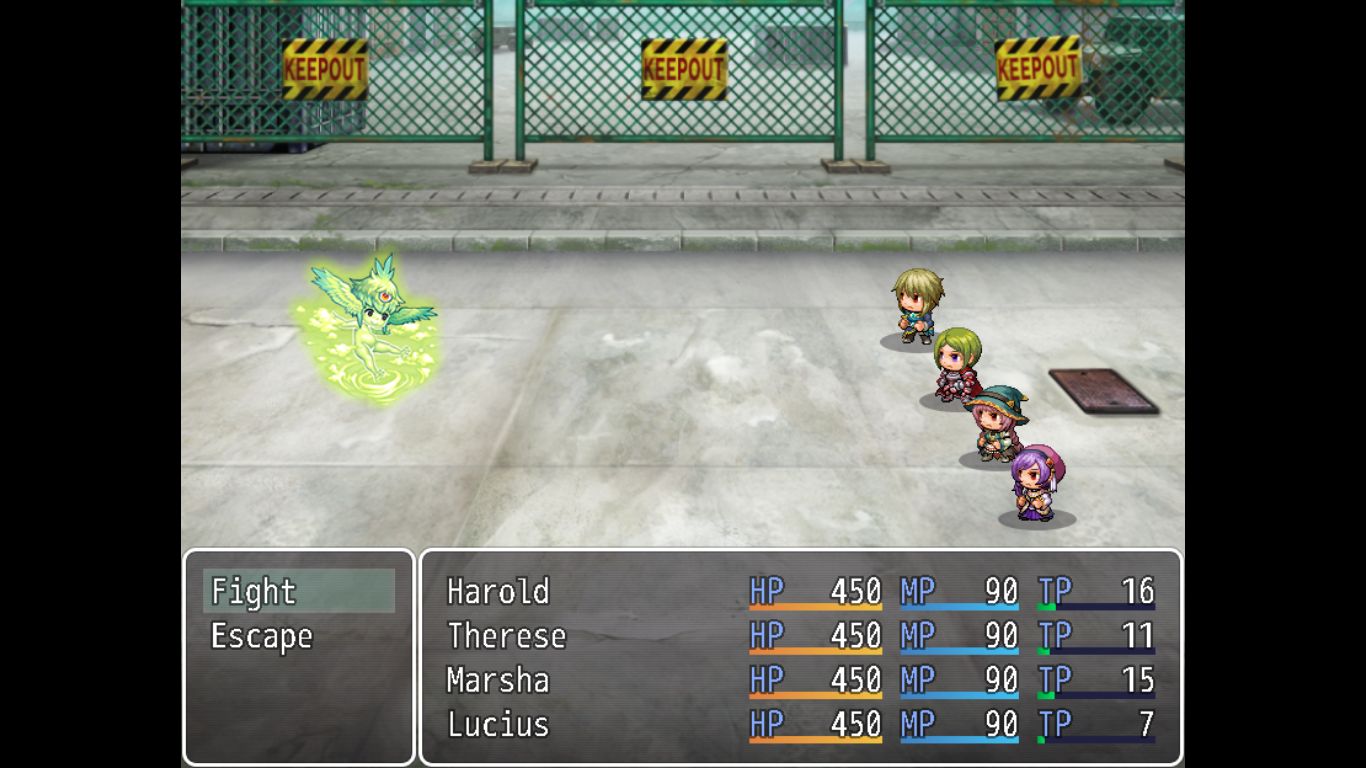
Even states can change them.
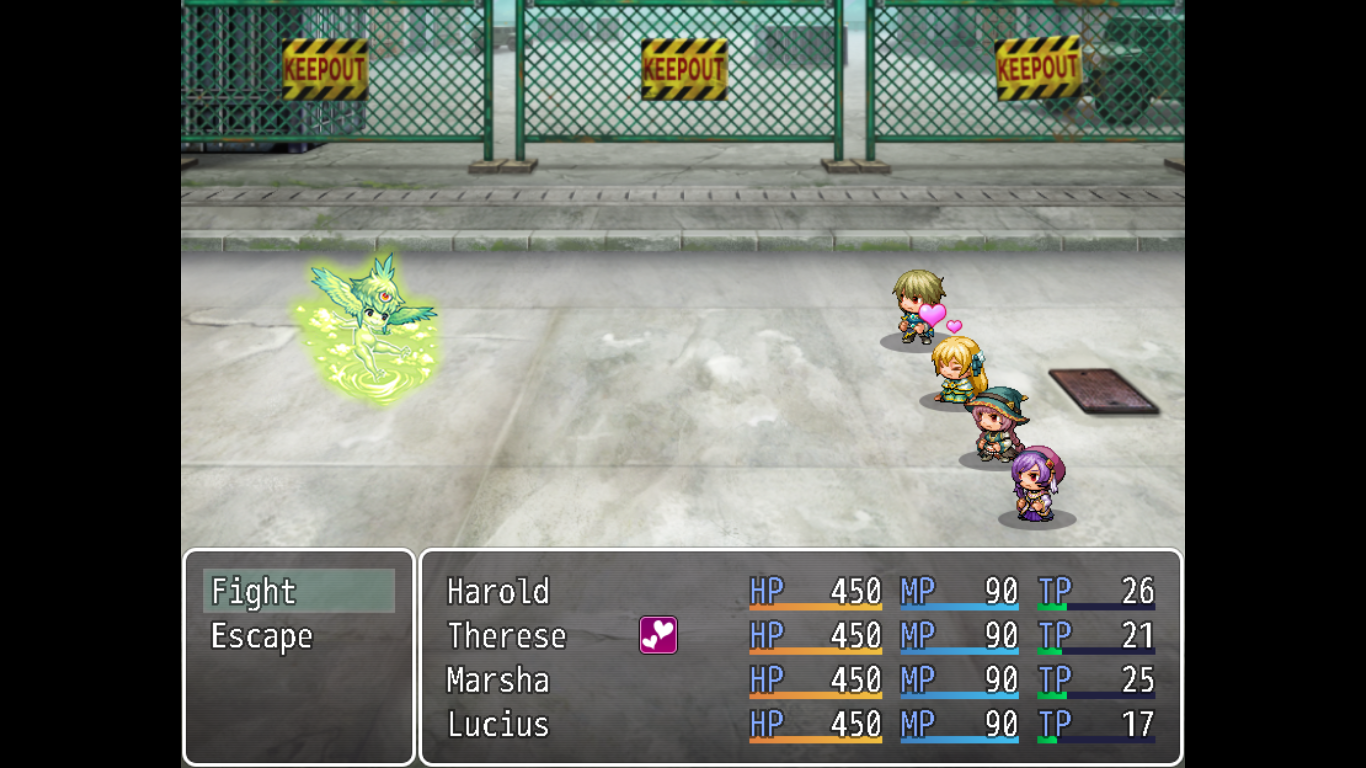
To use this, you need to put the following notetags:
To change sprites:
<ge: actor_id, sprite_name, sprite_index>
actor_id: The ID of the actor to be change graphics.
sprite_name: The filename of the sprite graphic to be placed.
sprite_index: The index of the sprite graphic to be placed.
To change face:
<fe: actor_id, face_name, face_index>
actor_id: The ID of the actor to be change face.
face_name: The filename of the face graphic to be placed.
face_index: The index of the face graphic to be placed.
To change sideview sprites:
<sve: [-]battler_id, sideview_name>
battler_id: The ID of the battler to be change for sideview graphics. Placing a negative sign will call the enemy instead.
sideview_name: The filename of the sideview graphic to be placed.
To change weapon animations:
<ae: battler_id, animationId, weaponSlot>
battler_id: The ID of the battler to be change sideview graphics.
Putting 0 instead will affect all actors inflicted.
animationId: The ID of the animation.
weaponSlot: The slot in the weapon to be changed the animation.
Notes:
- If you use a single-sprite file (files with $ at the beginning), you may also add it but the index must be 0.
- If the notetag is not fit in a single line, shorten the filename or use the other method below.
- You may put many notetags for the different actors at the same state, equipment, or class.
- The priority on the changes in graphics starting from the highest priority are states, equipment, and classes.
- The priority in "priorityEquip" is arranged from the highest priority to the lowest.
- The actor sideview battler image to be changed must be in "sv_actors" folder while the enemy must be in "sv_enemies".
Pastebin
GitHub
Known Bugs
- Not compatible with "Yanfly Item Core" when using this for changing graphics on equipment only. (FIXED)
- v1.2.2: Now compatible with Yanfly Item Core.
- v1.2.1: Will now load all possible sideview battler changes at the start of the battle to remove the blinking bug.
- v1.2.0: Now enemies can be change their battler images.
- v1.1.1: Renamed parameters to be readable easily.
- v1.1.0: Added "ae" tag to also change weapon animations depending on the actor's state.
- This script is free to use commercially or not. If commercially, you must credit me. If not, just don't claim this as your own but not crediting me is okay if you don't want to.
-
Does anyone know if you HAVE to put a note tag for this plugin in EVERY item/status even if it doesn't change the sprites? I'm just double checking because if I equip an item or status that doesn't have a note tag for this plugin, it crashes...
EDIT: Figured out I just had to start a new game for my playtesting...should have been the first thing I tried but ¯\_(ツ)_/¯ -
how does this work if the sprites you have are only showing one armor part.
-
I seem to be having an issue with this and YEP_PartySystem.
The moment I turn off yanfly's plugin, this works like a charm. -
Wish you gave an example of what the notetag looks like, i put 8 which is the actor id, in the square where the - is, with the word bear where the sideview_name is. didnt work, i put the 8 on the left of the [-] where battler_id word is, it still didnt work. theres no example so i dunno what im doingGraphics Auto-ChangerIntroduction
Version: 1.2.2
By Jeneeus Guruman
This plugin allows to change sprite, face, and sideview graphics automatically depending on the current battler's states, equipment, and class.
Features
- Changes sprites depending on states, equipment, and class.
- Changes faces depending on states, equipment, and class.
- Changes battler graphics depending on states, equipment, and class.
- Changes weapon animation depending on states.
- You can change the default graphics (if you don't equip anything that assigned to replace it) by Change Actor Graphic event command.
How to UseSpoilerBase on these characters...
Harold is changing class to Bandit.
If the boys are equipping these rings...
They will become...
And then there's this weapon...
That make the wearer change too...
All of the changes can be also applied in battle.
Even states can change them.
To use this, you need to put the following notetags:
To change sprites:
<ge: actor_id, sprite_name, sprite_index>
actor_id: The ID of the actor to be change graphics.
sprite_name: The filename of the sprite graphic to be placed.
sprite_index: The index of the sprite graphic to be placed.
To change face:
<fe: actor_id, face_name, face_index>
actor_id: The ID of the actor to be change face.
face_name: The filename of the face graphic to be placed.
face_index: The index of the face graphic to be placed.
To change sideview sprites:
<sve: [-]battler_id, sideview_name>
battler_id: The ID of the battler to be change for sideview graphics. Placing a negative sign will call the enemy instead.
sideview_name: The filename of the sideview graphic to be placed.
To change weapon animations:
<ae: battler_id, animationId, weaponSlot>
battler_id: The ID of the battler to be change sideview graphics.
Putting 0 instead will affect all actors inflicted.
animationId: The ID of the animation.
weaponSlot: The slot in the weapon to be changed the animation.
Notes:
- If you use a single-sprite file (files with $ at the beginning), you may also add it but the index must be 0.
- If the notetag is not fit in a single line, shorten the filename or use the other method below.
- You may put many notetags for the different actors at the same state, equipment, or class.
- The priority on the changes in graphics starting from the highest priority are states, equipment, and classes.
- The priority in "priorityEquip" is arranged from the highest priority to the lowest.
- The actor sideview battler image to be changed must be in "sv_actors" folder while the enemy must be in "sv_enemies".
Pastebin
GitHub
Known Bugs
- Not compatible with "Yanfly Item Core" when using this for changing graphics on equipment only. (FIXED)
- v1.2.2: Now compatible with Yanfly Item Core.
- v1.2.1: Will now load all possible sideview battler changes at the start of the battle to remove the blinking bug.
- v1.2.0: Now enemies can be change their battler images.
- v1.1.1: Renamed parameters to be readable easily.
- v1.1.0: Added "ae" tag to also change weapon animations depending on the actor's state.
- This script is free to use commercially or not. If commercially, you must credit me. If not, just don't claim this as your own but not crediting me is okay if you don't want to.