by Carrigon
sims2Workshop.com
Beginners Level
This tutorial gives several lessons in one. We are in a small escape the room scenario. The door is locked. Maybe what's inside the giftbox can help us unlock the door.
I'm going to show you how to make a giftbox. We're going to break what's inside the box, then we're going to put it back together by combining inventory items.
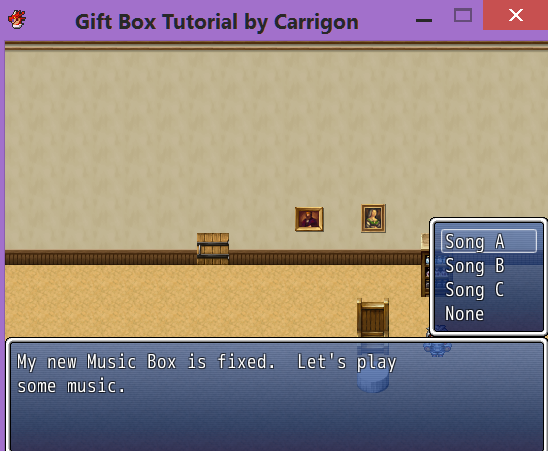
We're also going to make a playable music box that uses background music, your Audio/BGM music files. And the music box can be played or turned off from inventory.
I'll give you a demo you can download that will help you see how all this was setup.
Step One:
We need to setup the room. We're just doing a very simple room. We event a door, which you can do with just an easy event creation. In event mode on the map, right click where you want to setup your door, just do one as a placeholder for now. We can set the rest of it later.
Put in a chair, a table, a cabinet. The pictures are just for show. You can decorate the room anyway you like.
Step Two:
We need to make our items before we can event them on the map.
For this project we need a giftbox, we're going to put one on the table, but we need an inventory item for it. So in items, you need to make a giftbox item. Then we need to make another item for what's inside the box. And the broken parts. We only need two broken parts. So we are making a Music Box item, and two separate broken parts we call Broken Parts of the Music Box 1 and Broken Parts of the Music Box 2. And we need one more item, the Glue to fix it. I made them regular Non-consumable items. We will remove them as needed in the events. It's optional to set any of them as key items. Key items make it so that the player won't accidentally sell the item.
So these are your items for inventory:
Gift Box
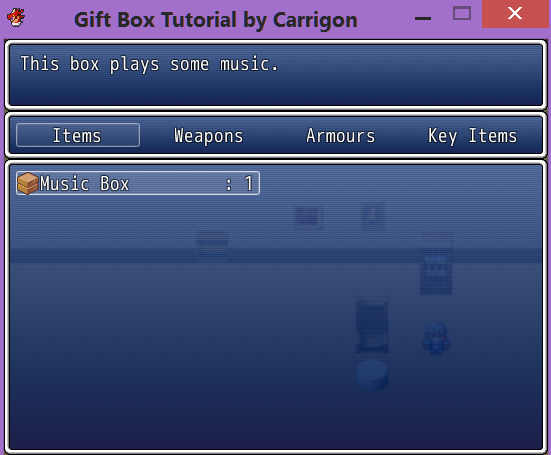
Music Box
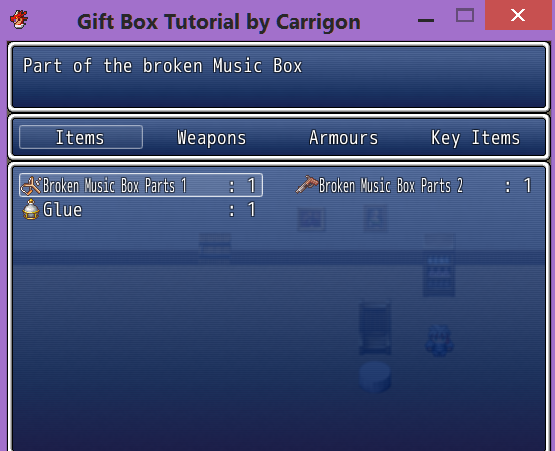
Broken Music Box Parts 1
Broken Music Box Parts 2
Glue
Item Screenshots:
Spoiler
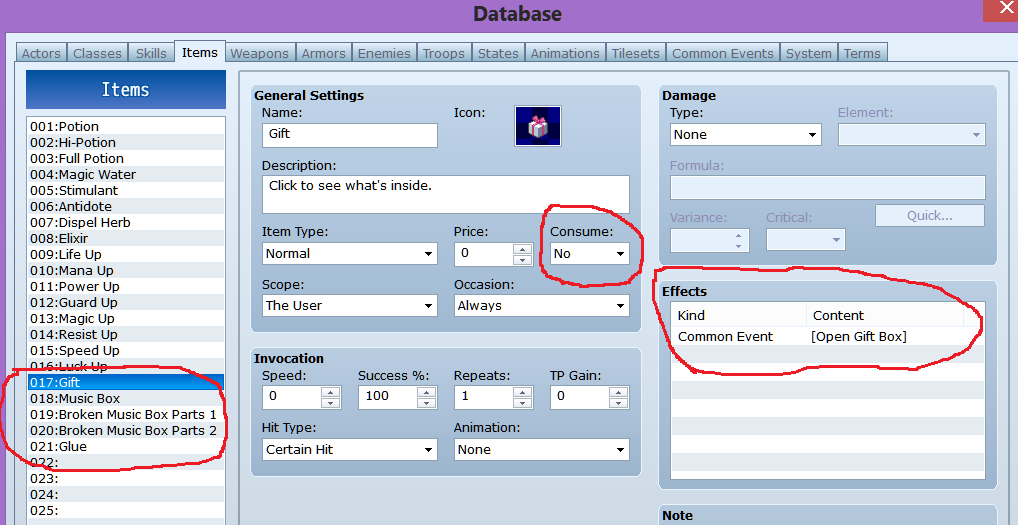
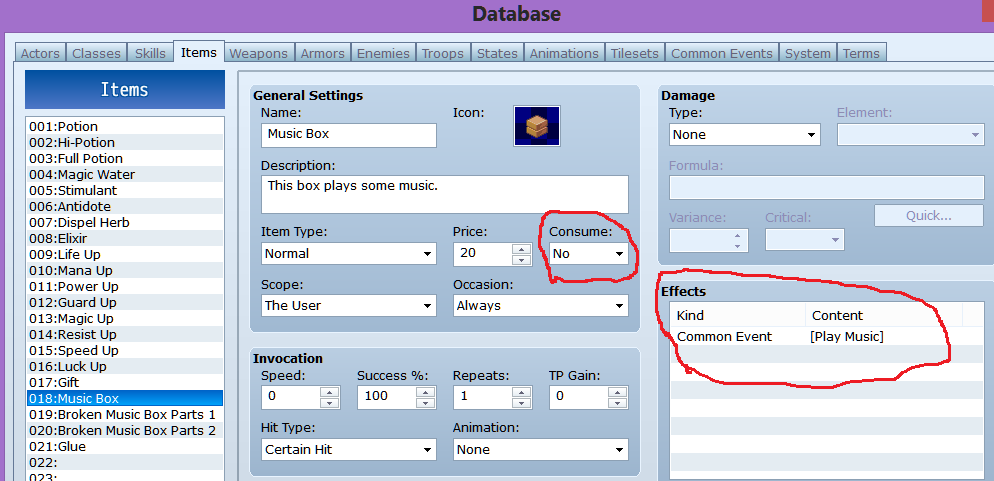
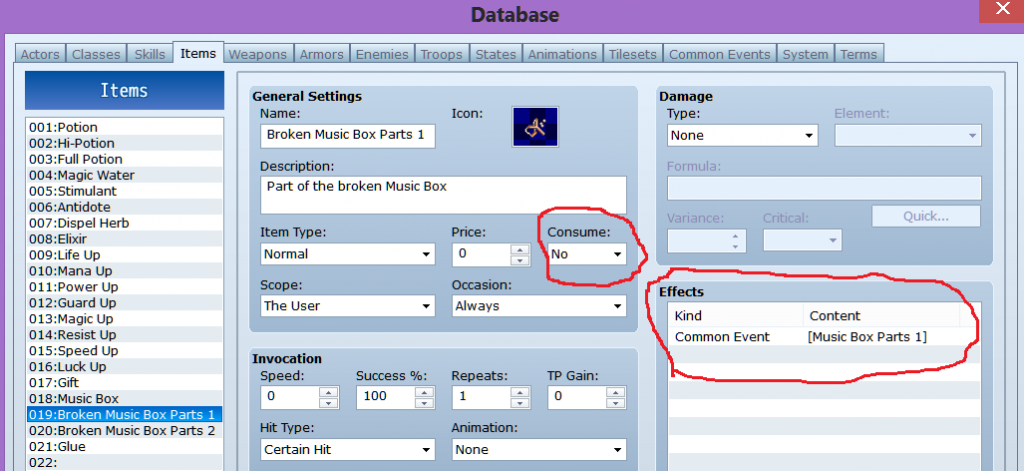
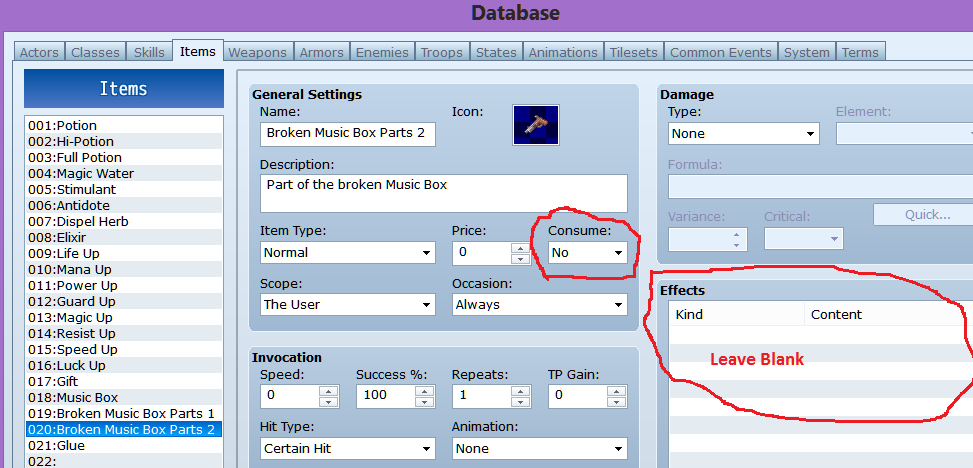
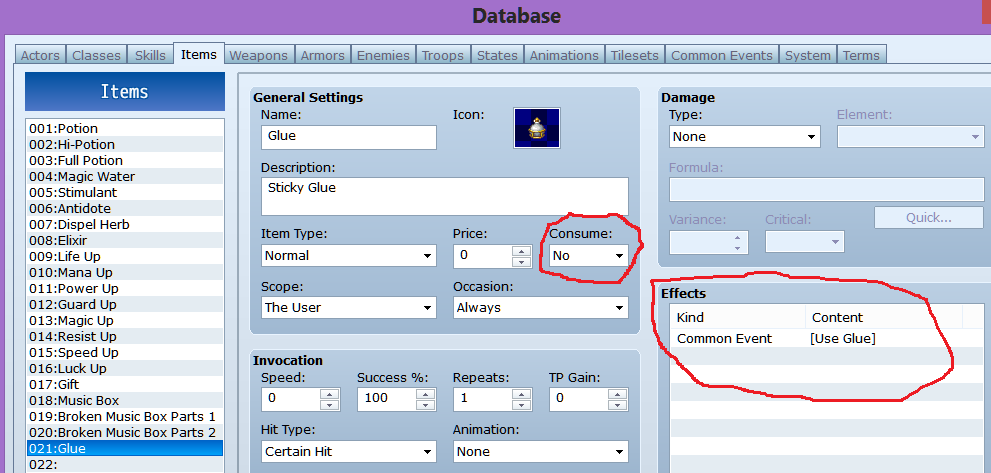
We're going to setup what these items do when you click on them in inventory. We'll be using Conditional Branches and Switches. And you can look at my screenshots for how they should look.
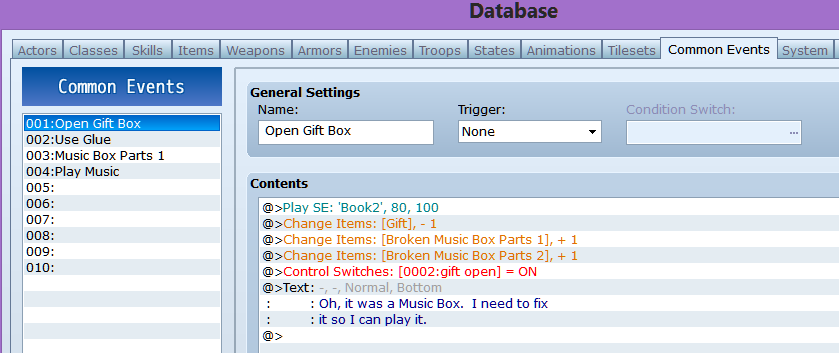
Basically this is what should happen in Inventory once you have taken the Broken Gift Box, we'll get to how to take it later:
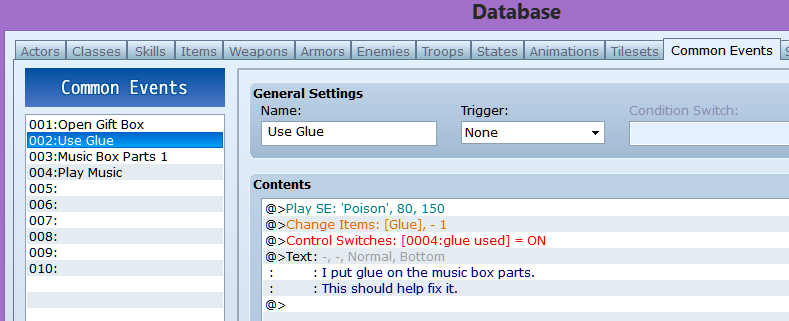
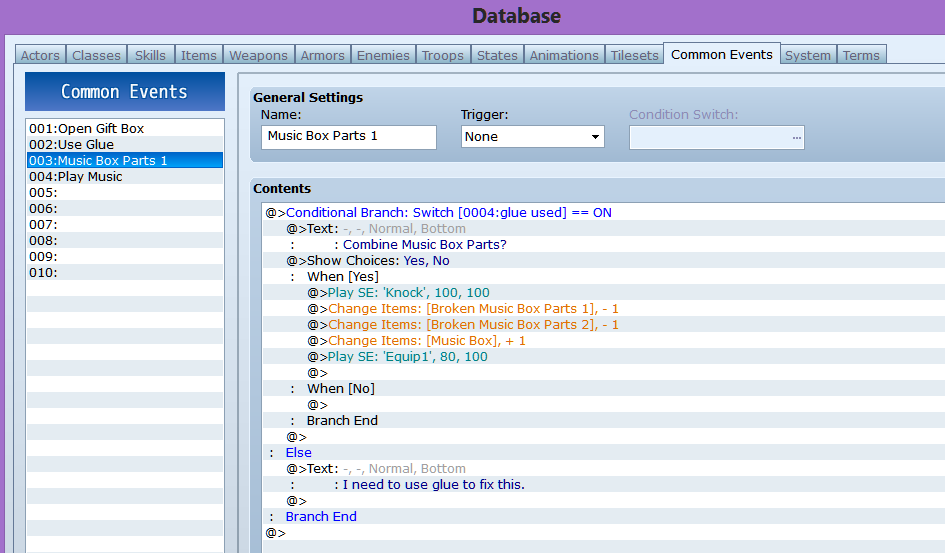
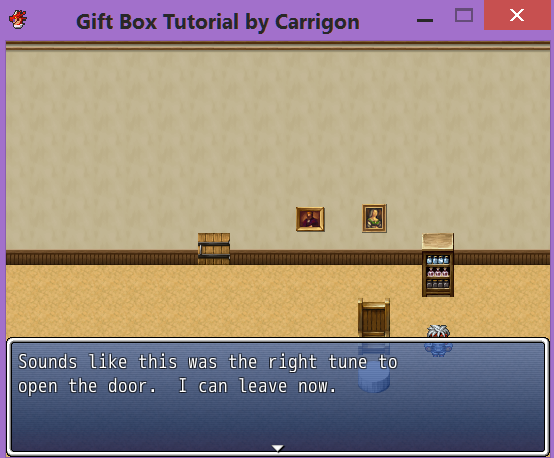
So you took the broken gift box, you click it in inventory to unwrap it. You find you now have broken parts to a Music Box. You need glue to fix it. We will be getting the Glue from the cabinet. Once you have the Glue, you click on the Glue in inventory to use it. Then you click on Broken Music Box Parts 1 to combine your Glued parts. Then you have your working Music Box that you can play. And we will have set it up so that when the player clicks on the right song, it will unlock the door and you can leave the room. You won. It's a very basic escape the room setup. As you get more advanced, you can make much more involved puzzles.
See the screenshots for how our Common Events look. First you make the items for inventory, then you setup Common Events that we will link to those items so they can be clicked on in inventory and do things.
Common Events Screenshots:
Spoiler
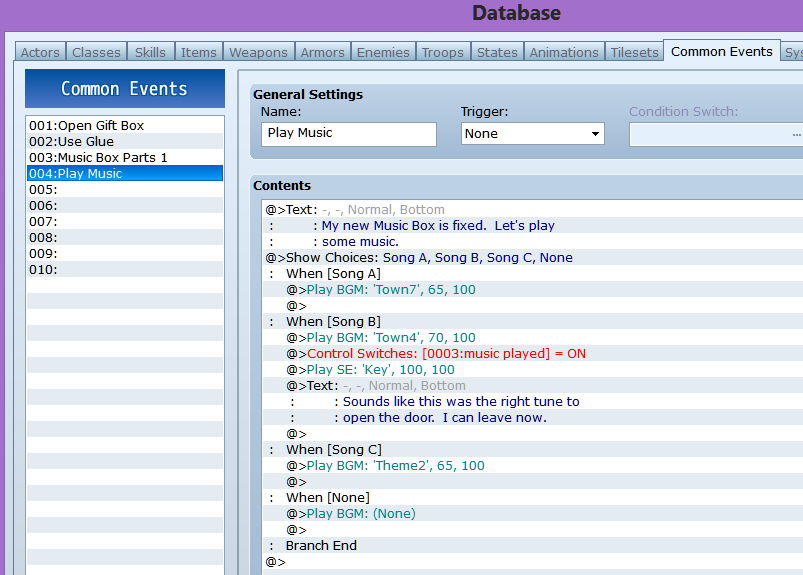
Step Three:
We will make a few events on the map for these items we just setup.
We're going to put a giftbox on the table and event it. In Event mode on the map, right click on the table, choose a gift box looking icon from your tileset. See the screenshot for how to setup the event.
Spoiler
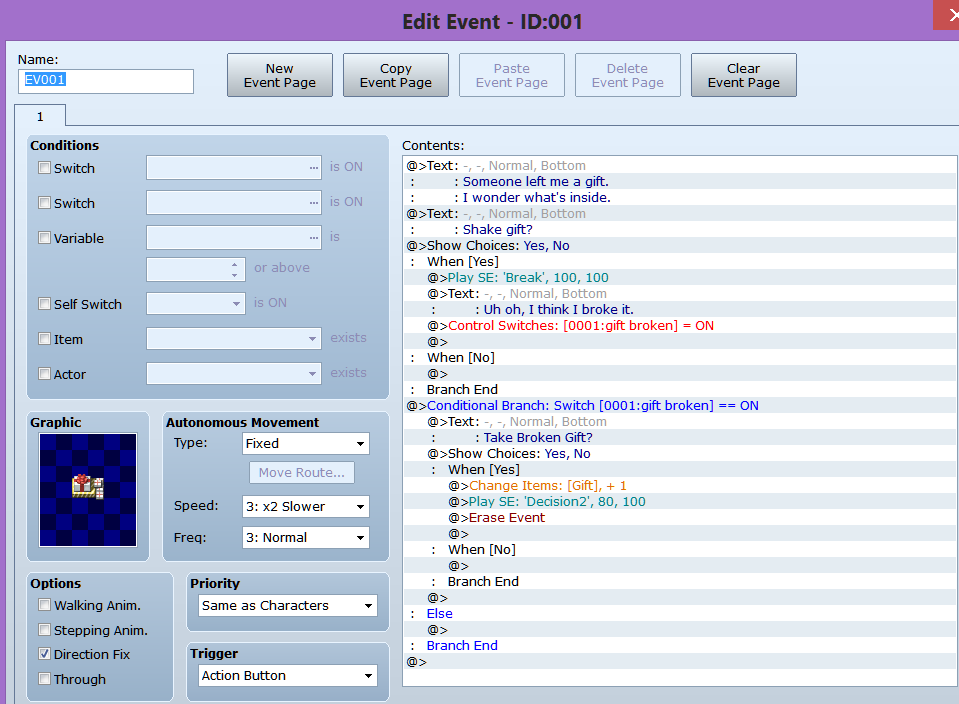
Spoiler
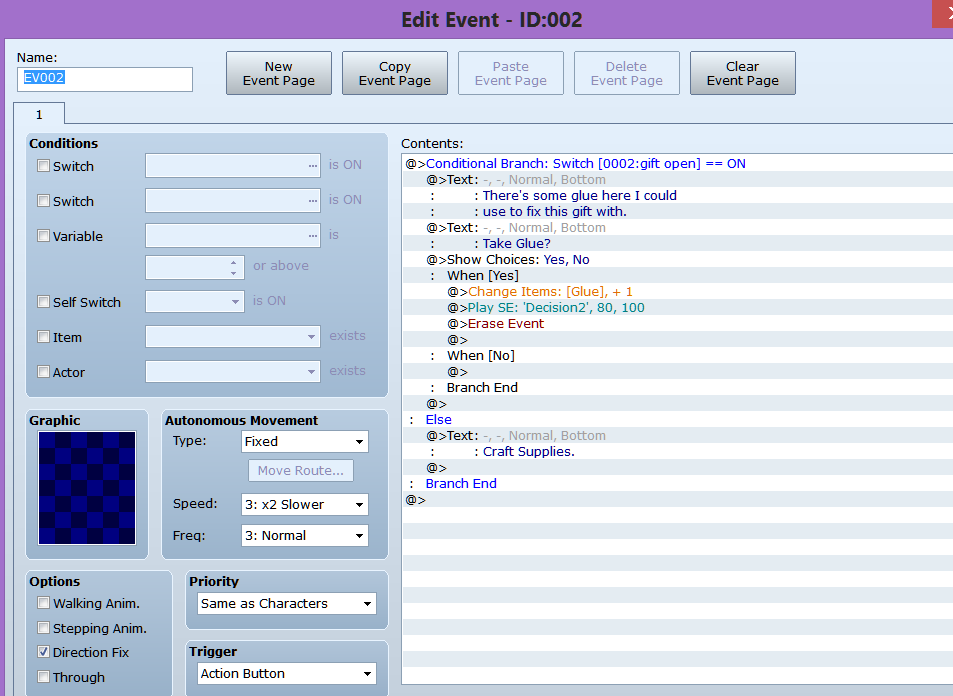
Spoiler
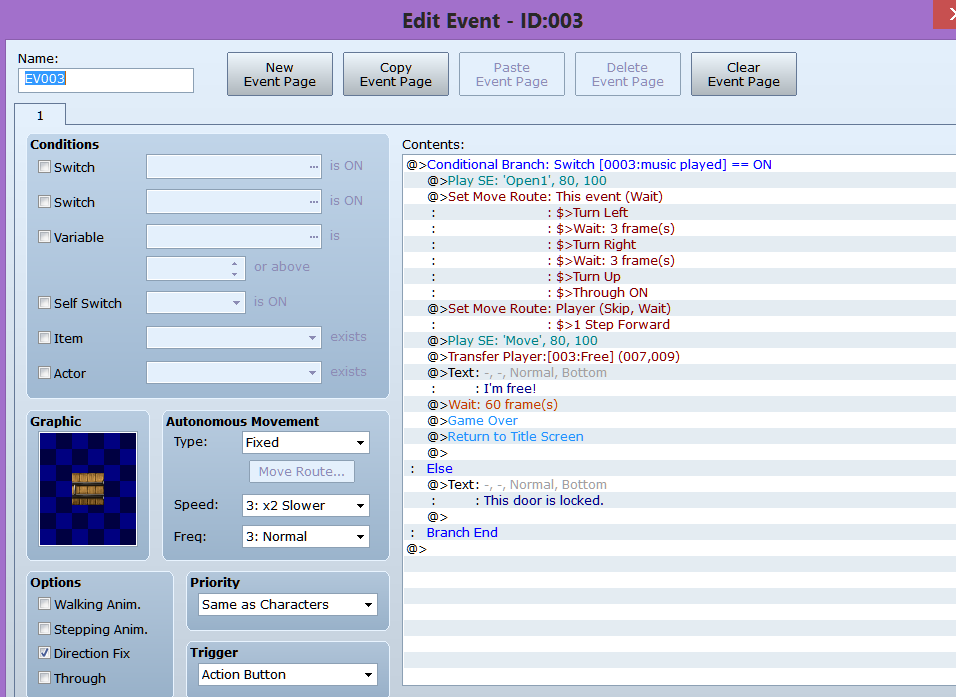
And that's really it. The Music Box we have made can be carried around by the player and they can play it or turn it off by choosing None on the options. You can use your own music for it. It is using Background Music and will change the background music of the room you are in. If your next map is set to auto change the music to something else, you can play the Music Box from inventory again.
A Music Box is a great gift to give a player as a reward or even something they can buy from a shop to take on a long journey. You can put whatever music you want to in it and there are scripts you can get that will let you add more choices to the menu for it. There are ways to use variables to turn this into a much more playable radio. This is just a very simple beginner's version.
Inventory Screenshots:
Spoiler
https://mega.co.nz/#!MAAFQY5A!bsTUSlTivQ99J2zO6qynd1R1-T1qDQS849G8dsft74c