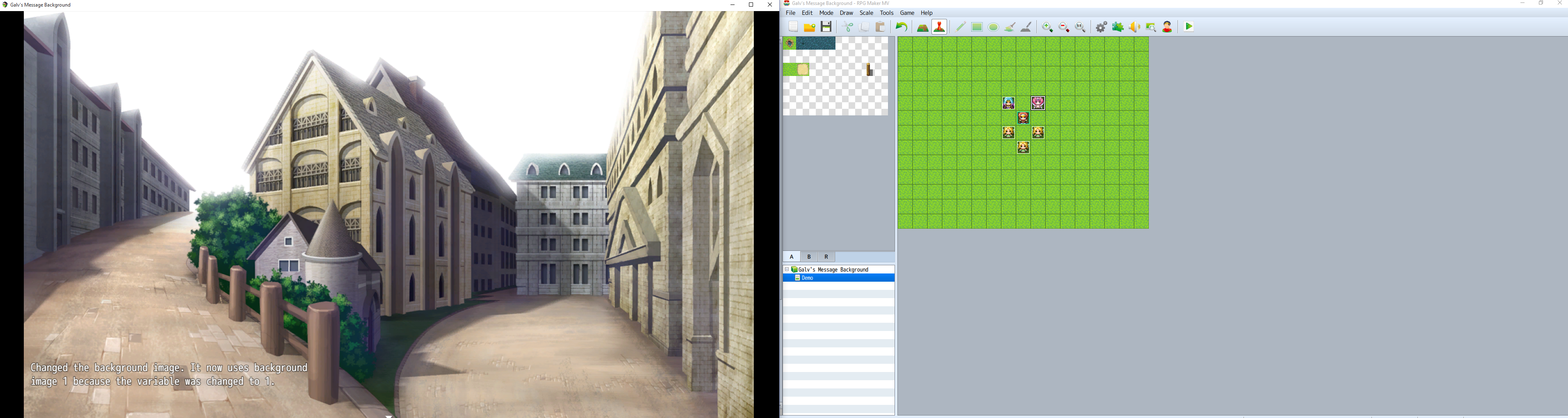
Galv's Message Background

● ARCHIVED · READ-ONLY
Started by Galv 20 posts View original ↗

  1. Message Background - Version 1.8
    RPG Maker MV Plugin
    Galv


    Introduction
    My second plugin in my quest to port my Ace scripts to MV plugins to make messages prettier. I encourage people to make their own nice designs, the one in the demo isn't very fancy.


    Screenshot
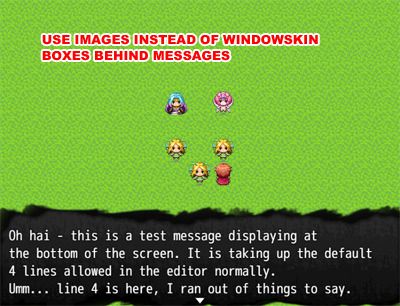
    message-background_zpsx6awurg5.jpg

    Spoiler
    Spoiler


    msgimg_1_zpsf7fzwqhp.png


    Features
    Display an image behind "Show Message" windows instead of the normal windowskin. These images react to the Show Message settings such as 'Dim', 'Transparent' and positioning.
    - A variable can be used to change the image during game
    - A switch can be used to disable the image and revert to normal windowskin messages


    How to Use
    - Copy the "GALV_MessageBackground.js" file into your project's /js/plugins/ folder.
    - Copy the image "msgimg_0.png" and "msgimg_1.png" (from either plugin or demo download) into your project's /img/system/ folder (to use as guides for making your own).
    - Activate plugin using the 'Plugin Manager'
    - Change the switch/variable settings as required (make sure to label the switch/variables you use in your game so you don't use them for something else)
    - Read the 'HELP' documentation (also found in plugin manager) for more details and try the demo if you don't understand.


    Plugin
    Get it here


    Credit and Thanks
    - Galv


    Terms
    Free to use in any RPG Maker MV project including commercial. Please credit "Galv". :)


    Updates


    2017-01-22 - Version 1.8 - made compatible with default startZoom function


    2016-11-13 - Version 1.7 - fix for if a game ends while a message is open
    2016-09-16 - Version 1.6 - made objects available publicly
    2016-05-04 - Version 1.5 - fix an issue that kept dim window showing


    2016-04-02 - Version 1.4 - Compatibility changes so it works with Galv's Message Styles plugin properly.


    2015-10-30 - Version 1.3 - Removed accidental code + compatiblity change
    2015-10-27 - Version 1.2 - Fixed a bug with showing behind pictures
    2015-10-26 - Version 1.1 - Fixed a bug in variable setting
    2015-10-25 - Version 1.0 - Release
  2. Nice! I'll use a cartoon bubble when characters speak!

    Thanks Galv :)
  3. I love the converstion but don't you think you should use plugin command instead of switch or variable? 

    if you ignore how to do it it's fairly easy to do :)
  4. That's true. I figured switch and variable would be easier to use (I've already seen a few people using 'script' event instead of 'plugin' and asking why it wasn't working) plus they were already saved in save game data but I will definitely investigate using plugin commands for future scripts :)
  5. likes for your bust script   :D ?
  6. I detect a subtle message of lvl 10! :D
  7. oh yea FYI: the variable control is stuck with 1 :p even if you change it lol.
  8. I can change the variable in the settings fine.


    I did notice that at times my settings weren't changing when testing my game and closing RPGMaker down and restarting seemed to make the change take effect. I wonder if this is a bug?
  9. I have a problem :(

    If i change the variable (N°5 for exemple) it does'nt work but it work with variable 1 :

    1445890778-sans-titre.png

    But i's great ! It's worked with Message Core from Yanfly
  10. Hmmm, seems a few people are having issues with the setting not working for them. I've done a bunch of tests and it appears that a test game will randomly not accept the new variable number.


    Can you set it to variable 5, then save, close and open your project again and test?


    Need to work out why that's happening. Seems odd and random for me as I can get it to work fine nearly all the time, but occasionally it won't.
  11. I restart PC and .. it's the same.

    I'm looking for

    Maybe the number is save in "5" and considered text and not number:


    EDIT : No, message core work with number.

    I don't find
  12. Ahh, found the issue. I was pointing a variable ID to the value of a variable instead of the actual ID number. Silly Galv!


    I've updated to version 1.1, this issue should be fixed
  13. Yes it's work. Great job !

    Thank you !
  14. Thank you!

    It's just like the ace version, love it!  :guffaw:

    Now just busts and I'll be all set.
  15. There is a glitch of the script :p

    Image doesn't have the same priority as the text, so if there is a background image................. It means..... The background image will take greater priority than the message image, causing it to only show text...
  16. What do you mean by "Background Image"? Do you mean the map graphic? I can't replicate what you are experiencing but I think I might need to change where the sprite is drawn... haha
  17. Galv said:
    What do you mean by "Background Image"? Do you mean the map graphic? I can't replicate what you are experiencing but I think I might need to change where the sprite is drawn... haha
    xD well, it is "show picture" that is big enough to cover the entire screen. It will cover up the message image, but not the text :)
  18. Ahh, show picture - okay thanks. I'll fix that up soon :)


    EDIT: Fixed, updated to version 1.2. Let me know if any other issues - thanks :D
  19. Moghunter's Time System Hud seems to stop the custom message box appearing.
  20. If you look in this plugin's settings you assign a switch that disables the message background. You could be turning that switch ON in an event - perhaps one related to the time system hud. Change the switch being used in the plugin settings (to 0 if you don't want to disable it) and see if it works.