Ah ok!
YEP_MainMenuManager.
Ho provato a farlo, ma mi da un errore...
ok you got luck, i have both plugins(galvs and the yep menu) in one of my older project..
About: YEP_MainMenuManager & Galv's Magic Shards
by default the menu should have the default menuCommand from galvs plugin.
i added another one with yeps menu to figure out the correct input data in yeps plugin param:
-galvs original menu command has the name "Orb Shard"
-my new added command has the name "Shards"
=> both work..
(see picture below)
here is the plugin param Setup which i used:
yep menu plugin param setup
Name can be Changed (i used 'Shards') ,but use 'your name here' (not " ")
Symbol must stay =>
mshards
Show not sure if thats required but it works for me
=> this.needsCommand('mshards')
Enabled ,
true works for me but i guess you can use your gameswitsch solution aswell for more controll
Ext is not required
Main Bind must be
=>
this.commandPersonal.bind(this)
Actor bind must be
=> SceneManager.push(Scene_MShards);
---
IMPORTANT:
well so far so good, but now i have 2 commands in the menu that do the same, and thats not required, thats why i would recommend to NOT add the second command to the "Yep menu Plugin".
Because you allready have the controll over "Orb shard" , with galvs plugin param.. and if you disable galvs menuCommand with "false" in galvs plugin param.. than you get a bug when using the new added Command aswell.. Thats why it makes no sence to add it into yeps plugin param.
@ Lionheart_84
I guess you want to have controll over the menuCommand by gameSwitchValue .. thats why you wanted to add it into the yep menu plugin??
- in such case we would need a little edit on galvs plugin that adds such option in his plugin param , instead of just using "true" or "false"
(img from galvs plugin param)
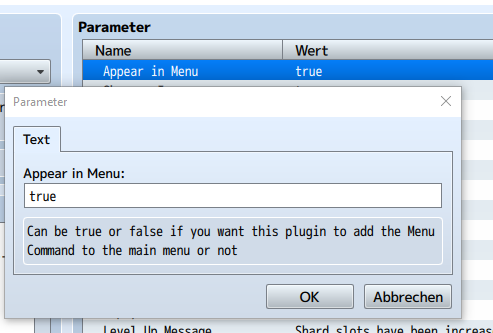
.. I think i could do such an edit with a bit of time needed, but i guess it would be better and faster if
Galv does ist.
(also i dont wanna make and share an edit on galvs plugin without galvs permission)
edit
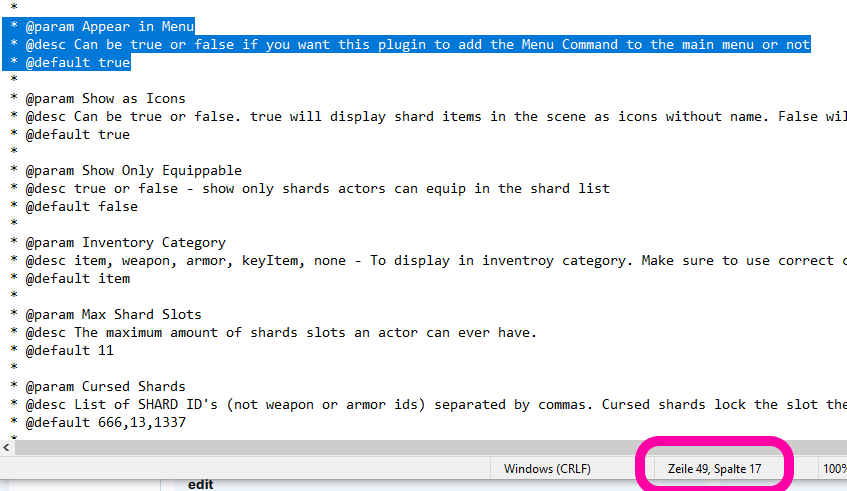
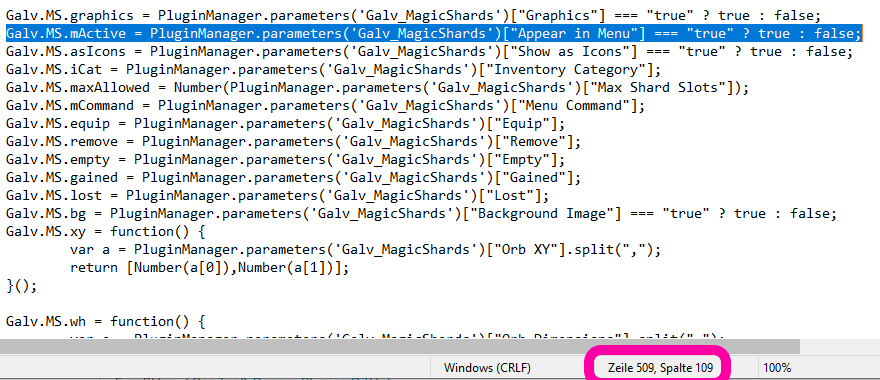
the required edit to add a gameswitch option is probably located in the setup for plugin paran & here: (img below)
plugin data screenshot
--
@
Galv , if you dont have the time to do such edit that adds a gameswitch controll option for the MenuCommand of the menu.. than i would do it
with your permission .
(i probably would use such gameswitch controll option for myself aswell, because with that we could enable and disable it based on the story.. so that a hero dont have that menuCommand in the menu aslong the story didnt let the hero learn about "magic shards existing" at the beginning)