ElectronMV

● ARCHIVED · READ-ONLY
Started by Quxios 21 posts Page 1 of 2 View original ↗
  1. ElectronMV v1.1.X ( Electron only works for windows 7 and newer )
    ​
    Electron wrapper for RPG Maker MV. Wrapping MV with Electron gives a handful of benefits. One of the main benefits includes in this wrapper is being able to remember the window position, size and if it was full screened the next time it's opened. See example here:
    [embedded media]

    Other benefits including; being able to create an updater for your game, creating a launcher, and more.

    Installing
    https://github.com/quxios/ElectronMV#installing

    [embedded media]

    Running
    https://github.com/quxios/ElectronMV#running-project-with-electron


    Building
    https://github.com/quxios/ElectronMV#building-your-game


    Configuring
    https://github.com/quxios/ElectronMV#configuring


    Advanced
    This section for for js devs or programmers.

    1st, this uses the 2 package method. The package.json in the main directory is used during development, while the one inside the app/ is for production. So don't forget to add any dependencies you add to the development package into the production one as well. Don't add any dev dependencies into the production one since there's no point.

    /package.json - Dev dependencies

    Spoiler
    babel-cli - To compile babel scripts when deploying or converting for vanilla MV
    babel-preset-electron - Adds missing es2015 plugins and stage-0 to electron
    babel-preset-es2015 && babel-preset-stage-0 - for compiling es2016 plugins for vanilla MV
    electron-builder - To build the game
    electron-prebuilt - electron

    Creating plugins that can use dependencies
    Spoiler
    Plugins in MV are loaded through a script tag. So if you were to try some babel transformation, for example jsx, you will get an error even if you have the preset installed. So to fix this just end the file name with:

    -req.js

    And that plugin will be added with require instead of a script tag. Now you can go ahead and write that plugin as you would like. Just don't forget to compile it before building the game or you'll get errors.

    * Note that plugins need to have the extension .js or the plugin manager in RPG Maker MV editor will not find it.

    * Notes
    - Some plugins may not work with this if they use any nw.js.
    - Electron only works on windows 7 and newer. So if you use this your windows os requirement should be windows 7+
  2. I looked at this at one point - seems interesting. Nice job!


    I can say for sure it won't work with my plugin that relocates the safe file to appdata folders - it uses nw.js.
  3. Thanks!

    And you can also patch it. If you're using nw.js to find the appdata path you can use electron's app.getPath('appData') to find it.
  4. I totally forgot I replied here. So I could theoretically have it check which framework it's running under and have it get the path the appropriate way. That's pretty cool.
  5. @taarna23 Yup


    An easy way to check if it's running with electron is to check for:


    Imported.QElectron


    or

    Code:
    process.versions.electron
  6. Just updated to 1.1.0


    https://github.com/quxios/ElectronMV/

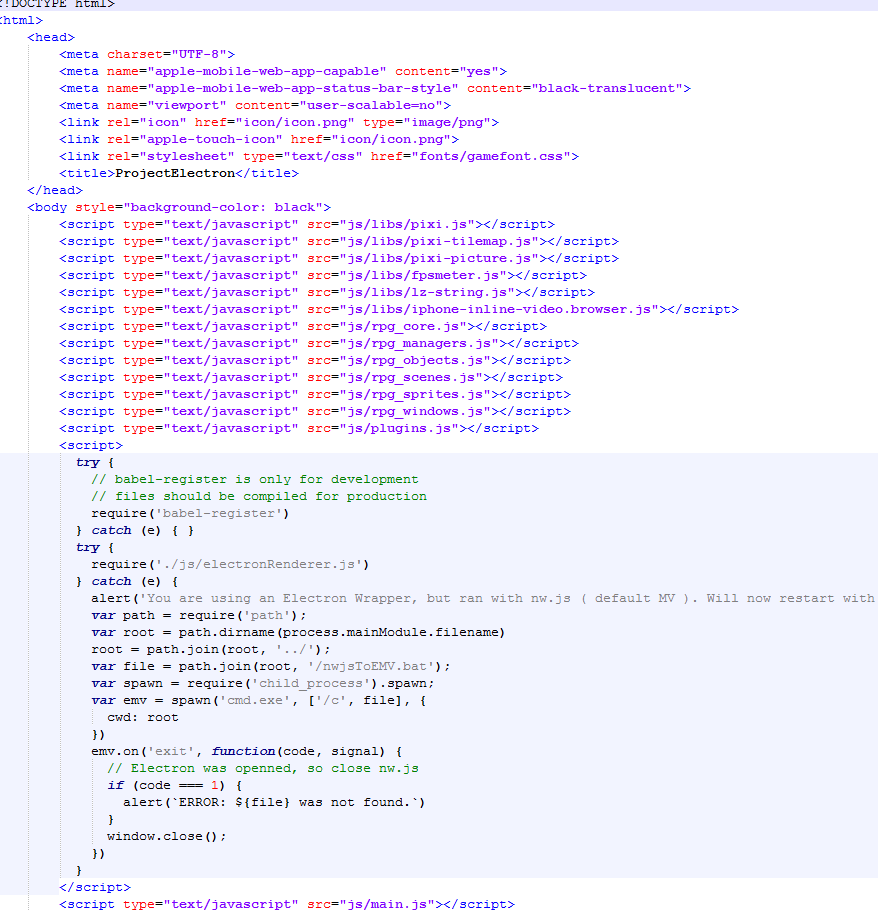
    • Edited index.html to run with Electron if running with nw.js. This means that you can play test ElectronMV Projects with the play test button in the MV Editor.
    • Added 2 new .bat files; deploy.bat, nwjsToEMV.bat
      - Use deploy.bat to deploy / build your game for production. The nwjsToEMV.bat just runs the play.bat in a new cmd instance.
    • Included a sample -req.js plugin for js devs
  7. Update 1.1.1
    https://github.com/quxios/ElectronMV/
    • Fixed re-sizable always returning true
    Added a video on installing it:

    Will probably remake later on with a voice over instead of having text.

    Update 1.1.2
    • Changed to run electron locally
  8. This is amazing. I've had the same thoughts for long but never got around to do it.
    This will also give people the opportunity to make a wrapped environment if they want to do server request and extended features for their game.

    There's a ton of application potentials with this solution.

    Well done!
  9. Exactly! And thanks
  10. Update 1.1.3
    • Changed up some of the coding style ( added semicolons ) to make RMMV style a bit more.
    • Changed a few code in the rendererMain.js
    • Fixed a bug where the window wouldn't move to save position if the x/y was 0
    For more details, you can see the commits

    To update, you only need to replace electronMain.js and electronRenderer.js
  11. Interesting tool, thanks for your work.

    Tried with new version of MV(1.5.0) playtest from play.bat works fine.
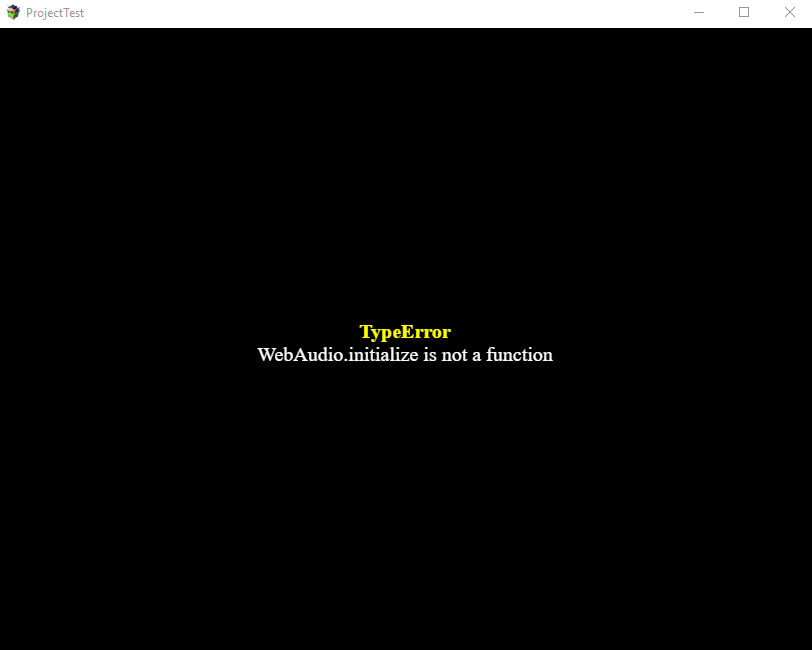
    But then i tried deploy.bat. After deploying i have this error when game startup.
    screenshot
    3d3555393fcc032e3e02a80391c1ebe4.png
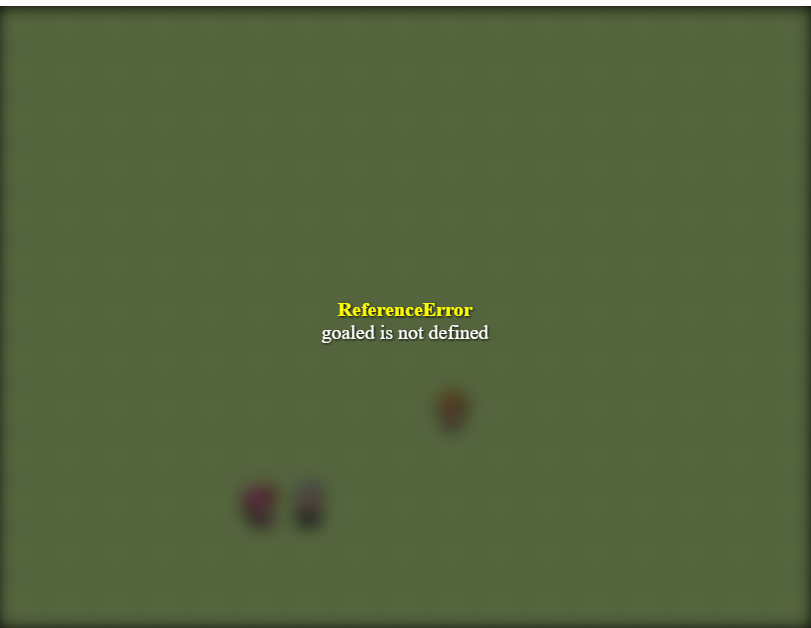
    Then i tried old MV version 1.4.1. Playtest works fine but after deploying and click somewhere on game map with mouse got this error
    sreenshot
    79647b6ad92bb6f89dad1e6ee717cd9f.png
    This tests I was doing with clear new projects of each MV versions. Maybe I miss something?
  12. @Krimer Yeah I was going to patch for 1.5.0 today. And it worked on previous versions so you previous error shouldn't be due to this, but an error with a plugin that you are using (either an error with the plugin itself or an incompatibly with the plugin and electronMV). So you'll need to figure out which plugin is causing that error.

    Update 1.1.4
    • Fix for MV 1.5.0 by adding the missing lib to the index file
    For this update, you only need to grab the new index.html file, other files are basically the same besides a few numbers changed in them. Also remember, when updating your Electron MV project due to an MV update, NEVER replace the index.html file, electron MV requires a custom index.html file. Most of the time when MV updates say to replace the index.html you don't have to because that file hardly ever changes with the updates, only time you have to update it is if they added a new file in the lib folder. If there ever is a change to it, I'll update the electron index.html to work with the latest MV version.
  13. I know about new lib and add it manually to your index before. But after your update I don't change anything, use only your files.
    And i still have the same error for 1.5.0.
    Playtest(play.bat) works fine but deployed project doesn't(getting error "WebAudio.initialize not a function")
    Test project is clean new project without any plugins.
    index in app folder
    f871d18e748ae84acb6365b7e5da6982.png

    Did you test deployed project? Maybe i just miss something, but I've done all steps in your readme file.
    I think something goes wrong in deployment. Because if I copy files from folder "compiled" and paste them to "app" folder - even playtest(who works before) will stop working with the same errors.

    upd:
    I've done some investigations and i can say - deployment corrupt game files, at least for me. Some round brackets just disappear in game files after deployment. They disappear selectively not all.

    Here is examples
    difference between files
    0faeeb87469b806df81e91497d6aaa43.png
    1113dd446bbccb6cfbe29d99e2d8bbd3.png
    It's only some of them.
    Can you check it? Maybe i'm not alone :)
  14. I just tested and it's not corrupting it, but "cleaning" it. You can fix that error by removing the babel compiling in the package.json. So grab the new package.json:
    https://github.com/quxios/ElectronMV/blob/master/package.json

    If you are using any babel in any of your plugins, then you'll need to manually compile them yourself now.
  15. Nice, thanks. Without "cleaning" thing all works with no problem. But anyway will test it more.
  16. Quxios said:
    ElectronMV v1.1.X ( Electron only works for windows 7 and newer )
    ​
    Electron wrapper for RPG Maker MV. Wrapping MV with Electron gives a handful of benefits. One of the main benefits includes in this wrapper is being able to remember the window position, size and if it was full screened the next time it's opened. See example here:


    Other benefits including; being able to create an updater for your game, creating a launcher, and more.

    Installing
    https://github.com/quxios/ElectronMV#installing


    Running
    https://github.com/quxios/ElectronMV#running-project-with-electron


    Building
    https://github.com/quxios/ElectronMV#building-your-game


    Configuring
    https://github.com/quxios/ElectronMV#configuring


    Advanced
    This section for for js devs or programmers.

    1st, this uses the 2 package method. The package.json in the main directory is used during development, while the one inside the app/ is for production. So don't forget to add any dependencies you add to the development package into the production one as well. Don't add any dev dependencies into the production one since there's no point.

    /package.json - Dev dependencies

    Spoiler
    babel-cli - To compile babel scripts when deploying or converting for vanilla MV
    babel-preset-electron - Adds missing es2015 plugins and stage-0 to electron
    babel-preset-es2015 && babel-preset-stage-0 - for compiling es2016 plugins for vanilla MV
    electron-builder - To build the game
    electron-prebuilt - electron

    Creating plugins that can use dependencies
    Spoiler
    Plugins in MV are loaded through a script tag. So if you were to try some babel transformation, for example jsx, you will get an error even if you have the preset installed. So to fix this just end the file name with:

    -req.js

    And that plugin will be added with require instead of a script tag. Now you can go ahead and write that plugin as you would like. Just don't forget to compile it before building the game or you'll get errors.

    * Note that plugins need to have the extension .js or the plugin manager in RPG Maker MV editor will not find it.

    * Notes
    - Some plugins may not work with this if they use any nw.js.
    - Electron only works on windows 7 and newer. So if you use this your windows os requirement should be windows 7+

    Would this work with Rpg Maker XP?
  17. @EduHdz404 Nope, only works with MV since it's written with JS and is basically a webpage.
  18. Will the electron wrapper work on Mac or Linux. Ie if I do the wrapper with my deployed MV game, can I send this to my friend with a mac book and they can run it? Or can I copy all of it and put it in my Linux VM and run it? Or is it windows only?
  19. @Zarsla It should though you would need to change the build commands in the package.json to work for mac/linux. Also none of the bat files will work on mac/linux so you would need to use the cmd prompt. And because the bat files dont work, that means you won't be able to use my hook (hitting play from the editor makes the batch file run), so you need to manually run your game every time like a normal electron app or edit the hook to not use the batch.