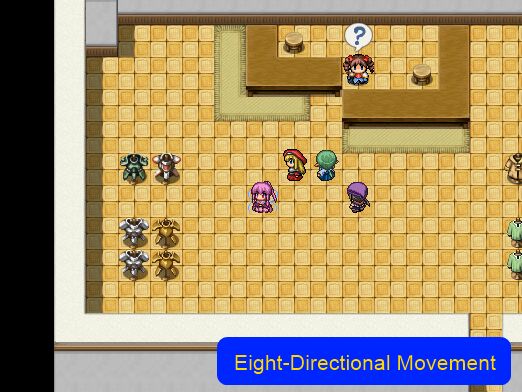
Eight Directional Movement

● ARCHIVED · READ-ONLY
Started by Tsukihime 10 posts View original ↗

  1.  
    By default, the game only allows you to move in the four orthogonal directions: up, left, down, right.

    This script provides support for eight-directional movement in your game, adding support for  diagonal movement. To move diagonally, hold down two direction keys simultaneously.

    This script also adds support for eight-directional character sprites,  allowing you to face the appropriate direction when you are moving diagonally.

    Followers can use 8-dir sprites
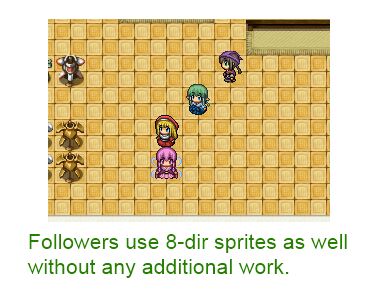
     
    Events can use 8-dir sprites. And of course, you can trigger events diagonally.
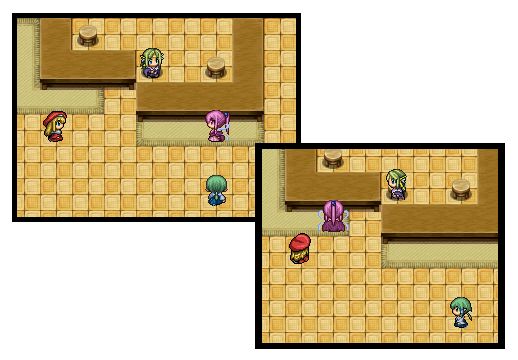
    If you have 8-directional vehicles, they are also supported.
    You do not need diagonal sprites to use this script.
     
    Get it at HimeWorks!
  2. nice script

    But I found a bug when moving your charcter in any of the 4-new direction the character graph change to another character that not even exist in my members
  3. Search for the following in the script, and change 'true' to 'false':

    Use_8Dir_Sprites = trueCheers.
  4. Good it work now

    Thanks for the nice script
  5. Tsukihime said:


    By default, the game only allows you to move in the four orthogonal directions: up, left, down, right.

    This script provides support for eight-directional movement in your game, adding support for diagonal movement. To move diagonally, hold down two direction keys simultaneously.

    This script also adds support for eight-directional character sprites, allowing you to face the appropriate direction when you are moving diagonally.

    Followers can use 8-dir sprites


    Events can use 8-dir sprites. And of course, you can trigger events diagonally.

    If you have 8-directional vehicles, they are also supported.
    You do not need diagonal sprites to use this script.

    Get it at HimeWorks!
    Hello I'm Jeremy Sease, I am working on an RPG maker game, and would like to ask you if it was okay to use your script for commercial-use? it told me to contact you, so I was just curious!
  6. Ah I see, thank you!
  7. None of the images in the first post show.:(
  8. @Ariel_Schnee If you click on them, they will show. Or you can click on the link and see the screenshots over on their site.
  9. Thanks for this. Was actually looking for something like this to work in compatible with my current project.

    Edit:
    Okay. I don't know what happened, but sprite changes every time I walk diagonally.
    1616400741423.png
    My sprite is originally the blue-haired one.
    1616400788024.png
    Thanks in advance.

    Edit again:
    Okay. I got it working now. Read back a little and the solution was posted here. My bad. Thanks again!