Debug RMMV plugins with VS Code

● ARCHIVED · READ-ONLY
Started by Dr.Yami 16 posts View original ↗
  1. Developing and debugging plugins for RPG Maker sometimes are trial and error, it's really annoying to write and delete console.log all over the places just to find what's wrong. And, Debug Tool comes to rescue!

    I, Prepare
    The easiest to setup and most lightweight editor is VS Code, so we will use this in this tutorial. I won't cover other IDE and Editor since I only use VS Code.

    Secondly, you will need Debugger for NWjs extension if you want to directly debug with Play Test button in RMMV editor, and Debugger for Chrome if you want to debug with either Chrome or Electron.js. If you debug with RMMV Editor Playtest, you need to install nwjs in VS Code after download Debugger for NWjs extension by press CTRL SHIFT P (or Cmd SHIFT P in macOS), find NWjs Install and choose latest version to install.

    And finally, you will need to create a launch file after setup all above extensions. Choose NWjs if you want to test from RMMV Editor, Chrome if you want to debug with playtest in Chrome.
    Spoiler
    aw8hzjY.png
    1dR6vLQ.png
    DfZkJuH.png

    Now open file package.json and add this line right after js-flags line: "chromium-args": "--remote-debugging-port=9222",
    Spoiler
    iYuaZZp.png
    The port in added line should be the same as the port in launch file.

    For testing in Chrome, this official doc will be better: https://github.com/Microsoft/vscode-chrome-debug

    II, Testing
    Now open RMMV Editor and start Playtest, then open the console by press F12 (you cannot attach by following next step)
    Spoiler
    EPVI4hv.png
    Then choose Attach to NWjs from Debug tab in VSCode and press play next to it!
    Spoiler
    6lz5E32.png
    Now we will try to debug Yanfly's CoreEngine by setting breakpoint at a random line! (Set breakpoint by clicking to the area right before the line number)
    Spoiler
    BOWzGvT.png
    As you can see, you can add Watch to see certain variables in current state too. Next you can try various things and try some debug button on the top (Continue, Step Over etc...). Don't worry, it won't break your game. The game in Playtest will be halted, you need to press Continue (the far left button on debug toolbar on the top of VSCode) to continue the game (or continue to next breakpoint).

    If you setup a RMMV project with any bundle tool (webpack etc...) and have the RMMV project inside a sub-folder (like folder demo in picture below) while your main source of plugins is inside another sub-folder (like folder src in picture below), you need to setup pathMapping to map route /js to folder js inside demo:
    Spoiler
    0IzAPoo.png

    Feel free to ask any question :kaophew:
  2. wow thank, i will test this today.
  3. I have a question: Why does nw.js suck?
  4. Poryg said:
    I have a question: Why does nw.js suck?
    It's mostly personal taste so don't mind it. If I had to say, it was mostly due to two problems: the way nwjs select entry point makes it (a bit) harder to setup dev env and prod env, and the community of nwjs is not so active compare to electron. I think the only benefit we could gain from nwjs is the feature to protect source code.
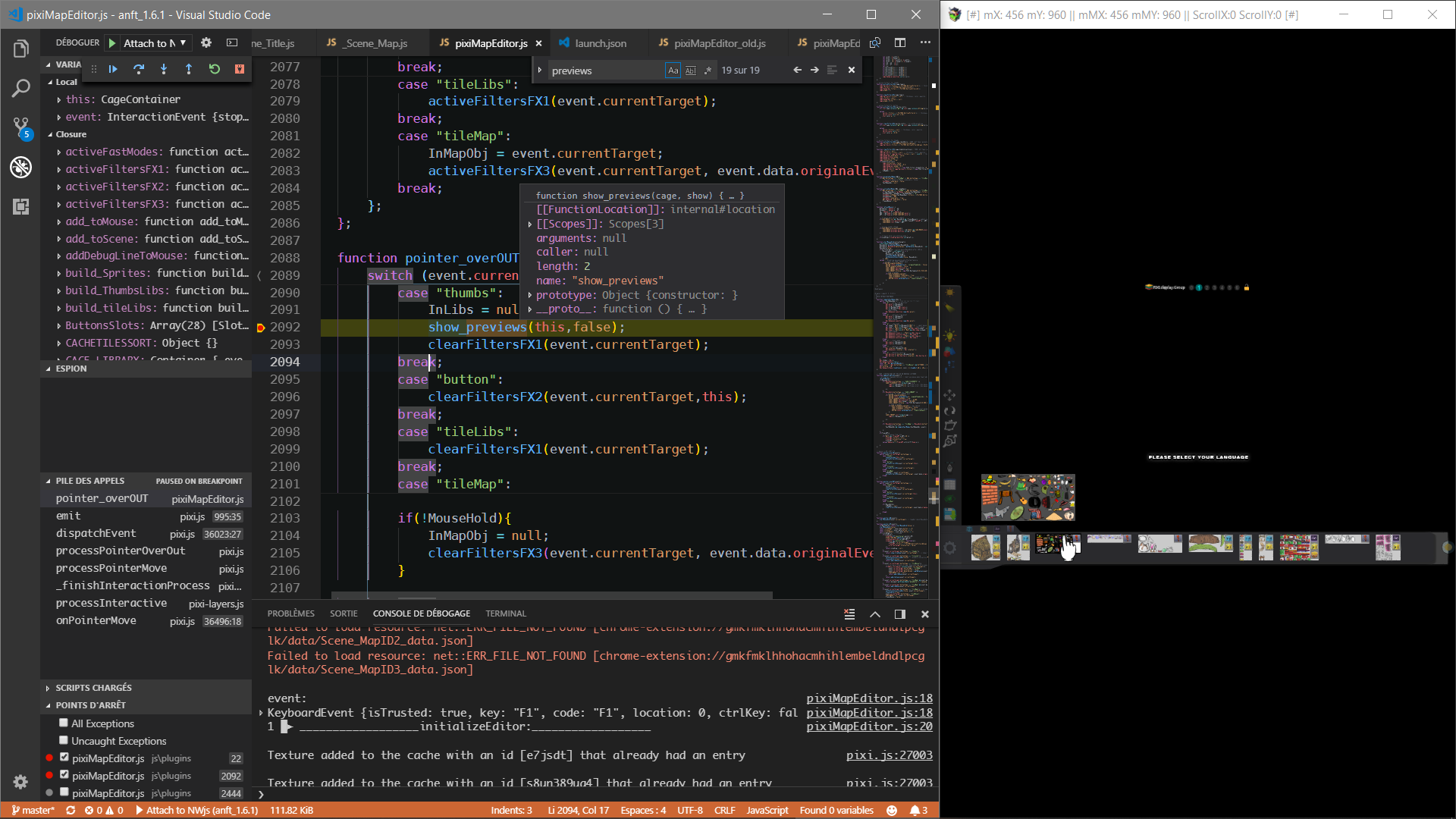
  5. Frankly congratulations and thank you very much, you are awesome :rock-left:, having live debugging and able to browse with efficiency codes lines are just wonderful!
    it remains to get study to the different workflow that this methodology offers.
    it's a bit destabilizing when you're not used to it.

    preview
    wWrNWlK4_o.png

    If anybody have good tips and tricks, plugins, ideas and good links to share, you are welcome.
    @+


    EDIT
    :
    to start app debugging without rmmv you can add this. No more need to use rmmv to start your app debuging.
    Just dont forget to update the last nwjs inside the rmmv folder.


    Code:
                {
                    "type": "nwjs",
                    "request": "launch",
                    "name": "nwjs Node debug",
                    "runtimeExecutable": "C:\\Sandbox\\jonle\\RMMV\\drive\\C\\Program Files (x86)\\KADOKAWA\\RPGMV\\nwjs-win-test\\game.exe",
                    "runtimeArgs": [
                        "${workspaceRoot}",
                        "--remote-debugging-port=9222"
                    ],
                    "webRoot": "${workspaceRoot}",
                    "port": 9222,
                    "reloadAfterAttached": true,
                    "sourceMaps": false,
                },
  6. I remember now why I tried debugging MV and then stopped, it had to do with sourcemaps. I most likely never tried to figure out how to include sourcemaps with my workflow the last time i tried to debug and then continued with normal DevTools debugging lol.

    Well, this time I made sure my plugin bundles with the sourcemap whenever I'm developing and now the debugging works wonders for my workflow. Thanks for making this topic as it sparked my interest in it again and now I love debugging in vscode for MV lol. FeniXCLI will have an option to bundle with sourcemaps now.
  7. I've only just started working with plugins but debugging with a proper IDE is a total game-changer for me, so thankyou very much for sharing this information
  8. other tricks
    *remove
    PHP:
        try {
        } catch (e) {
            this.catchException(e);
        }
    inside SceneManager.run to enjoy full vscode debugger
    and check Uncaught Exceptions
    upload_2018-9-26_14-22-13.png
    this allows you to work simultaneously on both debugger interfaces nw js and vscode without conflict.
  9. nwjs plugin wasnt working on mac, so used http://sumrndm.site/super-tools-engine/
    plugin hit F8 and console opened, debugged files with breakpoints like web developers debug from chrome debug console
  10. I'm having some difficulty getting this to work. I'm probably missing something simple. When i press play on 'Launch NWjs' the game boots but then shuts down after a few seconds with this error.
    upload_2019-10-12_20-18-8.png
    I also get the same error when trying to attach when booting the game through the editor. Anyone have any idea where I'm going wrong?
  11. be sure your setup all correctly
    time out seem related to port on your local server

    Code:
    {
        "version": "0.2.0",
        "configurations": [
            {
                "type": "nwjs",
                "request": "launch",
                "name": "Launch NWjs",
                "runtimeExecutable": "${workspaceRoot}\\_NW\\sdk\\nw.exe",
                "runtimeArgs": [
                    "--disable-raf-throttling",
                    "--remote-debugging-port=9222",
                ],
                "webRoot": "${workspaceRoot}",
                "port": 9222,
                "reloadAfterAttached": true,
                "sourceMaps": false,
            },
        ]
    }
  12. That used to happen on my old laptop, I just added more to the timeout, just add this property to your code.
    PHP:
    "timeout": 20000,
    Edit: Also, if the console is set to auto open when you test a game, I found out that interferes with it sometimes as well.
  13. @Jonforum & @LTN Games
    Thanks! That seemed to work :)

    Another question. In sublime text you can hover over code and it will show its definition and references. Is there anyway to get the same for VSCode?
    sublimetext.jpg
    VSCode looks like this when hovering
    VsCode.jpg
  14. @Drifter92 You bet, thanks to @Kino for putting it all together and making it easily accessible, you can find it here
  15. LTN Games said:
    Edit: Also, if the console is set to auto open when you test a game, I found out that interferes with it sometimes as well.
    So true , i was opened something like this 3 day ago.

    this code before a crash or a breakpoint will make lost vscode debug session and will work only on devTool
    It very annoying.
    PHP:
     let win = nw.Window.get();
    win.showDevTools()

    vscode close this issue and pointing nwjs.
    And not answer from nwjs team.
    https://github.com/nwjs/nw.js/issues/7177

    any tips about this issue are welcome, i love use both debugger
  16. Oh, this is actually GODLIKE!!!