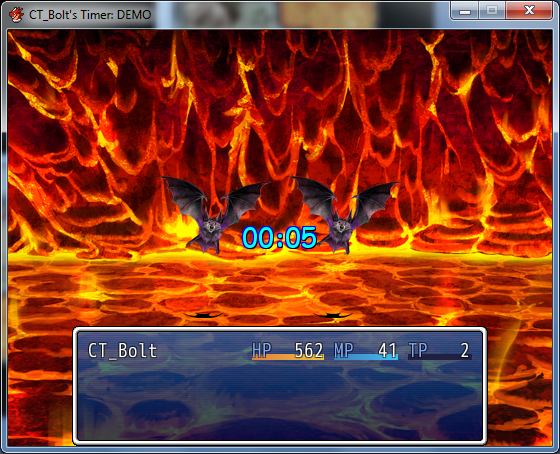
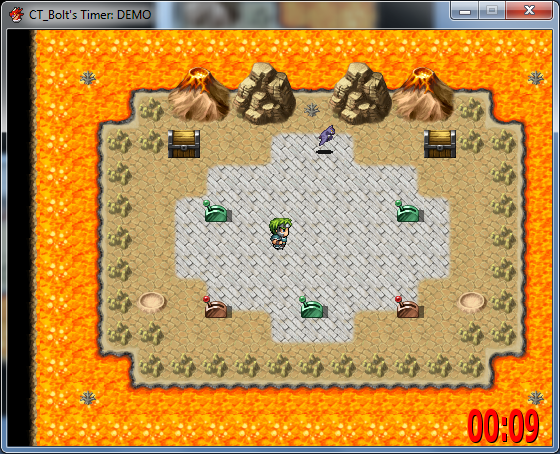
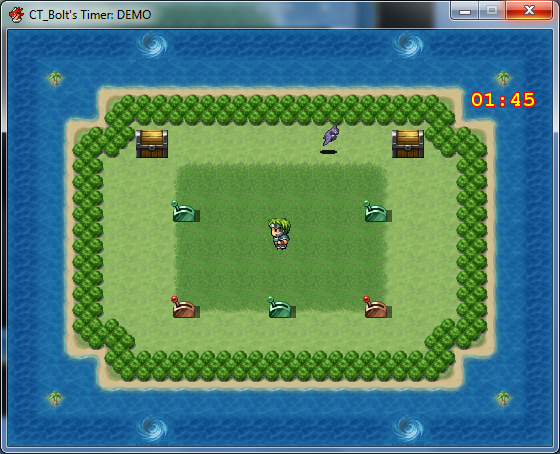
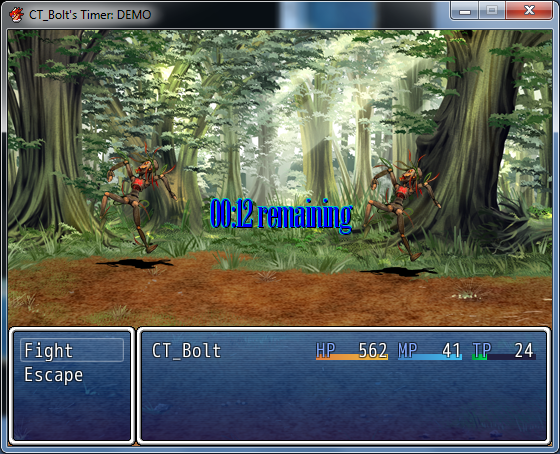
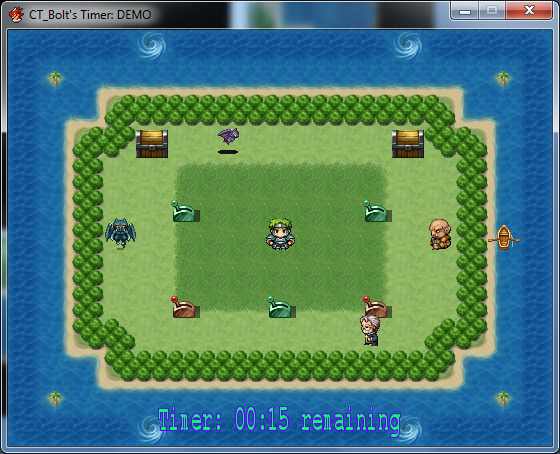
I'm using your script in my game and somehow i can't call common event at the end of this timer.
It just count's to 0 and then nothing happens.
Spoiler
#==============================================================================# Title: CT_Bolt's Timer# Author: CT_Bolt# Date: March 03, 2013# Version History:# v1.00 (02-28-2013)# --First release# v1.02 (03-01-2013)# --Bug Fix & More Comments# v2.0 (03-01-2013)# --Major Update# --Changed from a Timer Add-on to it's own timer# v2.1 (03-03-2013)# --Added Features# --Optional prefix & suffix can now be added# --Multiple buttons can now be assigned for pressing# v2.2 (03-03-2013)# --Added more features# --Add or remove time from a currently running CT_Timer# --Pause & resume a currently running CT_Timer# v2.21 (03-08-2013)# --Bugfix - Save/Load wasn't working#------------------------------------------------------------------------------# Description:# A whole new timer.# Custom properties (font color, font size, x, y, z, etc.)# Let's you press multiple buttons while a ct_timer is active.# Counts the button presses & stores them in a variable.# Allows a switch to be used to determine if the ct_timer will be visible.# Add\Remove time from a currently running CT_Timer with a simple script call.# Pause\Resume a currently running CT_Timer with a simple script call.#------------------------------------------------------------------------------# Compatibility:# This should be compatible with all scripts as long as they# don't overwrite any methods used in this script.## Alias Methods:# module DataManager# create_game_objects# make_save_contents# extract_save_contents(contents)## class Spriteset_Map# initialize# dispose# update## class Spriteset_Battle# initialize# dispose# update## class Scene_Map < Scene_Base# update## class Scene_Battle < Scene_Base# def update# def update_basic##------------------------------------------------------------------------------# Usage:# In a script call use the following method to start/stop a ct_timer:# ct_timer(mins, secs, start)## Examples:# ct_timer(1, 30) # Starts a timer at 1 min 30 seconds# ct_timer(0, 80) # Starts a timer at 1 min 20 seconds# ct_timer(2) # Starts a timer at 2 mins# ct_timer(0, 0, false) # Stops the timer## In a script call you can also use the following:# Examples:# $ct_game_timer.add_time (1, 20) # Add 1 minute & 20 seconds# $ct_game_timer.lose_time(0, 15) # Subtract 15 seconds# $ct_game_timer.pause # Pause countdown# $ct_game_timer.resume # Resume countdown## Configure module CT_Timer to the way you would like it.#------------------------------------------------------------------------------# Installation:# To install the script, open the script editor and paste this script on# a new section (insert) below the Materials & above Main Process.#==============================================================================#==============================================================================# ** Module CT_Timer#------------------------------------------------------------------------------#==============================================================================module CT_TimerSTAY_IN_BATTLE_SWITCH_ID = 55 # Switch used to keep the player in battle# after the timer expiresACCEPT_INPUT_SWITCH_ID = 56 # Switch used to determine if button input# will be acceptedHIDE_TIMER_SWITCH_ID = 57 # Switch used to determine if the timer will# be displayedBUTTON_PRESS = nil # Button symbols for what button will be used# Default valid button symbols:# :DOWN = Down Arrow Key# :LEFT = Left Arrow Key# :RIGHT = Right Arrow Key# :UP = Up Arrow Key# :A = Shift Key# :B = X or Esc Key# :C = Z or Enter or Space Key# :X = A Key# :Y = S Key# :Z = D Key# :L = Q Key# :R = W Key# :SHIFT = Shift Key# :CTRL = CTRL Key# :ALT = ALT Key# :F5 = F5 Key# :F6 = F6 Key# :F7 = F7 Key# :F8 = F8 Key# :F9 = F9 Key# Note if you never want to use that at all# set it to nil (BUTTON_PRESS = nil)BUTTON_COUNT_VAR_ID = 10 # Variable ID used to keep count of how many# times the button was pressedCOMMON_EVENT_ID = 7 # Optional (set to nil if not used):# Common Event ID that will be called when the# timer expiresAUTO_UNACCEPT_INPUT = false# Set true to turn the ACCEPT_INPUT_SWITCH_ID# switch off when the timer expiresAUTO_STOP = false# Set true to turn the ACCEPT_INPUT_SWITCH_ID# switch off when the timer expiresWAIT_FOR_TIMER = true # Set true to "pause the battle"DEFAULT_WIDTH = 326 # Default width for timer sprite# (a normal timer is 96)DEFAULT_HEIGHT = 748 # Default height for timer sprite# (a normal timer is 48)# bottom-middle of screen# can be changed to anything you wantDEFAULT_X = (Graphics.width - DEFAULT_WIDTH ) / 2DEFAULT_Y = (Graphics.height - DEFAULT_HEIGHT)class Propertiesattr_accessor :font_colorattr_accessor :font_out_colorattr_accessor :font_sizeattr_accessor :font_boldattr_accessor :font_italicattr_accessor :font_outlineattr_accessor :font_shadowattr_accessor :font_nameattr_accessor :prefix_textattr_accessor :suffix_textattr_accessor :xattr_accessor :yattr_accessor :zdef initialize(x = 550, y = 100, z = 800, font_color = [30, 30, 30],font_out_color = [255, 255, 255], font_size = 35,font_bold = true, font_italic = false,font_outline = true, font_shadow = false,font_name = ["VL Gothic", "Comic Sans MS","Myriad", "Verdana"],prefix_text = "Preostalo: ", suffix_text = " ")@font_color = font_color@font_size = font_size@font_bold = font_bold@font_italic = font_italic@font_outline = font_outline@font_shadow = font_shadow@font_name = font_name@font_out_color = font_out_color@prefix_text = prefix_text@suffix_text = suffix_text@x = x@y = y@z = zendendendmodule DataManagerclass << selfalias_method:)my_create_game_objects, :create_game_objects)alias_method:)my_make_save_contents, :make_save_contents)alias_method:)my_extract_save_contents, :extract_save_contents)enddef self.create_game_objectsmy_create_game_objects$ct_game_timer = CT_Game_Timer.newenddef self.make_save_contentscontents = my_make_save_contentscontents[:ct_timer] = $ct_game_timercontentsenddef self.extract_save_contents(contents)my_extract_save_contents(contents)$ct_game_timer = contents[:ct_timer]endend#==============================================================================# ** CT_Game_Timer#------------------------------------------------------------------------------# This class handles timers. Instances of this class are referenced by# $ct_game_timer.#==============================================================================class CT_Game_Timer#--------------------------------------------------------------------------# * Object Initialization#--------------------------------------------------------------------------def initialize@count = 0@working = falseend#--------------------------------------------------------------------------# * Frame Update#--------------------------------------------------------------------------def updateif !@pausedif $game_switches[CT_Timer::ACCEPT_INPUT_SWITCH_ID]if @working && @count > 0if CT_Timer::BUTTON_PRESSCT_Timer::BUTTON_PRESS.each do |bp|if Input.trigger?(bp)$game_variables[CT_Timer::BUTTON_COUNT_VAR_ID]=$game_variables[CT_Timer::BUTTON_COUNT_VAR_ID]+1endendendendendif @working && @count > 0@count -= 1on_expire if @count <= 0endendend#--------------------------------------------------------------------------# * Start#--------------------------------------------------------------------------def start(count)@count = count@working = true@active = trueend#--------------------------------------------------------------------------# * Stop#--------------------------------------------------------------------------def stopif CT_Timer::ACCEPT_INPUT_SWITCH_ID$game_switches[CT_Timer::ACCEPT_INPUT_SWITCH_ID] = falseend@working = falseend#--------------------------------------------------------------------------# * Determine if Working#--------------------------------------------------------------------------def working?@workingenddef active?@activeend#--------------------------------------------------------------------------# * Get Seconds#--------------------------------------------------------------------------def sec@count / Graphics.frame_rateend#--------------------------------------------------------------------------# * Processing When Timer Reaches 0#--------------------------------------------------------------------------def on_expireif $game_switches[CT_Timer::ACCEPT_INPUT_SWITCH_ID]puts "Total of buttons presses was " +$game_variables[CT_Timer::BUTTON_COUNT_VAR_ID].to_s + " times.\n"if CT_Timer::COMMON_EVENT_ID$game_temp.reserve_common_event(CT_Timer::COMMON_EVENT_ID)endif CT_Timer::AUTO_UNACCEPT_INPUT$game_switches[CT_Timer::ACCEPT_INPUT_SWITCH_ID] = falseendelseif CT_Timer::AUTO_STOPstopendend@active = falseBattleManager.abort unless $game_switches[CT_Timer::STAY_IN_BATTLE_SWITCH_ID]end#--------------------------------------------------------------------------# * Add more time#--------------------------------------------------------------------------def add_time(min = 0, sec = 0)count = (min * 60) + sec@count += count * Graphics.frame_rateend#--------------------------------------------------------------------------# * Subtract more time#--------------------------------------------------------------------------def lose_time(min = 0, sec = 0)count = (min * 60) + sec@count = [@count - (count * Graphics.frame_rate), 1].maxend#--------------------------------------------------------------------------# * Pause#--------------------------------------------------------------------------def pause@paused = trueend#--------------------------------------------------------------------------# * Resume#--------------------------------------------------------------------------def resume@paused = falseend#--------------------------------------------------------------------------# * Pause#--------------------------------------------------------------------------def paused?@pausedendend#==============================================================================# ** CT_Sprite_Timer#------------------------------------------------------------------------------# This sprite is for ct_timer displays.# It monitors $ct_game_timer and automatically changes sprite states.#==============================================================================class CT_Sprite_Timer < Sprite#--------------------------------------------------------------------------# * Object Initialization#--------------------------------------------------------------------------def initialize(viewport, x = Graphics.width - CT_Timer::DEFAULT_WIDTH,y = CT_Timer::DEFAULT_HEIGHT)super(viewport)create_bitmap@CT_Timer_Properties =CT_Timer::properties.new(x, y)create_fontupdateend#--------------------------------------------------------------------------# * Free#--------------------------------------------------------------------------def disposeself.bitmap.disposesuperend#--------------------------------------------------------------------------# * Create Bitmap#--------------------------------------------------------------------------def create_bitmapself.bitmap = Bitmap.new(CT_Timer::DEFAULT_WIDTH, CT_Timer::DEFAULT_HEIGHT)end#--------------------------------------------------------------------------# * Create Font#--------------------------------------------------------------------------def create_fontself.bitmap.font.name = @CT_Timer_Properties.font_nameself.bitmap.font.outline = @CT_Timer_Properties.font_outlineself.bitmap.font.shadow = @CT_Timer_Properties.font_shadowself.bitmap.font.bold = @CT_Timer_Properties.font_boldself.bitmap.font.italic = @CT_Timer_Properties.font_italicself.bitmap.font.size = @CT_Timer_Properties.font_sizeself.bitmap.font.color.set(@CT_Timer_Properties.font_color[0],@CT_Timer_Properties.font_color[1],@CT_Timer_Properties.font_color[2])self.bitmap.font.out_color.set(@CT_Timer_Properties.font_out_color[0],@CT_Timer_Properties.font_out_color[1],@CT_Timer_Properties.font_out_color[2])end#--------------------------------------------------------------------------# * Frame Update#--------------------------------------------------------------------------def updateif CT_Timer::HIDE_TIMER_SWITCH_IDif not $game_switches[CT_Timer::HIDE_TIMER_SWITCH_ID]superupdate_bitmapupdate_positionupdate_visibilityelseself.visible = falseendelsesuperupdate_bitmapupdate_positionupdate_visibilityendend#--------------------------------------------------------------------------# * Update Transfer Origin Bitmap#--------------------------------------------------------------------------def update_bitmapif $ct_game_timer.sec != @total_sec@total_sec = $ct_game_timer.secredrawendend#--------------------------------------------------------------------------# * Redraw#--------------------------------------------------------------------------def redrawself.bitmap.clearself.bitmap.draw_text(self.bitmap.rect, timer_text, 1)end#--------------------------------------------------------------------------# * Create Text#--------------------------------------------------------------------------def timer_textsprintf(@CT_Timer_Properties.prefix_text +"%02d:%02d" + @CT_Timer_Properties.suffix_text,@total_sec / 60, @total_sec % 60)end#--------------------------------------------------------------------------# * Update Position#--------------------------------------------------------------------------def update_positionself.x = @CT_Timer_Properties.xself.y = @CT_Timer_Properties.yself.z = @CT_Timer_Properties.zend#--------------------------------------------------------------------------# * Update Visibility#--------------------------------------------------------------------------def update_visibilityself.visible = $ct_game_timer.working?endend#==============================================================================# ** Spriteset_Map#------------------------------------------------------------------------------# This class brings together map screen sprites, tilemaps, etc. It's used# within the Scene_Map class.#==============================================================================class Spriteset_Map#--------------------------------------------------------------------------# * Object Initialization#--------------------------------------------------------------------------alias :my_init :initializedef initializecreate_ct_timermy_initupdateend#--------------------------------------------------------------------------# * Free#--------------------------------------------------------------------------alias :my_dispose :disposedef disposemy_disposedispose_ct_timerend#--------------------------------------------------------------------------# * Frame Update#--------------------------------------------------------------------------alias :my_update :updatedef updatemy_updateupdate_ct_timerend#--------------------------------------------------------------------------# * Create CT_Timer Sprite#--------------------------------------------------------------------------def create_ct_timer@ct_timer_sprite = CT_Sprite_Timer.new(@viewport2,CT_Timer::DEFAULT_X,CT_Timer::DEFAULT_Y)end#--------------------------------------------------------------------------# * Free CT_Timer Sprite#--------------------------------------------------------------------------def dispose_ct_timer@ct_timer_sprite.disposeend#--------------------------------------------------------------------------# * Update CT_Timer Sprite#--------------------------------------------------------------------------def update_ct_timer@ct_timer_sprite.updateendend#==============================================================================# ** Spriteset_Battle#------------------------------------------------------------------------------# This class brings together battle screen sprites. It's used within the# Scene_Battle class.#==============================================================================class Spriteset_Battle#--------------------------------------------------------------------------# * Object Initialization#--------------------------------------------------------------------------alias :my_init :initializedef initializecreate_ct_timermy_initupdateend#--------------------------------------------------------------------------# * Free#--------------------------------------------------------------------------alias :my_dispose :disposedef disposemy_disposedispose_ct_timerend#--------------------------------------------------------------------------# * Frame Update#--------------------------------------------------------------------------alias :my_update :updatedef updatemy_updateupdate_ct_timerend#--------------------------------------------------------------------------# * Create CT_Timer Sprite#--------------------------------------------------------------------------def create_ct_timer@ct_timer_sprite = CT_Sprite_Timer.new(@viewport2,CT_Timer::DEFAULT_X,CT_Timer::DEFAULT_Y)end#--------------------------------------------------------------------------# * Free CT_Timer Sprite#--------------------------------------------------------------------------def dispose_ct_timer@ct_timer_sprite.disposeend#--------------------------------------------------------------------------# * Update CT_Timer Sprite#--------------------------------------------------------------------------def update_ct_timer@ct_timer_sprite.updateendend#==============================================================================# ** Scene_Map#------------------------------------------------------------------------------# This class performs the map screen processing.#==============================================================================class Scene_Map < Scene_Base#--------------------------------------------------------------------------# * Frame Update#--------------------------------------------------------------------------alias :my_update :updatedef updatemy_update$ct_game_timer.updateupdate_scene if scene_change_ok?endend#==============================================================================# ** Scene_Battle#------------------------------------------------------------------------------# This class performs battle screen processing.#==============================================================================class Scene_Battle < Scene_Base#--------------------------------------------------------------------------# * Frame Update#--------------------------------------------------------------------------alias :myupdate :updatedef updateif CT_Timer::WAIT_FOR_TIMERsuperif not $game_switches[CT_Timer::ACCEPT_INPUT_SWITCH_ID]if BattleManager.in_turn?process_eventprocess_actionendendBattleManager.judge_win_losselsemy_updateendend#--------------------------------------------------------------------------# * Update Frame (Basic)#--------------------------------------------------------------------------alias :my_update_basic :update_basicdef update_basicmy_update_basic$ct_game_timer.updateendend#==============================================================================# ** Game_Interpreter#------------------------------------------------------------------------------# An interpreter for executing event commands. This class is used within the# Game_Map, Game_Troop, and Game_Event classes.#==============================================================================class Game_Interpreter#--------------------------------------------------------------------------# * ct_timer# Use this to set up a ct_timer#--------------------------------------------------------------------------def ct_timer(mins = 0, secs = 0, start = true)if start # Startv = (mins * 60) + secs$ct_game_timer.start(v * Graphics.frame_rate)else # Stop$ct_game_timer.stopendendend