CT_Bolt's Sprite Extras (v1.50)

● ARCHIVED · READ-ONLY
Started by ct_bolt 15 posts View original ↗
  1. CT_Bolt's Sprite Extras
    By: CT_Bolt
    Last Update: 8/25/2020
    Latest Version: 1.50


    Introduction
    This plugin provides extra sprite features. Currently only for event sprites.
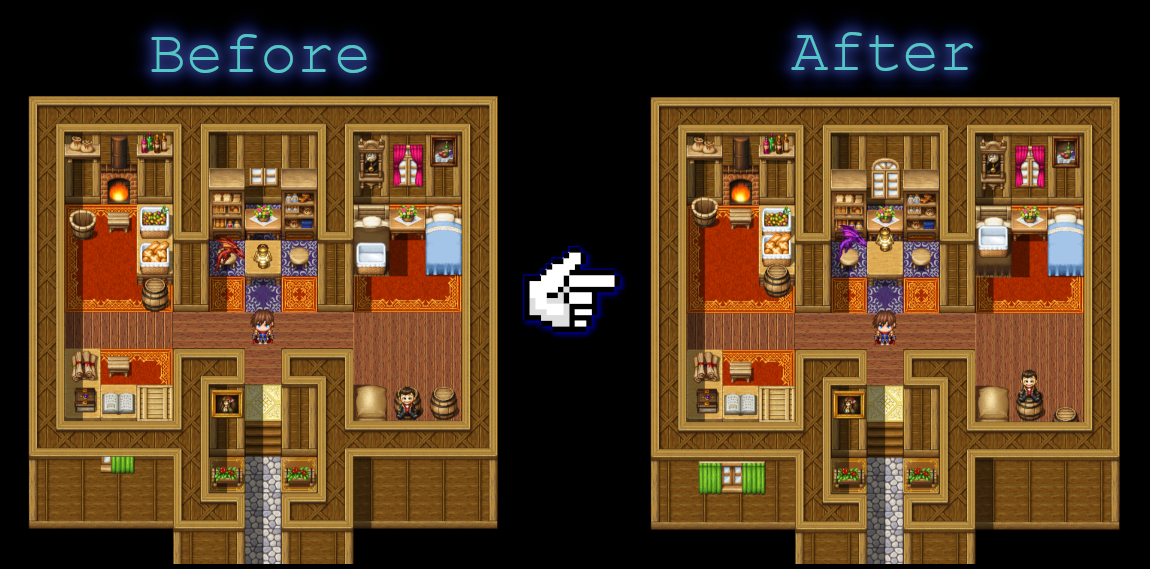
    rhtlKD.png
    Before & After (GIF)
    PTsDaD.gif

    Features
    Event Notetags:
    Event Notetags
    • Set X Offset: <xOff: javascript/>
    • Set Y Offset: <yOff: javascript/>
    • Set Hue: <hue: javascript/>
    • Set SourceX: <srcX: javascript/>
    • Set SourceY: <srcY: javascript/>
    • Set Frame Width: <frameW: javascript/>
    • Set Frame Height: <frameH: javascript/>
    • Set Mirror: <mirror:type:javascript/>

      Examples:
    • <mirror:type:2/>
    • <xOff: -24/><yOff:24/>
    • <xOff:-4/>
    • <yOff:18/>
    • <hue: -180/>
    • <hue: 45/>
    • <xOff:-12/><yOff:26/><srcX:sx-48/><srcY:sy-48/><frameW:96/><frameH:96/>
    • <yOff:-18/>
    • <xOff: $gameVariables.value(1)/><yOff: $gameVariables.value(2) || -24/>
    g0mUxj.png

    Plugin Commands:
    Plugin Commands
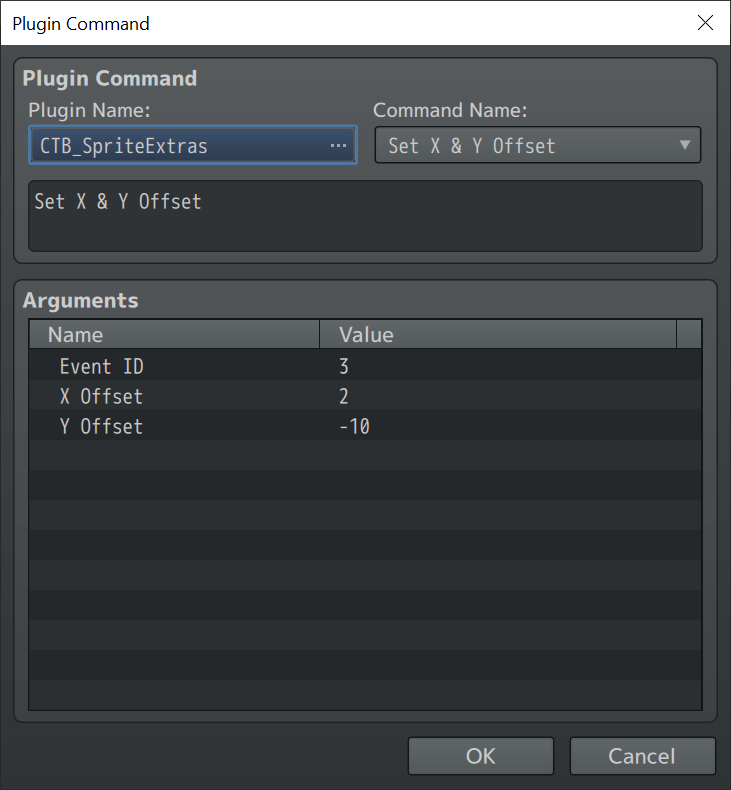
    • Set X & Y Offset
    pkqSdV.png
    yiGswo.png

    How to Use
    Import into plugin manager and enable the plugin.
    Use notetags and/or plugin commands to adjust event sprite settings.

    Plugin
    Link to Master Project (includes v1.50 Sprite Extras):
    [RMMZ] Master Demo (Plugins) by CT_Bolt
    Credit & Terms
    Free for commercial or non commercial use.
    If used please credit me as CT_Bolt. Not mandatory just appreciated though.

    Version History
    Version History
    Version 1.00: Initial Release
    Version 1.10: Added notetags
    Version 1.20 More plugin commands, event notetags, flexibility, etc.
    Version 1.30 More notetags
    Version 1.40 More notetags/plugin commands
    Version 1.50 Added Mirrors
  2. Wait, just so I understand correctly, you offset the event image?
    So could you like, have the event sprite be placed inbetween two tiles?
  3. ScorchedGround said:
    Wait, just so I understand correctly, you offset the event image?
    So could you like, have the event sprite be placed inbetween two tiles?
    That is indeed correct ;)
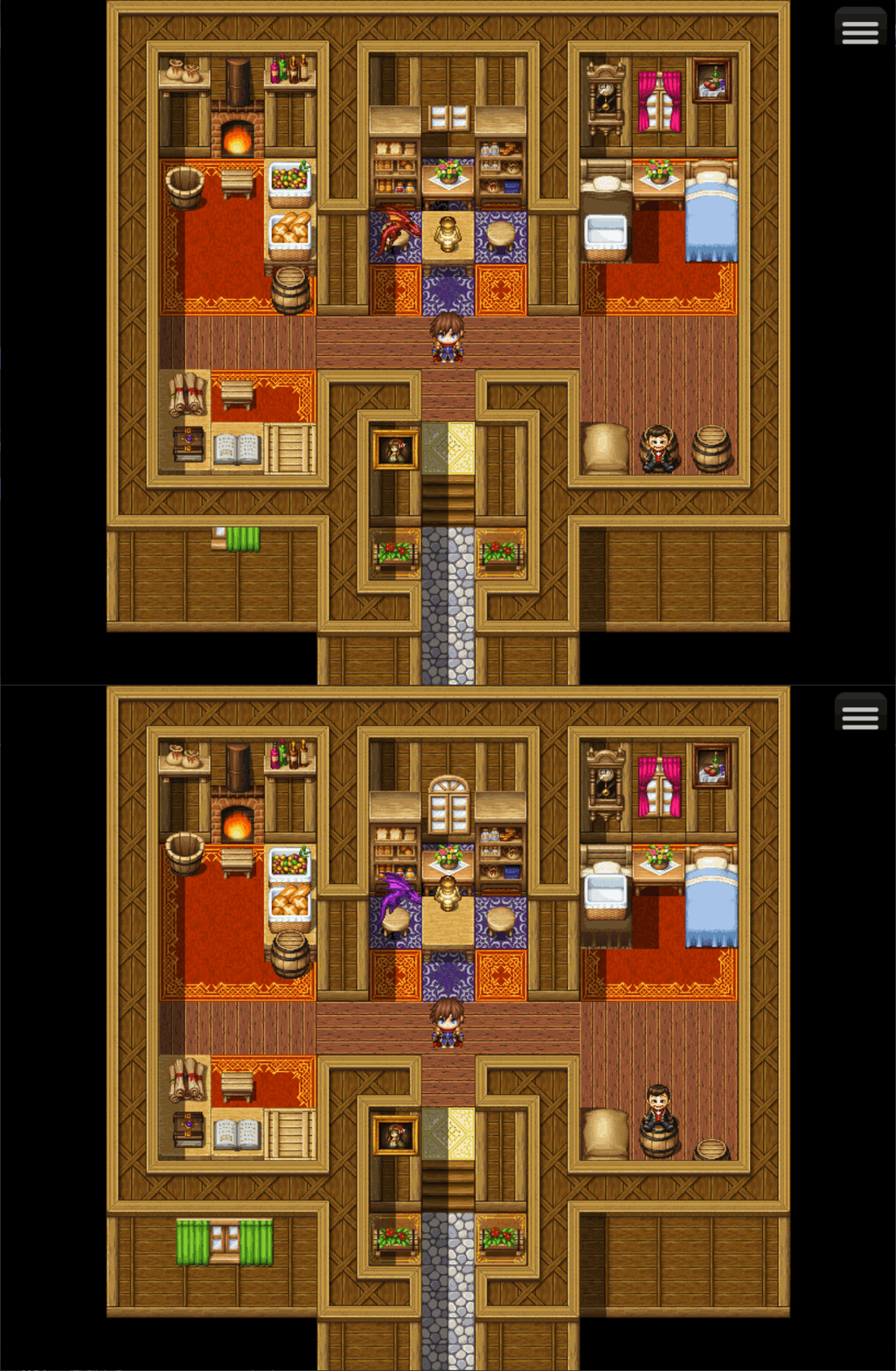
    Before:
    1598033623080.png

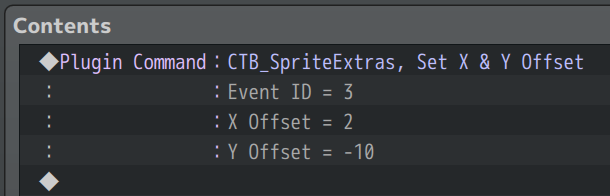
    Then use:
    Spoiler
    1598033717050.png

    After:
    1598033640649.png

    Soon I'll add a lot more features though, like notetags/comments/etc.
  4. That's great stuff.
    It really helps keeping my sanity in check.

    *cough* 2 tile symmetry *cough*
  5. Updated again. With notetags now ;)

    Notetags:
    <xOff: number/>
    <yOff: number/>

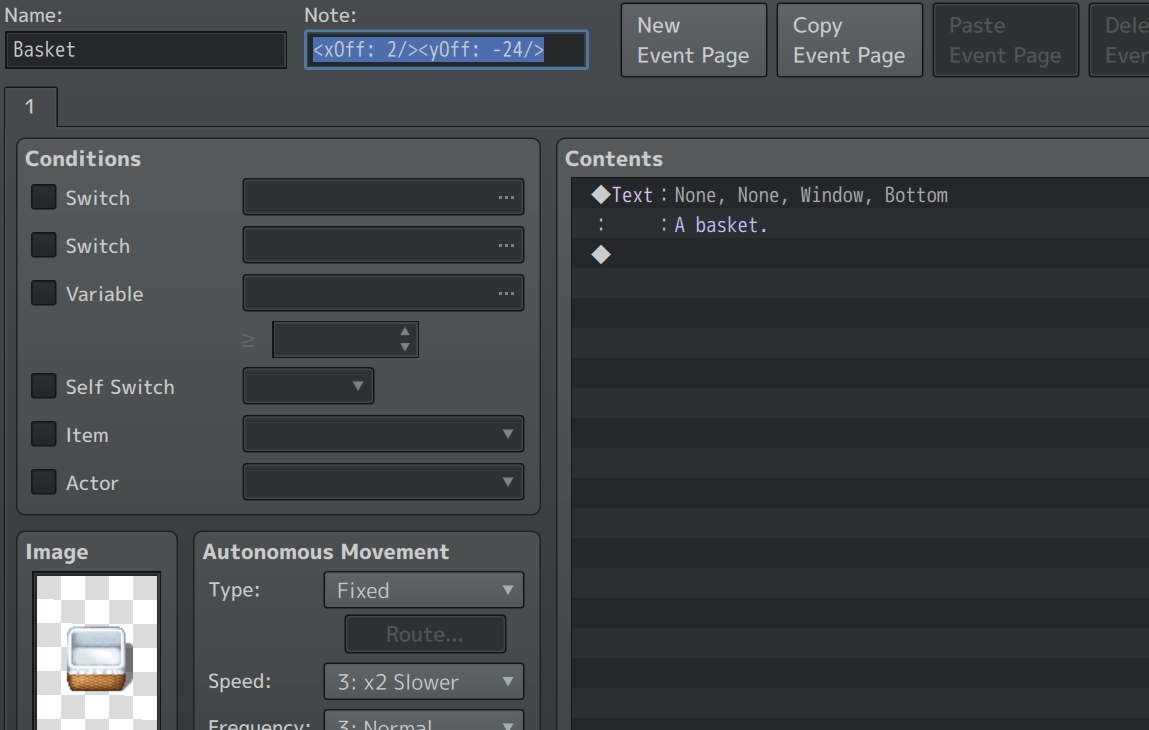
    Example: <xOff: 2/><yOff: -24/>

    Not all the way I really want yet but works, and that's what is important.
    1598039486438.png

    Plugin command will also still work.

    Plugin Link (same as above): Click Here
  6. Another update v1.20:
    Now includes more plugin commands and event notetags.

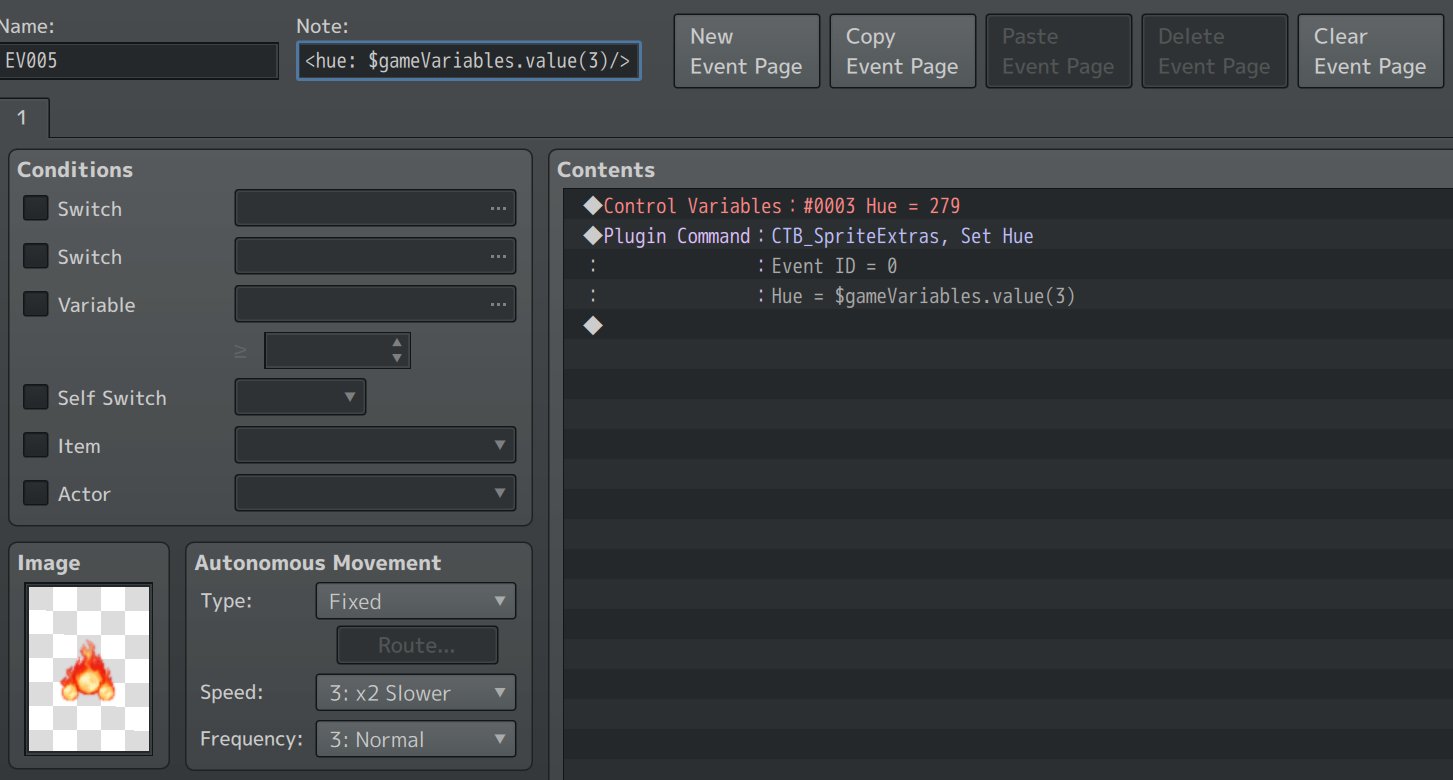
    Such as hue setting:
    Example of Hue Setting
    9j7uRO.png
    Now with the Plugin Command if the Event ID is set to 0 then it will use the event that issued the Command.

    All plugin commands & notetags can be javascript or just simply a number.
    See image above example of javascript.

    See description via plugin file for more info.

    Edit:
    Another update v1.30: Even more notetags and features. :cutesmile:

    Plugin Link (same as above): Click Here
  7. This is great! Always hated on older RPG maker versions how hard it was to decorate maps beyond the basic layers. Def going to put this to use!
  8. cyelis1224 said:
    This is great! Always hated on older RPG maker versions how hard it was to decorate maps beyond the basic layers. Def going to put this to use!
    Aww thanks I know it really makes mapping a bit easier... now I just gotta make sure it will be compatible with all the other amazing plugins coming out these days (like pixel movement & such).

    Another update:
    This time includes mirrors ;)

    I'm just so super lazy when it comes to explaining my plugins... I'll update with more info soon... for now for how to use... see master demo project which includes v1.50 of Sprite Extras.

    Master Plugin Project - Demo:
    [RMMZ] Master Demo (Plugins) by CT_Bolt
    Master project also contains latest versions my other plugins too:
    1598422746918.png
    (I'll eventually make a better thread... I'm just so lazy at this part.)
  9. @ct_bolt
    Is there any chance to get an MV version of this plugin?
    Or perhaps there already is one somewhere?

    I loved playing around with it in MZ but my main project is in MV and there are some scenes where this plugin would really come in handy.
  10. I am trying to use the mirror part and when the player passes in front of a mirror everything works perfectly.
    1656251758757.png
    However, I cannot get NPCs to show up. Here is where I'm using an event for the player as part of a cut scene:
    1656251488285.png
    What do I need to do?
    Thanks.
  11. Kes said:
    What do I need to do?
    Do you have the event with a note tag for mirror? It's one of the event note tags that you can use.
  12. @Roninator2 My problem is that when I look in the master demo, one event does have a lot of notation, but there is no indication anywhere what e.g. the variables do or indeed any of it - though 'hue' is pretty obvious. This is the note tag.
    <yOff: $gameVariables.value(4) || -16/><hue: $gameVariables.value(3) || 279/>

    As this is for a flying dragon, I thought it unlikely that it translates neatly into any other event, so haven't pasted it in.
    [EDIT _ forgot to mention this : there is a sprite running round (the goblin) which has no note tag of any description, but it shows up in the mirrors.]

    Hence my really basic question - what do I do? The Help file doesn't contain a lot of info for non-coders to work through in order to understand what needs doing.

    EDIT 2
    Turns out it was because the player was 'transparent' - this being the opening cutscene. Once that was changed, this one worked as expected. I'll have to see how I can work around this limitation.

    Sorry to have troubled you.
  13. I had some issues with this (great) script and event spawn scripts like those in VisuStella (Events & Movement Core) or Galv (although I did not thoroughly test this one).

    When this script is active together with the spawn scripts and you spawn an event, it gives an error that it cannot read "note". I guess this is because the spawned events does not have a note field at some point during spawning and the SpriteExtras script attempts to read it, and fails, and so an error is raised and the game stops.

    I was able to circumvent this issue by changing the following lines:

    At around line 306 in the CTB_SpriteExtras.js:

    Replace the line that causes the error:
    var note = $dataMap.events[this._character._eventId].note;

    With:
    try{
    var note = $dataMap.events[this._character._eventId].note;
    } catch(e){
    var note = "";
    }

    And all should be well!

    BTW:
    Love this script, the frame extention is especially useful, and not offered in other scripts!
  14. otkus said:
    I had some issues with this (great) script and event spawn scripts like those in VisuStella (Events & Movement Core) or Galv (although I did not thoroughly test this one).

    When this script is active together with the spawn scripts and you spawn an event, it gives an error that it cannot read "note". I guess this is because the spawned events does not have a note field at some point during spawning and the SpriteExtras script attempts to read it, and fails, and so an error is raised and the game stops.

    I was able to circumvent this issue by changing the following lines:

    At around line 306 in the CTB_SpriteExtras.js:

    Replace the line that causes the error:
    var note = $dataMap.events[this._character._eventId].note;

    With:
    try{
    var note = $dataMap.events[this._character._eventId].note;
    } catch(e){
    var note = "";
    }

    And all should be well!

    BTW:
    Love this script, the frame extention is especially useful, and not offered in other scripts!

    Thanks for the feedback and nice comments about my script. :cutesmile:

    The script is honestly a bit outdated now & I'm sure I could do much better now but I suppose does still have some nice features.

    Anyways... your solution was good and all..
    however I now decided to make a quick compatibility update to be compatible with spawning feature from Visustella's plugin ;)
    [v1.52] CTB_SpriteExtras Plugin: Click Here to Download

    With this now the base event for the spawned event can now also use notetags to be used

    Example:
    Spoiler
    1668221252515.png1668221218092.png1668221177201.png
  15. Awesome, thanks for the update :biggrin: