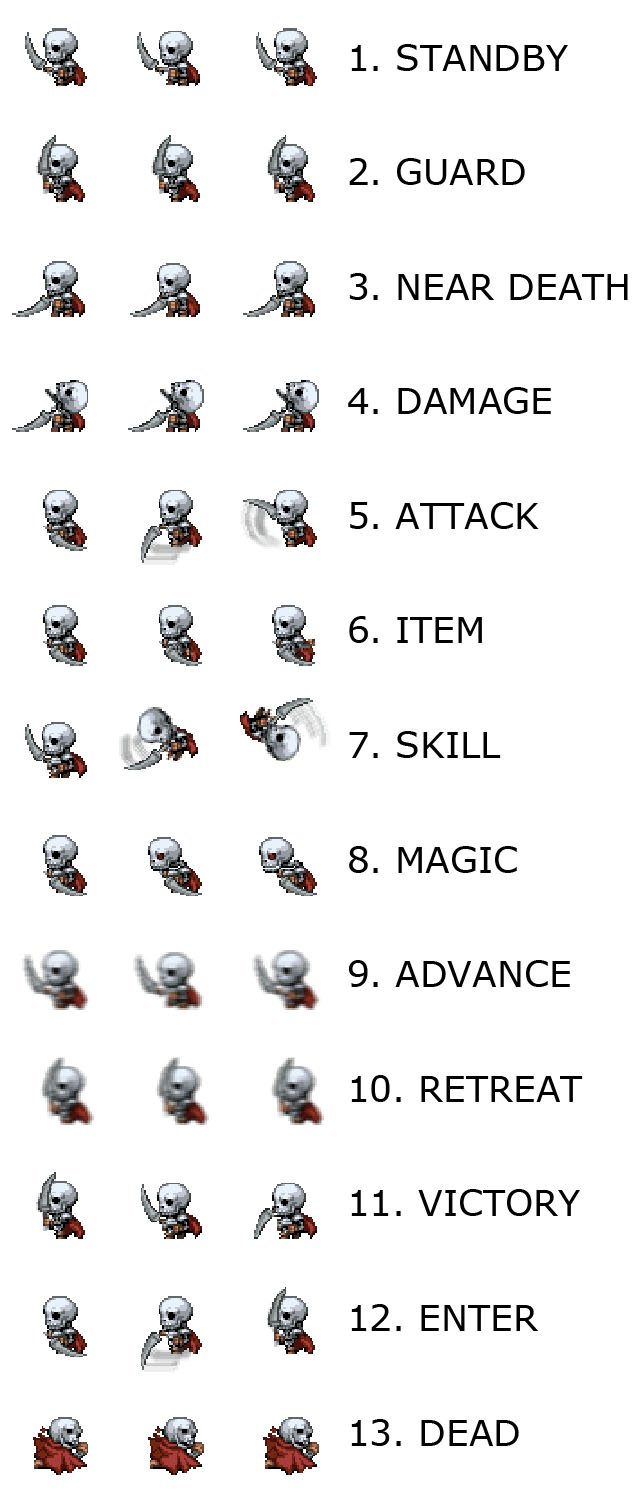
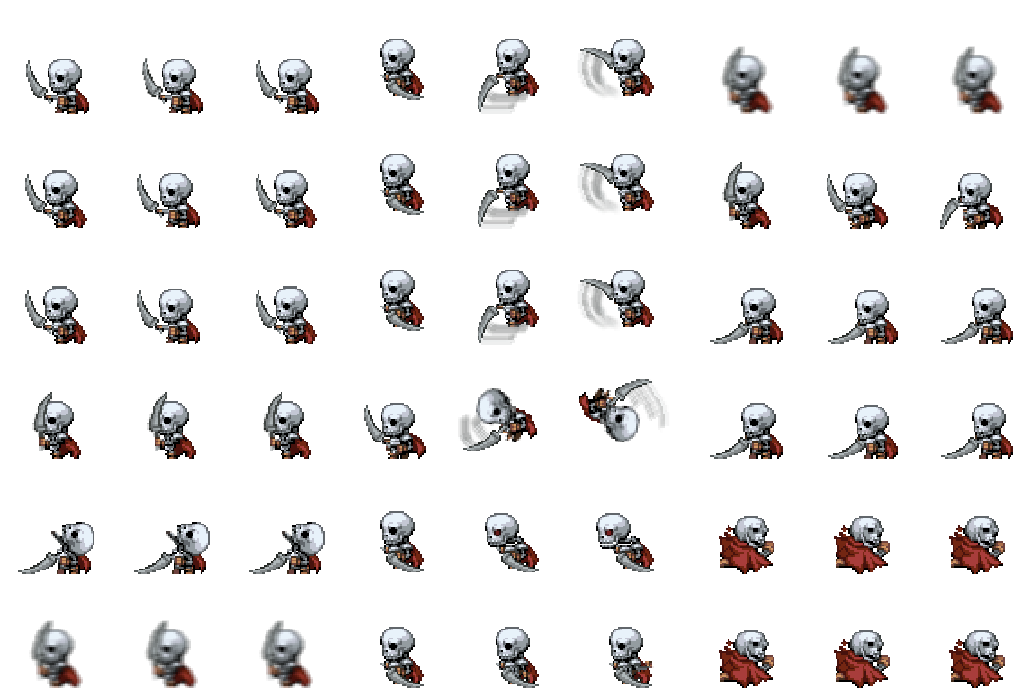
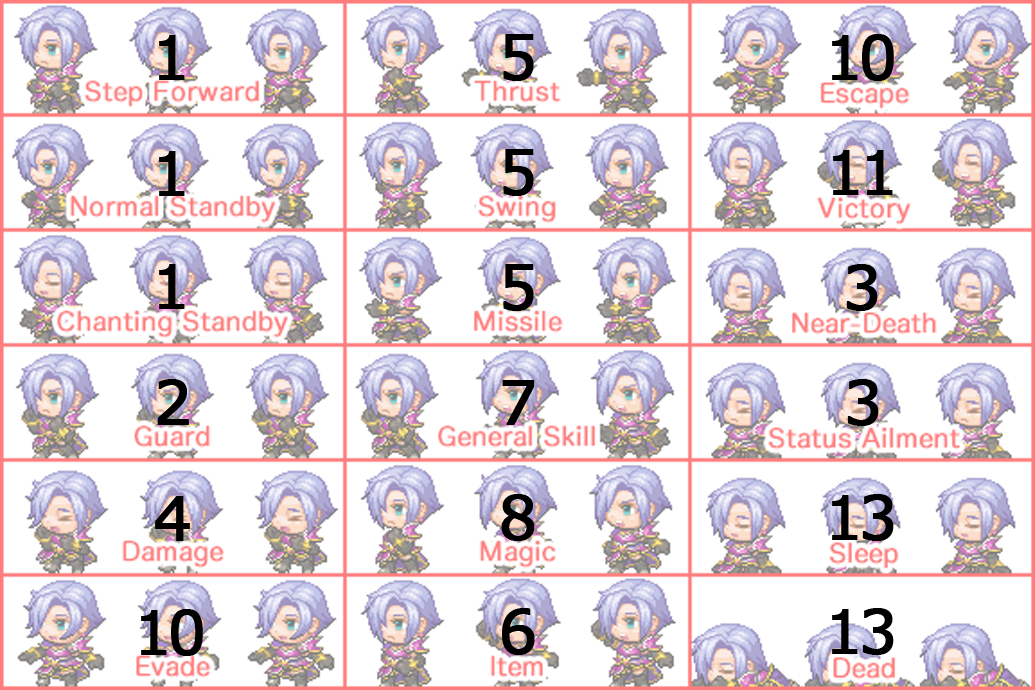
Hi guys, thought I would share this template (spritesheet_actor.png, legend in Legend.jpg) that I put together for converting animated spritesheets from the VX format (eg. Holder's) to the new MV one. Since there are only 13 positions in a typical VX Ace spritesheet, some have been duplicated for the additional slots on the MV one. Position 1, 2 and 3 on the new sheets are the "standby" positions and you may need to edit this from the "Idle" stance (position 1 on the VX spritesheet) or else it may look strange. Also, since the new animations only have 3 frames, you will need to chop off the 4th image from each animation on the old spritesheet - it doesn't seem to have much effect ;) I have attached an example (skeleton.png) that I made that works well with the MV "Animated Enemies" plugin - just drop it into your sv_actors directory, making sure that it has the same name as the enemy "preview" in sv_enemies. Enjoy and if there are any pros who can offer feedback on this it would be much appreciated - n00b here :)
Converting Holder Battlers to MV format
● ARCHIVED · READ-ONLY
-
-
Sorry, could an admin perhaps move this to the RPG Maker MV specific resources? Just noticed that now! Thanks :)
-
What are you talking about? That's where it's always been. If you need moderator action on a post, please report it instead. Double posting is not allowed.
-
Sorry I didn't know - as I said complete noob. I will report in future.
-
The idea is good and helpfull, but I suggest you rename your topic (edit first post, then select the full editor options).
"converting Holder Battlers to MV format".
The reason is that Holder's format is NOT a default VX/VXA format, and only one of several possible battlersheet formats used by Ace.
The only default VX animated sprites are the move sprite, and those only need to be resized not reformatted. -
Thanks Andar, done :)The idea is good and helpfull, but I suggest you rename your topic (edit first post, then select the full editor options).
"converting Holder Battlers to MV format".
The reason is that Holder's format is NOT a default VX/VXA format, and only one of several possible battlersheet formats used by Ace.
The only default VX animated sprites are the move sprite, and those only need to be resized not reformatted. -
Could someone please help clarify how one would go about converting the the one format to the other?
To give you a run down of my predicament, I know I need to change it, but then I am at a loss, do I painstakingly cut/paste objects? Is there an easier method to moving things around without a mess?
Basically put, what is my starting point to go from, for example, Holders sprite sheet from VXAce to RMMV standard? -
Could someone please help clarify how one would go about converting the the one format to the other?
To give you a run down of my predicament, I know I need to change it, but then I am at a loss, do I painstakingly cut/paste objects? Is there an easier method to moving things around without a mess?
Basically put, what is my starting point to go from, for example, Holders sprite sheet from VXAce to RMMV standard?
i would expect just to rearrange the animation frames into the correct format. -
This image below is possible to use it only with the license of the MV in commercial use?

-
@robroyman Please edit your original post giving proper credit to Matseb for the sprites you used. Thank you.
-
@robroyman Please edit your original post giving proper credit to Matseb for the sprites you used. Thank you.
Umm... @robroyman has been inactive since 19th November... -
Huh, okay then. There was a report on it today, so I didn't even notice. Thanks.