Compatibility issues between Yanfly's ABE and Himeworks' PSE scripts...

● ARCHIVED · READ-ONLY
Started by SailorRose 7 posts View original ↗
  1. Yanfly's ABE = Ace Battle Engine
    Himeworks' PSE = Pre-Skill Events

    So after a lot of hard work* and trying to sort this out myself, I come to you for help! I didn't know if this was supposed to be posted here or the scripting help forums. Feel free to move if need be.

    *Screaming uncontrollably at my screen and googling this exact same issue only to find two other unsolved threads.

    I tried Himeworks' pre-skill effects script to achieve this effect and it worked pretty well on a blank game (with no other scripts)

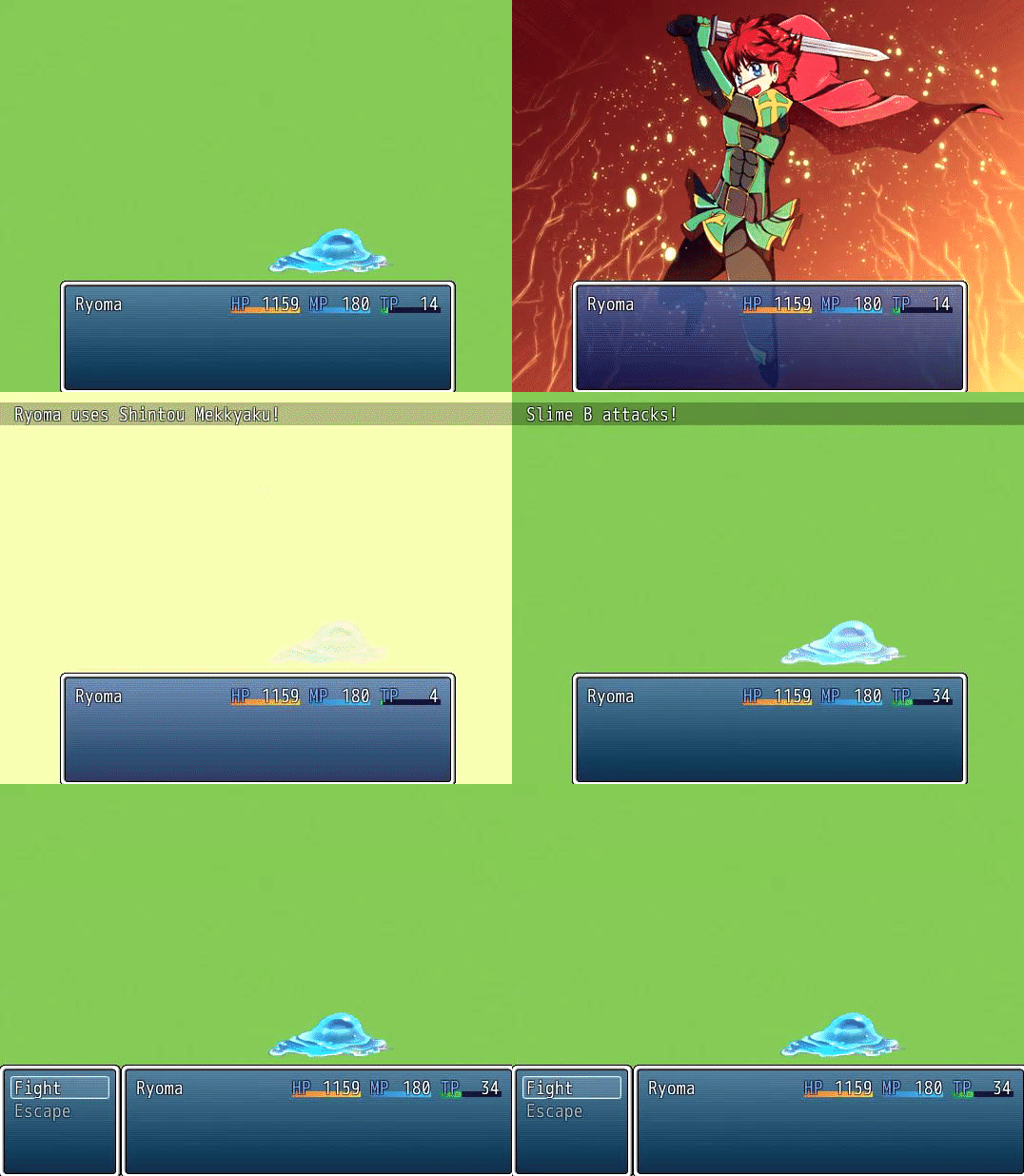
    How it's supposed to look:
    Spoiler
    d54a6638a00cb33158ddfe2363af7d5f.gif

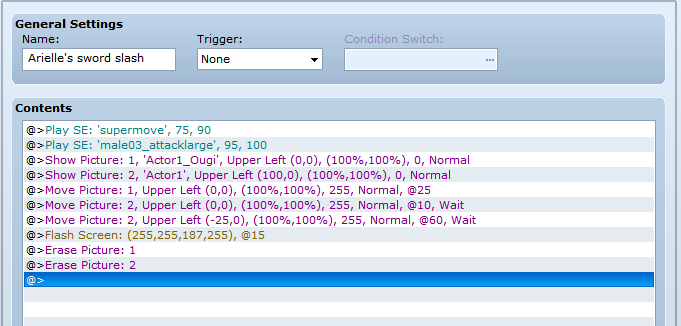
    It's just a common event showing and moving a picture, and it's supposed to happen before the skill is activated.

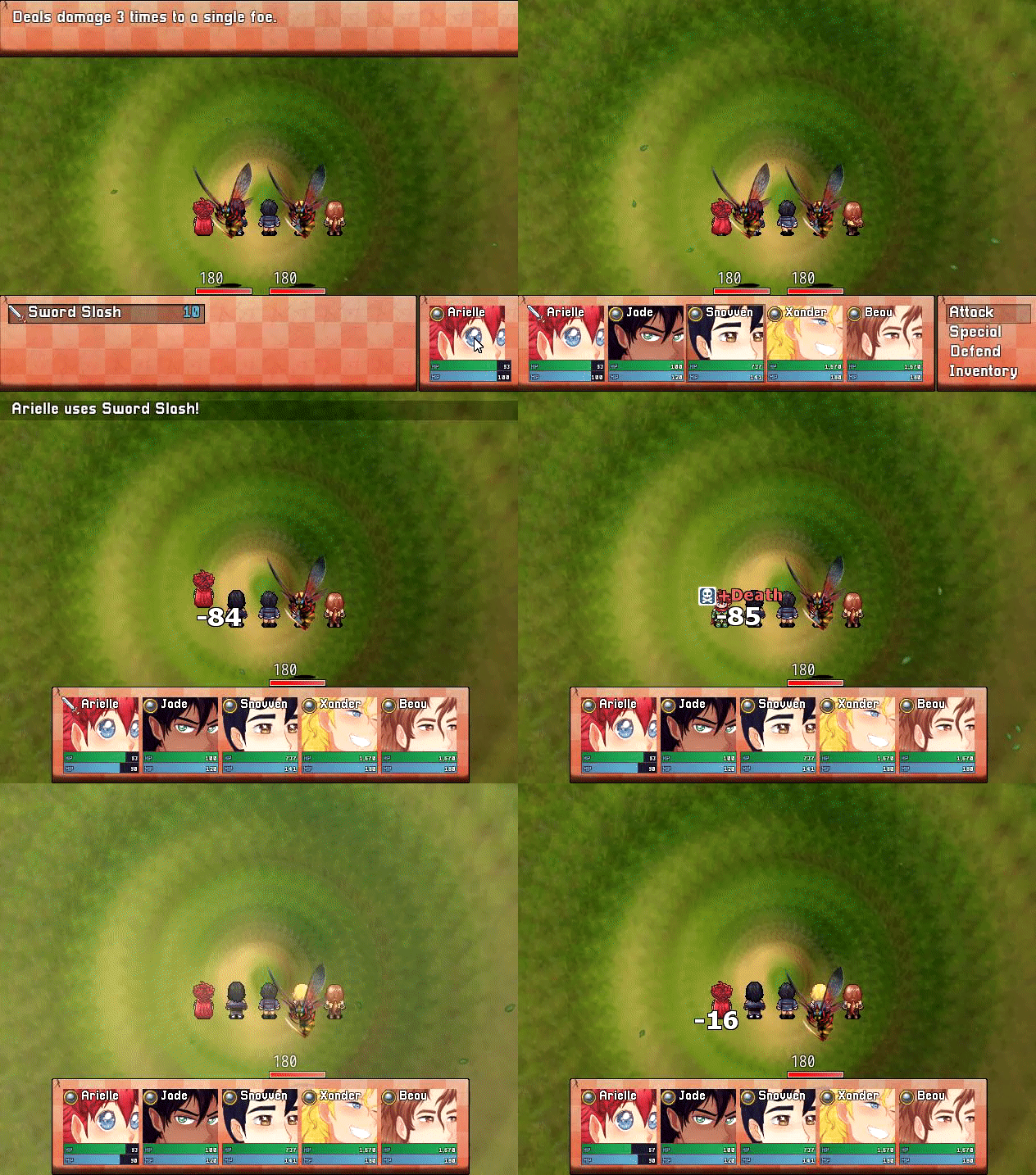
    However, when I tried it on my actual project, it didn't work at all. I'm 100% sure it's because there's some sort of compatibility issue with Yanfly's Ace Battle Engine... There's no error message, no crash, no freeze, it simply doesn't work. The skill is activated, and then the common event is called afterwards. As if there was no script installed at all.

    How it actually looks:

    Spoiler
    28fc93a49ddf56ec62f2835d25fb524a.gif

    You see how the graphic comes in AFTER the skill is completed? It would be great if anyone had any idea as to why this is.

    Here's both scripts:
    Spoiler
    https://yanflychannel.wordpress.com/rmvxa/battle-scripts/ace-battle-engine/
    http://himeworks.com/2014/12/pre-skill-effects/

    And just in case it's necessary, the event:
    Spoiler
    e5c3a4d5c877ddf7187584f2c2d0b352.png

    PS: It'd also be grand if anyone figured out how to actually show the picture on top of the status windows like with atelier's Ougi animation script, but that's not my main concern.
  2. have you tried reordering the scripts?
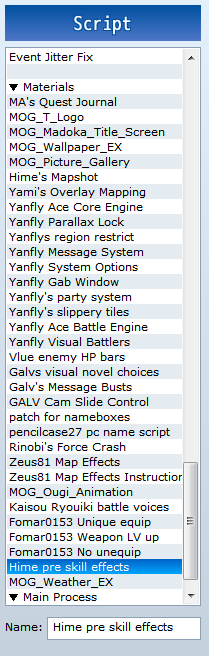
    can you give us a screenshot of your script manager scrolled so that we can see which other scripts are also installed and in which order?
  3. @Andar I have, I've tried placing the Himeworks script above and below YEA's scripts but it still won't work.

    Here's my scripts so far:
    Spoiler
    71e52c2372edddaa446a3c2fcd662506.png

    EDIT: Oops, posted a screenshot after I'd already deleted himework's script; but I fixed it and placed it where it was the last time I tried to get it working.
  4. I would like to see the skill information page cause Hime's instructions show what is supposed to be in there and what id the common event is.
    Just to cover the bases.
    Otherwise try disabling other scripts to see if it will work at some point.
    In a test demo yanfly battle and hime pre-skill work fine together for me
  5. @Roninator2 Oh wow, that was it.

    So on the skill page himeworks instructed to put "<pre skill event: (ID)>" on the notetag and I did so... But I had it as "<pre-skill>", I changed it to "<pre skill>" and it wasn't working... Now I've changed it to "<pre_skill>" and it's working just fine now.

    It worked with '-' on the blank project, though, that's really odd. But yeah, it works now! Can't believe it was so simple.
  6. [move]RGSSx Script Support[/move]
    If this has fully resolved your query, please Report your post and ask for the thread to be closed.
    Thanks.
  7. This thread is being closed, due to being solved. If for some reason you would like this thread re-opened, please report this post and leave a message why. Thank you.