Hey, i am using Yanfly's main menu manager plugin and I see there is an option for changing the width of the command window but not the height. Is there some other way to go about altering the command window height? Maybe in the .js file itself?
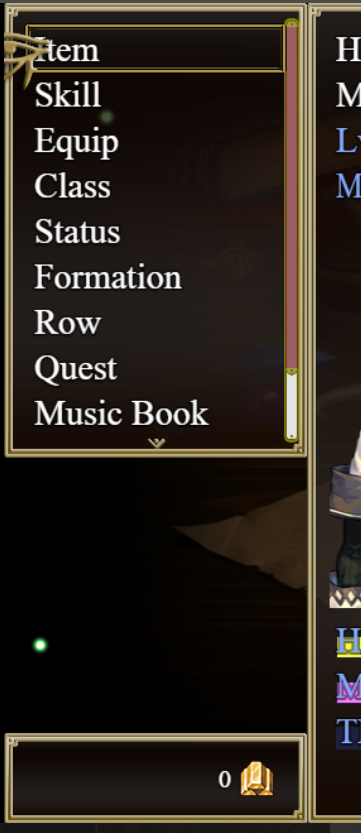
Changing command window height using Yanfly's MMM
● ARCHIVED · READ-ONLY
-
-
I think what you are looking for is in the yep main menu manager --Command-- section in the plugins options. Look for "command rows" Columns are horizontal rows are vertical which is a little opposite however not when adjusting the command windows size.
In the command rows option there is a mathematical equation...
"Math.min(9, Math.ceil(this.maxItems() / this.maxCols()))"
You can just put a single number of rows or adjust the first number of the equation to retain auto spacing to some degree.
Hope this helps Snarkfork.