Cannot read property of 'item' undefined, my itemwindow becomes undefined when the check happens

● ARCHIVED · READ-ONLY
Started by Mitchel 4 posts View original ↗
  1. Im working on a menu for viewable documents, sort of like a collections/document menu. I've have the menu displaying and the category window working, but when I test the item window after selecting the Item I want to use, I keep getting a Cannot read property of 'item' undefined. I used the developer's tools to find out where it's crashing and it crashes in Scene_ItemBase.prototype.item(). The item window for some reason it undefined, but I have it defined in the Scene_Collectibles section of my code. I checked to see if the other plugins i'm using was casuing this issue and it's not. I put this in a seperate project with no other plugins and i still get the same results. Here's the code i've been working on and some screenshot of the crashes. If anyone can help, it will be much appreciated!

    View attachment Collectible Menu.js
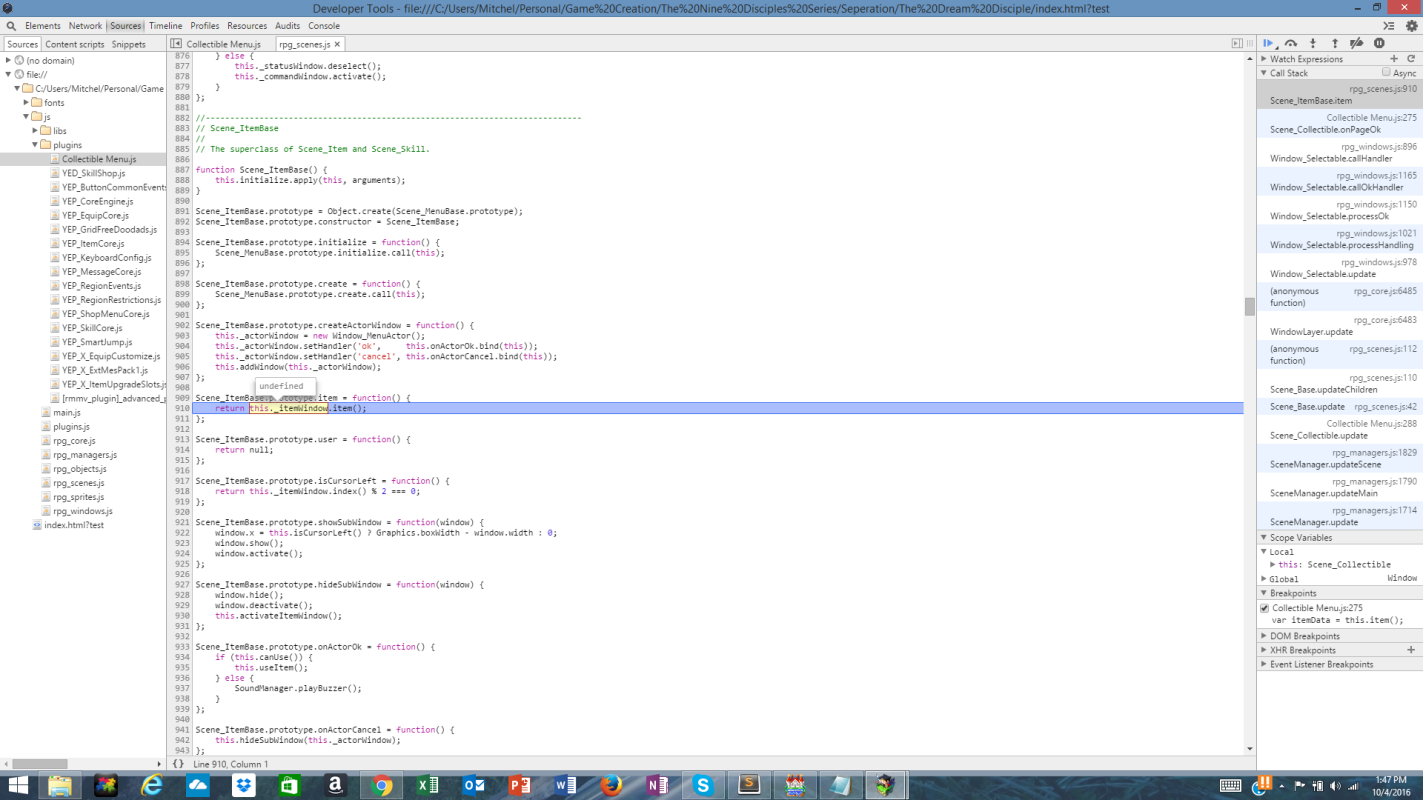
    Location of Issue.png

    Untitled.png
  2. The problem is "this._itemWindow" isn't created within the Scene_ItemBase.


    You need to create "this._itemWindow" (an instance of the Window_ItemList) within the extended Scene. (in your case, within Scene_Collectible)


    Actually, looking through your code again, you did create a Window_ItemList, but you called it "this._pageWindow"


    So all you gotta do is overwrite the function for your new scene:

    Code:
    Scene_Collectible.prototype.item = function() {
        return this._pageWindow.item();
    };
  3. It would help if you gave us screenshots of the console output and of your plugin managers, but there are only three ways to cause such an error:


    1) by loading an incompatible older savefile


    About 80% of all plugins require you to start a new game and make all older savefiles incompatible on installing them


    2) a plugin incompatibility caused either by plugins in the wrong order or by two plugins conflicting with each other


    The console output would name the plugins involved, and the plugin manager screenshot would allow us to check the order of those plugins


    3) by wrong configuration of the plugin


    A lot of plugins need to be configured correctly before they can work - you simply can't activate them and expect them to work in any project without problems.
  4. This has helped so much! It fixed the issue, but now i'm running into another problem where if I pickup a different item with the same notetag, it's not added to the list. Here are some screenshots of the issue and the list of plugins im using.


    EDIT AGAIN: Nevermind, I fixed the issue. Apparently the item in the chest got switch with a different one that doesn't have the proper tag. I don't know how it happen, but it's fixed and the menu works! Thank you guys so much for helping me out! I really appreciate it!