Avy's MV Stuff

● ARCHIVED · READ-ONLY
Started by Avery 1966 posts Page 92 of 99 View original ↗
  1. ErinPrimette said:
    Hey, what happened to some of the assets? Their image links are broken.
    Yeah, a whole bunch are inaccesible right now.

  2. Hey Avy, do you know what up with the broken image links? I saw the crowns, and was looking to use them, but not all the pieces are accessible.
  3. Probably another hoster going down. It is not very likely I will fix this any time soon as reuploading and reorganizing such a mass of stuff takes very long and is very ungrateful at the same time. Since all images in the start post are on the same one, everything would have to be moved, and that is about a week of unpaid, not fun work.
  4. Avery said:
    Probably another hoster going down. It is not very likely I will fix this any time soon as reuploading and reorganizing such a mass of stuff takes very long and is very ungrateful at the same time. Since all images in the start post are on the same one, everything would have to be moved, and that is about a week of unpaid, not fun work.
    alright, noted. thanks!
  5. Hello Avy!

    I'm desperately looking for an Ogre for my story. This one is PERFECT but I would like to know if you have a version with the full character and the KO position?

    Thank you very much for your work.

    Avery said:
    I am rather stressed at the moment, but yesterday after a whole day of work I just needed to sit down and make something random to relax a little...


    Here is a boss sprite and a face to go with the default ogre :)


    su4eh294.png


    lwifvf4h.gif


    zmr2558h.png
  6. Avery said:
    Avery
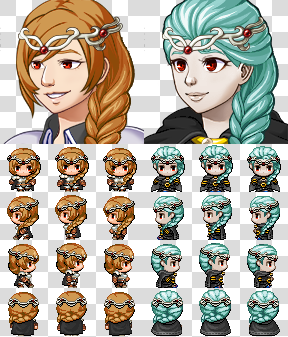
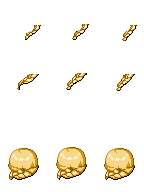
    I still had the wips of my Elsa hair in Generator form. It is sadly lacking the SV Part, but as I don't know of I will do that here are the other parts for whatever use you have for it!
    In case you want me to make the SV part, here you have the chance to give me the motivation to work on it :D


    Front:
    TV:

    Face:


    Rear:
    TV

    Face:
    http://www.directupload.net
    Did you every make the battler for this?
  7. How would I name these files to put them in the generator and what icon would I use?
  8. How are you supposed to import the tower sprites into MV? They aren't working for me.
  9. Avery said:
    autumn, fall, trees, tree house, pumpkins
    Hello dear Avery,

    I think this tileset of yours that I quoted is no more available, I see a picture error instead of the actual picture, can you look at it please?

    And since I'm talking to you, I really want to express to you how much I appreciate all of your awesome contributions to RPG Maker MV, thank you so much for everything you make and give!
    :biggrin:

    Avery said:
    GENERATOR PARTS
    Greetings Avery! How are you doing nowadays? :biggrin:

    I have to say, I'm not sure how to use your generator parts...
    I already downloaded generator parts before however usually the artists upload folders with their subfolders like for example a folder Face which contains the subfolders Female, Kid, and Male, and I just have to download their folders and merge them with my own extended character generator folders to add all of their parts into the right folders and subfolders, that works great!
    You, on the other hand, don't upload folders, you upload your parts loose and I'm not sure into which folders and which subfolders I am supposed to put them? :confused:

    Speaking about character generators, do you know by any chance of any realistically proportioned character generator?
    I ask because I swear Kadokawa's obsession with chibi characters who have big heads on tiny bodies has been driving me nuts!
    They don't even fit in the world, they are smaller than everything and adults look like kids! The beds are twice their size, the sinks are too high for them, they could fall into the W.C holes, all furniture are bigger than them, they look like dwarve in giants' houses...
    So yeah, I have no love for Kadokawa's chibi obsession and for years I have been hoping for a realistically proportioned character generator, do you happen to know of any that I might have missed by any chance?

    Back to your generator parts, you also upload parts that you say are NOT generator parts, as an example:

    Avery said:
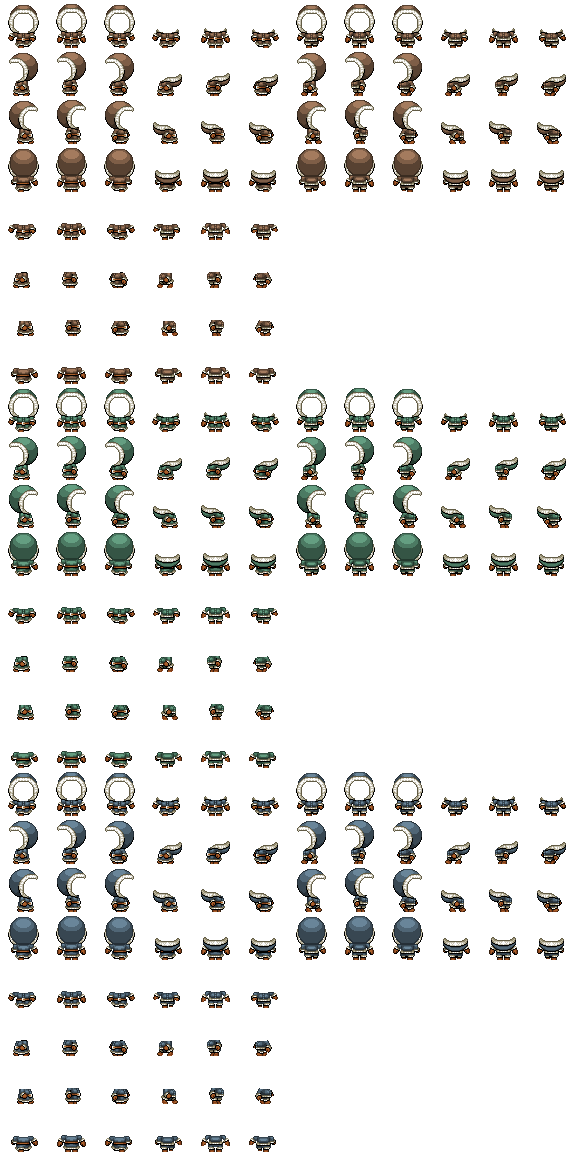
    Non-Generator winter clothing
    qdeok6lk.png
    So if "non-generator" then how to use them?
  10. Maxime_Martyr said:
    So if "non-generator" then how to use them?
    You need to edit/put them together in a graphic editor on your own (using layers).
  11. fizzly said:
    You need to edit/put them together in a graphic editor on your own (using layers).
    Thank you for your answer, since you appear to be knowledgeable about this subject, is there an editor that you specifically recommend or are they all the same?
  12. Maxime_Martyr said:
    Thank you for your answer, since you appear to be knowledgeable about this subject, is there an editor that you specifically recommend or are they all the same?
    You can do that in amost every graphic editor, except paint, becouse it does not support transparency. I'm using photoshop personally, but if you need something which is free, you can use gimp for example.
  13. fizzly said:
    You can do that in amost every graphic editor, except paint, becouse it does not support transparency. I'm using photoshop personally, but if you need something which is free, you can use gimp for example.
    Gimp, that is the one I had in mind indeed, thank you. :biggrin:
    Also, I read the name of the editor that Avery herself uses in her screenshots, "GraphicsGale", and since Avery is so great, I am tempted to think she uses great tools, or at the very least if it is good enough for Avery then it can't be bad, right? :cool:
    However since I am inexperienced in graphics editing, I don't understand how she manages to accomplish this feat here:

    Avery said:
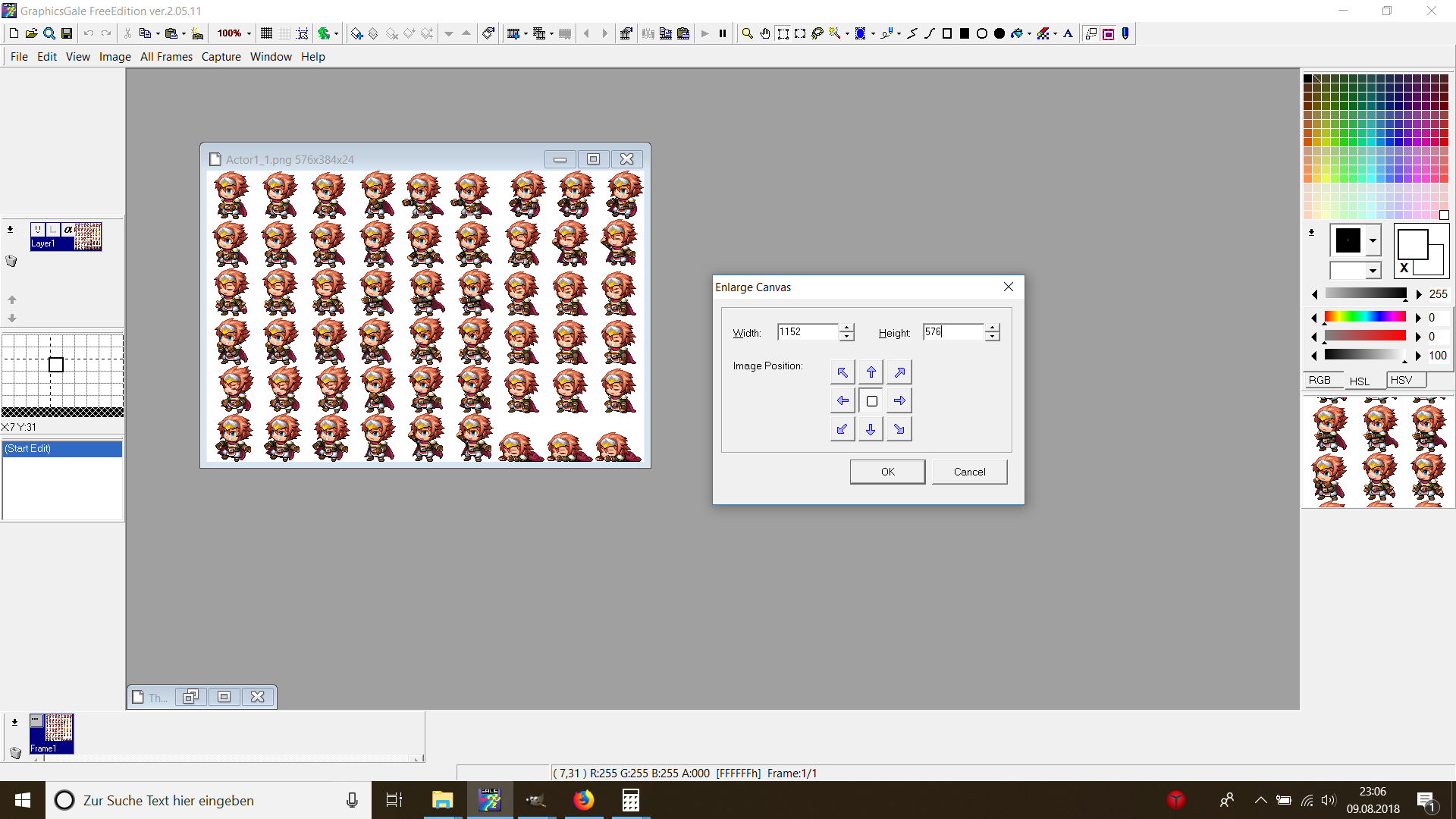
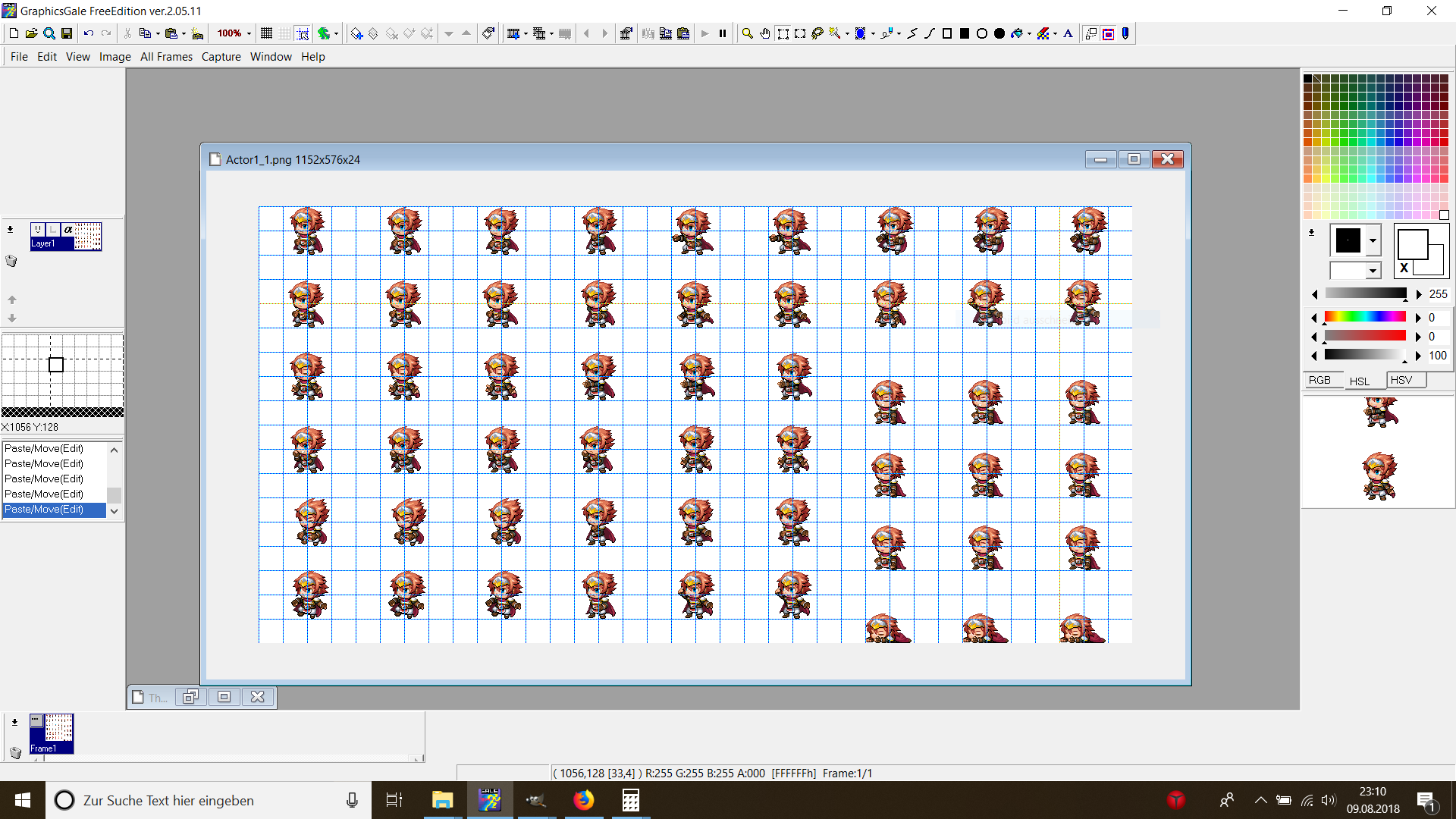
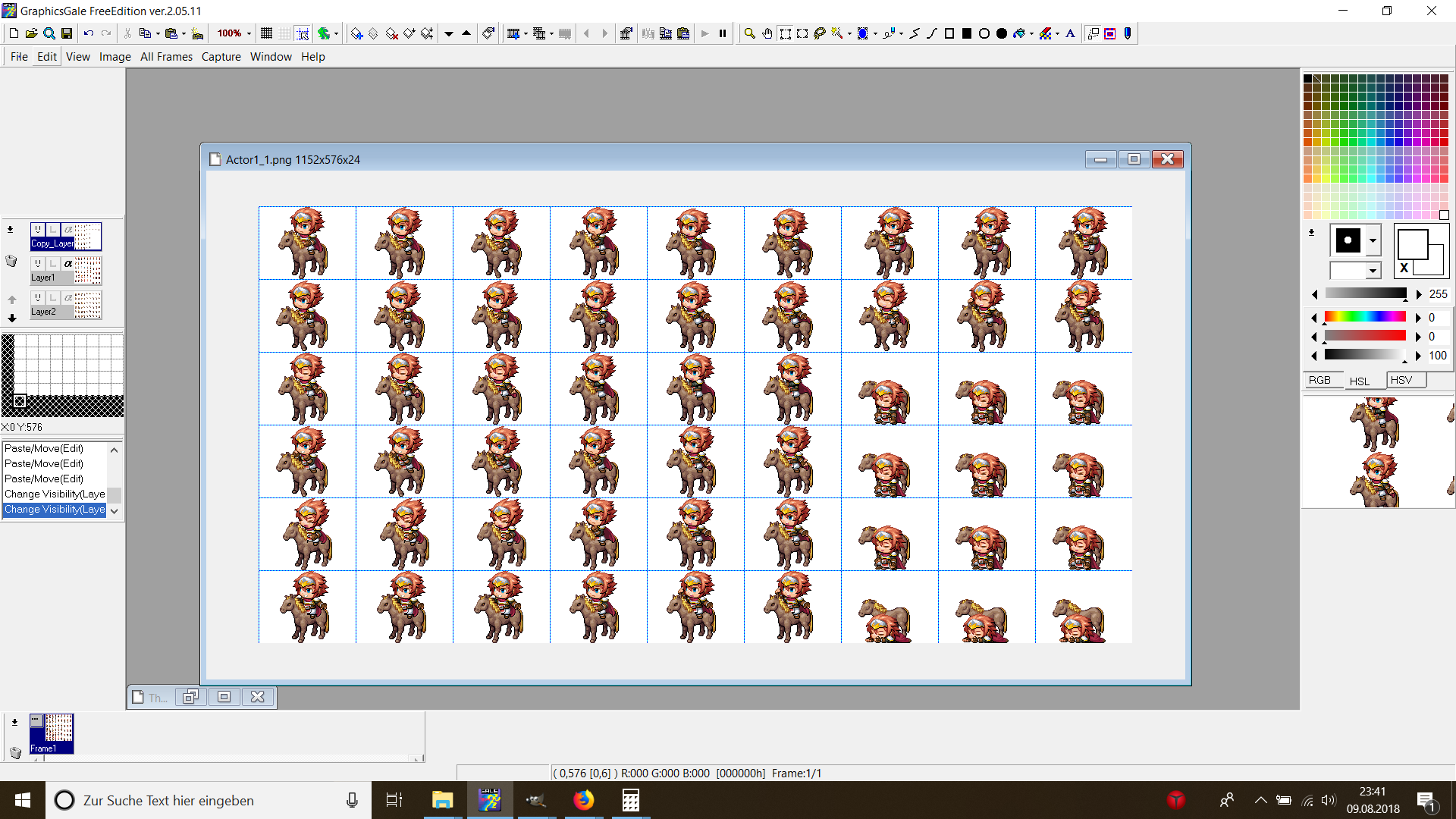
    Step 1: Enlarge Canvas:
    asw6yjrx.png

    Step 2: Place your SV Battler like this in the (32*32) grid:
    asut4jsh.png

    Step 3: Add Base below and overlay over the Battler - finished!
    rq4xhlsn.png
    How does she manage to make the rider's left side to appear in front of the mount and at the same time the right side appear behind the mount as if it was 3D?!? o_O
    I mean, if it was about putting a picture over another picture, I would understand, but putting a picture simultaneously over AND under another picture, that is magic!
    I'm sure you are amused because you know how she does it and there is nothing mysterious once you know how to do it, like everything, but from the perspective of someone inexperienced in graphics editing such as my clueless self, this is amazing!
    But I have to understand how to do it myself so can you please explain how she does it?

    Oh! I got it now! So this is why she posted a sheet of a horse that she called "base" and another sheet of the duplicated front only of the horse that she called "overlay" and what she meant by "add base below and overlay over the rider", she meant to add the rider over the horse then add one more horse's front over the rider, I understand now but I have to say that I don't like this way of combining pictures because then you have to add layers of duplicated specific parts of the picture alone that have to appear in front so it complicates the pictures by adding layers, duplicating parts alone, and adding these parts over already existing parts, as an example, there is a duplicated horse's front alone hiding the front of a horse who already has a front and so it is redundant, the horse has two fronts one over the other, that doesn't feel good.
    I was thinking that the editor had a tool to divide the pictures into parts and for each part to instruct the editor the priorities as in "this part must remain in front of other pictures whereas that other part must be hidden behind them".
    As an example, draw a vertical line in the middle of the rider to divide him into a left side and a right side then instruct the editor that the right side has to remain in front of other pictures whereas the left side has to be hidden behind them so when combining him with a horse the right side will appear in front whereas the left side will be hidden behind the horse just as instructed.
    Wouldn't that be more efficient?

    About GraphicsGale, it isn't updated since 2018 so I'm not sure Avery is still using it, her screenshots are from 2015 after all, that is outdated nowadays.
    I think I'm gonna stick with Gimp who is a sure value. :cool:
  14. @Maxime_Martyr , please avoid double posting, as it is against the forum rules. You can use the "Edit" function on your posts to add additional information you've forgotten or respond to multiple people. You can review our forum rules here. Thank you.

    I've merged them for you this time, but please just edit your post if you have something to add in the future.
  15. hiddenone said:
    [dpost]@Maxime_Martyr [/dpost] I've merged them for you this time, but please just edit your post if you have something to add in the future.
    Wow, the hidden one noticed me and addressed me, such felicity!
    I warmly greet you, hidden one, it is a pleasure to meet you, even though I didn't want our first interaction to be a scolding, it could grow into a funny anecdote eventually.
    I want to apologize for my mistake, I'm afraid I'm not very experienced in forums, actually I'm not very experienced in social interactions altogether, however I want to learn and I shall not repeat the same mistake again.
    Actually I already knew how to edit my posts but I edited my posts only to correct mistakes.
    I didn't edit my posts every time I had something new to say and no one had spoken after me.
    However I can understand how that can be annoying to read a monologue of posts of the same person and therefore I shall not do it again since my golden social rule is "Treat every one the way you would like them to treat you.". :biggrin:
    I wanted to meet you, hidden one, because I noticed you and I'm hoping we will work together eventually... :wink:
  16. Avery said:
    Water pump
    I know that the last post is from me and therefore I am meant to edit my last post instead of "double posting" however there is no "INSERT QUOTES..." button when editing.
    That being said, dear Avery, there is no water pump, there is only a "picture error" and actually, I already pointed to you that some of your stuff has gone missing since you posted them so rather than posting every time I notice a missing picture, would you please review your entire first post in order to check what has gone missing and restore it?
  17. Speaking about character generators, do you know by any chance of any realistically proportioned character generator?
    unite's will convert vrm-files into character sprites ... you can see previous of it on their steam page, maybe that style is more to youre liking? ... also, you might want to take a look at these hight modification dlc they recently made ...
  18. Your resources are simply fantastic Avery.
    I look forward to using them.:thumbsup-right:

    As a beginner in RPG Maker, you help me a lot.
    I'm trying to teach myself how to pixel and I have a lot of respect from you for that.
    I have of course read your terms of use.

    But I still have a question for you:
    Edits are allowed, but what about parallax mapping?
    May I use your resources for this as well, as long as I leave you credits, don't post them anywhere, and give you a free copy of the game?
    (If it ever becomes available for purchase or ready-to-play.):blush:
    That would be the only question.
    Of course I hope that I don't bother you for that.

    I hope my english is ok.
    I'm from Germany and my english is not necessarily the best.:guffaw:

    And I don't know if you can write in German here.
    since I am very new here.

    Thank you again for your work and for doing this for us for free.
    With your quality, you could easily charge money for it.

    Many many thanks :wub
  19. parabéns , você tem muito talento
  20. Vosler said:
    parabéns , você tem muito talento

    congratulations, you have a lot of talent

    @Vosler, please use English on this forum. Thanks.