this is really great, avy! Keep up the great work! :D
Avy's MV Stuff
● ARCHIVED · READ-ONLY
-
-
Yes, curves are definitly sexy! Maybe I should aim for a smoking hot *wink* cave next?
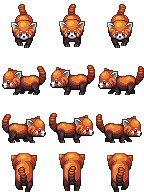
After that icy cold cave something cute to warm up your hearts:


-
AHH TOO CUTE! I don't know how, but this li'l cutie pie must show up in my project T_T
-
Thank you so much! You're a lifesaver
-
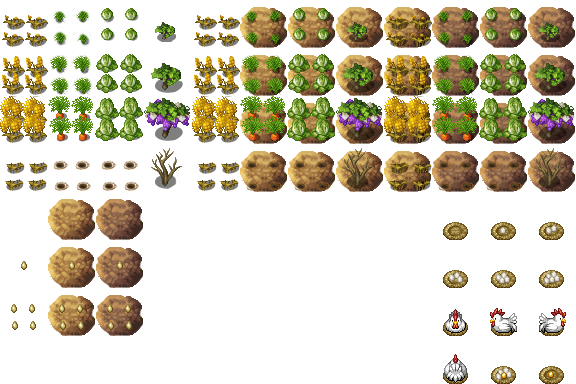
It's beautyful! You can make more crops? I very need tomatoes :) -
Hi! I love your towers and I have been trying to resize them so they can fit in a project. I'm going for 768 x768 pixels but I'm still struggling, mainly because I'm not comfy with GIMP, I always found Photoshop to be more intuitive, anyways, Would it be too much to ask to resize the towers and in doing so that the entrace of the tower at the bottom of the image fits with the grid, so that my character can walk up right into it?
right now at the size I have my tower, the grid in maker mv splits the entrance in two, so it dosen't make sense -
Hi! I love your towers and I have been trying to resize them so they can fit in a project. I'm going for 768 x768 pixels but I'm still struggling, mainly because I'm not comfy with GIMP, I always found Photoshop to be more intuitive, anyways, Would it be too much to ask to resize the towers and in doing so that the entrace of the tower at the bottom of the image fits with the grid, so that my character can walk up right into it?
right now at the size I have my tower, the grid in maker mv splits the entrance in two, so it dosen't make sense
Pixlr.com/editor is a great site to use if you don't want to use photoshop. You can just resize it smaller in there. -
thanks a bunch Kniff, that is a pretty sweet site
-
Searched for some university stuff in my folders and found this face I made quite a while ago but I never released in this thread before (or I oversaw it when I checked it):
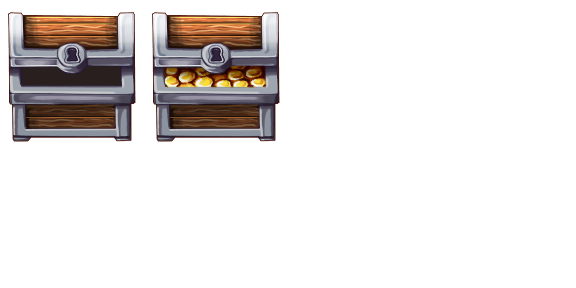
The perfect addition for everywant who wants to have a face graphic in your "You found 1 high potion" chest message ;3 -
I love that you keep creating things I don't realize I need until I see them. :)
-
Dear @Avery THANK YOU for sharing your amazing art, your inspiration and your superb design skills with the community.
Like @chalkdust correctly said, filling the ENORMOUS gaps in the RTP is indeed a huge public service, making the default resources actually usable in a story. I love your Ogre and the fact that you provide both sprite AND face, so it's actually useable. Your chandeliers for mansions and castles are stunning, and I absolutely adore the prehistoric world map tiles and the Stoneage Market Items you made for Loneclaw (bless him for letting these tiles to be for public use as well). The facesets for the elemental spirits are so well done! Your Crop Collection, tho you say it was something you did in just a minute, is so nice and detailed: fundamental for any game with a Farming System (BTW tomatos urgently needed please). And your Towers, OH THOSE BEAUTIFUL TOWERS (as all your outdoor and indoor assets) are amazing, absolutely essential for my game!
However, to actually USE immediately your assets, as well as those by @PandaMaru (also a gorgeous artist with impeccable taste), it's not always easy, specially for noobs like me without any editing skills whatsoever.
For instance, I downloaded your Towers and just pasted the PNG image in the folder, but when I go to the tilesets menu and try to use them in a map they appear incomplete, like "cut" in the lower part, don't know why. Then I tried (though I never, EVER use these programs) to resize the towers with GIMP, Photoshop and Pixlr.com/editor, naturally with no success (never done it before): the edited image does not fit the grid correctly (the door, for instance, ended up in the middle of a "line" of the grid, if that's the phrase), and the shrinked image didn't look quite good, since you made it perfectly, with the right size (one can tell with the plants and detailes you added). Also, since I'm a noob, when I dowload and install any asset (let's say the Tribal Market tiles) it occupies a whole page in the tileset, so I'm forced to choose between many things I've downloaded and I want them ALL to be available always without having to choose from a very limited collection of images. Isn't there any way like to "merge" or "combine" many assets and resources and tiles in a single Tileset Page? I'd appreciate very much if someone could kindly direct me to a very thorough tutorial for total noobs on how to handle tilesets and make the most of these wonderful resources. Thank you. -
The problem is, that it wouldn't be that helpful to put more of the smaller addons into larger sets as they are flexible and not meant to be used with certain tiles.
There are a lot tutorials to show how to put togehter tiles (and to be honest, you should learn this as it gives you much more flexibility in using tilesets).
This is made for ace, but besides the different grid size (48*48) the specifications are the same:
http://rmvxace.wikia.com/wiki/Combining_Tiles_in_Gimp
The large towers (as the lighthouses) would take a lot of space on the tilesheet which makes it nearly impossible to add everything you need for your map as well. They are meant for parallax/overlay Mapping: -
@Andronius : Check out some GIMP tutorials. It's VERY easy to use and figure out.
I've been on GIMP for a short while now, and have figure out how to make it do all the things I need it to do for me, without even looking at a single tutorial. It's very straight forward and easy to learn.. and believe when I say: it will make your editing tasks for RPG MAKER's a piece of cake!! :)
-Mia -
Is there anyway to set Diagonal movement for the sideway stairs?
-
Is there anyway to set Diagonal movement for the sideway stairs?
You can event it. That's how I handle it. I gather party, move diagonally whichever direction the stairs lead until they are done, and then presto! The illusion of walking up stairs.
(If you need more info, PM me. :) )
-Mia -


` This snake can be easily edited into a mask. Thank you so much for creating beautiful monsters and completing the rpg maker mv library. :thumbsup-left: :rwink: -
absolutely amazing. Your creations rules!
-
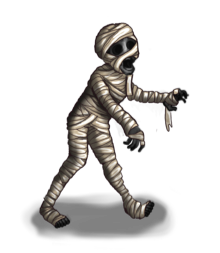
Halloween is close and I had some stuff prepared for this :3
(And adjusted my lovely profile pic in case you haven't seen it yet)

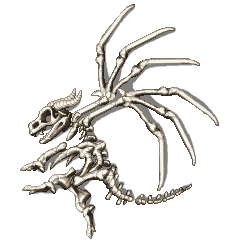
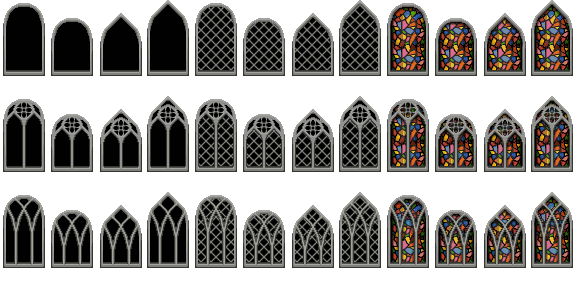
-
Ohhhhhhhhhhhhhh so awesome!
Love it! -
Happy Halloween 2016!
Best part about living in my area - October 31st is no official holiday, but November the 1st is. So no matter which day is on Halloween, I will never have to stand up the next day early.