Animated busts and picture based animations.

● ARCHIVED · READ-ONLY
Started by Astfgl66 143 posts Page 6 of 8 View original ↗
  1. kako05 said:
    Use the older version. The newest one is bugged. It happens when pictures are deleted. Could be plugin compatibility issues, not sure. But this one works for me.
    Thank you, I will try it ^^'
  2. TomorrowAvenger said:
    Thank you, I will try it ^^'
    Nope, same error :/

    Like I said, it's not a plugin compatibility error, in my opinion.
    I have this message only for that cutscene.
    Here's the event page, the highlighted common event it's unrelated
    First string's a Play BGM
    Second one is the blank potrait
    Third one's a common event for a custom text box, but it's not giving any problems
    Third one's the mouth with this code, that worked with another character, and works even now with him:
    [Show image of the mouth]
    and then these script calls
    $gameScreen.picture(97).setAnim(["00LIPSYNCH_OLLIE_SATANA_CLOSED","00LIPSYNCH_OLLIE_SATANA_HALF","00LIPSYNCH_OLLIE_SATANA_OPEN"],6)

    $gameMessage.setAnim(97)

    The three events after the text box are the "Delete images" commands
    RvL8LYT.jpg
  3. I'll look into the bug with deleting pictures.
  4. Astfgl66 said:
    I'll look into the bug with deleting pictures.
    I'm not sure if it's picture deletion or creation. "Unfreeze error" happened when I was creating 49ID picture, but somehow I fixed it. The whole event I tested showed picture 49 with opacity 0.
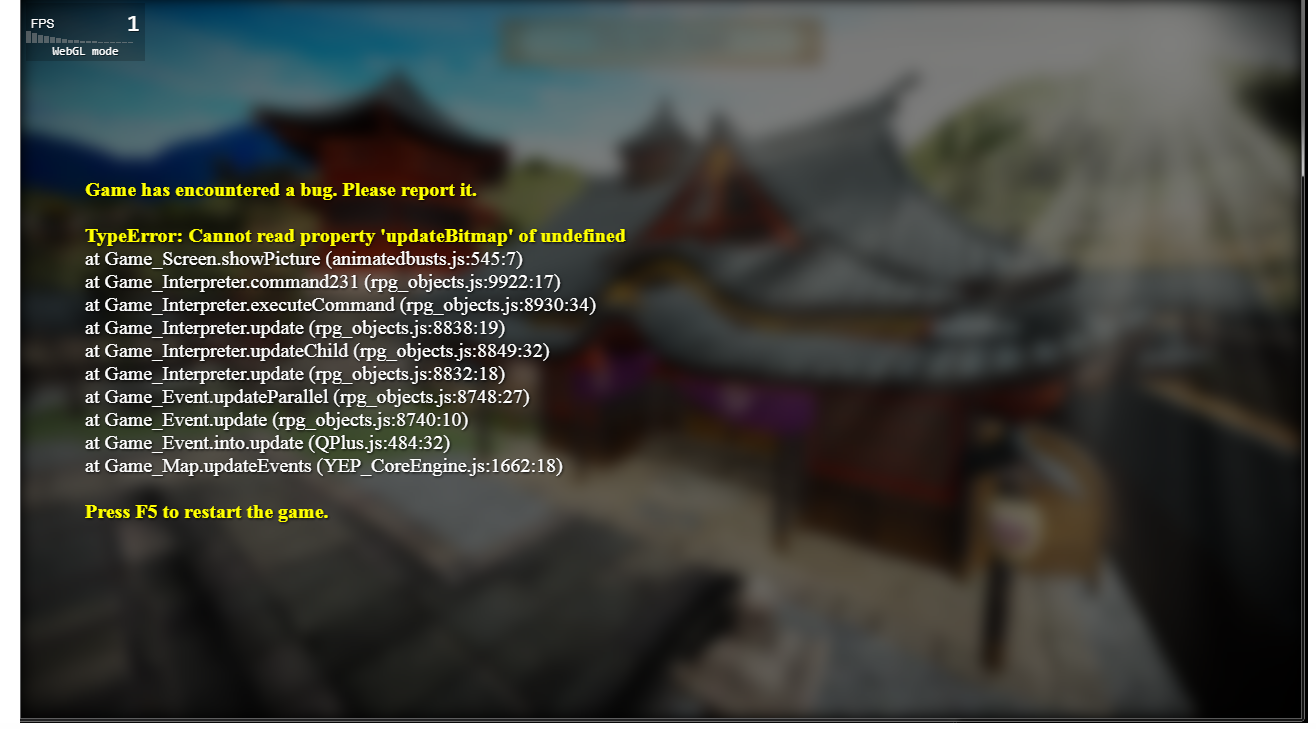
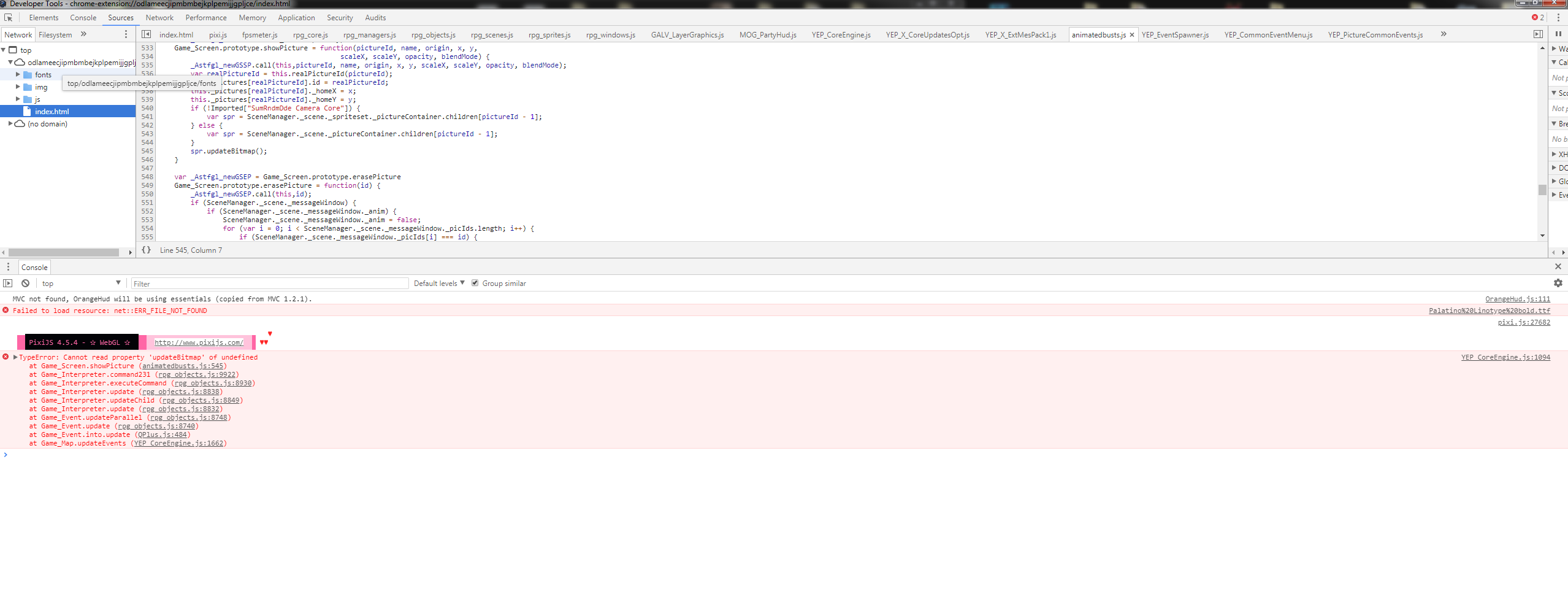
    Then this other issue happens with the newest version when I load a map.
    But I use over 100 plugins, so that could be a problem. The older plugin works well for me and I didn't need the additional VN commands, so I haven't bothered fixing the issue.

    Screenshot-7.png
    Screenshot-5.png
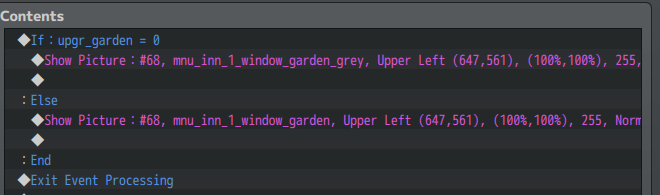
    This single event is a reason
    Screenshot-9.png
    When this happens, the error shows up.

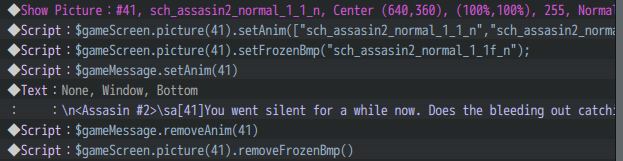
    I'm more concerned with the
    $gameScreen.picture(41).setFrozenBmp("xxx");
    $gameScreen.picture(41).removeFrozenBmp()
    commands.

    They work great, but not very stable. They can crash a game if not properly used.
    This is the right formula?

    Screenshot-4.png
    Screenshot-6.png

    You have to remove frozen picture before deleting it, right?
  5. You should not have to remove the extra animations before deleting a picture, no.

    There's a logic flaw in my deleting command, it probably didn't matter with the old version because sprites were stored in the picture itself but now that they're referencing another object, it's starting to show up. I'll try that first when I have some time.
  6. Awesome plugin, but it also requires a lot of work if I want to display the text windows above characters, like this (quick test):

    upload_2019-9-19_13-27-7.png

    Is there an easy way to "stick" the image to the text window? Making it pixel-perfect for every window will be a serious pain :(
  7. Hmm. It would require your images to be cropped properly, but it shouldn't be too hard to add a command so that it sticks to one side or the other.
    I'll look into it when I have time.
  8. I've been playing around with various other stuff and the best results I got was when I combined YEP_MessageCore, YEP_X_ExtMesPack1 and GALV_MessageBusts - they work together really well, with the picture automatically sticking to the message window wherever that window appears, setting the indent on the text and even auto-resizing the text box to fit the text. Maybe you can look into Galv's code to easily see how to get it to stick. Having your animation system on top of what I show in the screenshot below would be a dream come true! :)

    upload_2019-9-21_12-7-34.png
  9. Hi, first: You've absolutely SAVED ME with this script. Thank you so very much.

    Second: I have a little problem. I can use the text codes perfectly, but whenever I use a script command, I get a "TypeError - Cannot read property 'trim' of undefined". Could you help me find what's causing that?
  10. You're going to have to be much more specific and provide examples :)
  11. Alright, makes sense - let me try and explain as much as I can!

    These are the plugins I'm using:
    upload_2019-10-5_7-39-49.png

    I have some animations pre-configured in the common event tabs. They all have between 20 and 40 frames each. upload_2019-10-5_7-40-50.png

    (They're looking like this:)
    Code
    [1,["yoana_idle01_00001","yoana_laugh01_00001","yoana_laugh01_00002","yoana_laugh01_00003","yoana_laugh01_00004","yoana_laugh01_00005","yoana_laugh01_00006","yoana_laugh01_00007","yoana_laugh01_00008","yoana_laugh01_00009","yoana_laugh01_00010","yoana_laugh01_00011","yoana_laugh01_00012","yoana_laugh01_00013","yoana_laugh01_00014","yoana_laugh01_00015","yoana_laugh01_00016","yoana_laugh01_00017","yoana_laugh01_00018","yoana_laugh01_00019","yoana_laugh01_00020","yoana_laugh01_00021","yoana_laugh01_00022","yoana_laugh01_00023"],7,"yoana_idle01_00001",300,1];

    An example of how I'm using them (don't mind the text, it's just me testing the functions)
    upload_2019-10-5_7-44-15.png

    Testing the game, everything runs correctly...
    upload_2019-10-5_7-45-20.png

    ... Until it reaches the plugin command call and this happens.
    upload_2019-10-5_7-46-34.png

    And then it's stuck there, I can only leave by closing the game.
  12. Okay I tried again with Yanfly's core engine and core updates installed, and the error now shows this, which might make more sense.

    upload_2019-10-10_18-30-9.png

    ... which looking at it might be the plugin being incompatible with other plugins. I'm gonna turn a few off and try again.
  13. Okay, with Tsukihine Animated Overlay Addon turned off, I don't get the error

    Buuuuuut the script doesn't do the fadeout either. The pictures just disappear and the message ends, and I noticed that I had commands to delete the pictures - if I remove those, the pictures stay on screen while my character is controllable again.
  14. Oh, here's an update!
    I de-activated the Yanfly Plugins who maybe made conflict with this (Yanfly Core, ExtMesPack_1 and 2).
    The error shortened :D
    Pu5FkUd.jpg
  15. .... I discovered my problem and I feel like an idiot, but I'll post it here in case anyone else is ever as much of a newbie as I am and commits the same mistake.

    The help says SCRIPT CALLS for those commands. I, absent-mindedly, was using PLUGIN COMMANDS.

    upload_2019-10-14_18-31-24.png


    Basically, script works perfectly, explains everything correctly, and I wasn't paying attention. Thank you!
  16. TomorrowAvenger said:
    Oh, here's an update!
    I de-activated the Yanfly Plugins who maybe made conflict with this (Yanfly Core, ExtMesPack_1, and 2).
    The error shortened :D
    Pu5FkUd.jpg

    Yanfly plugins works fine. Check if you're using "start animation" correctly in the message box or by script.
    If you try calling for /sa[50] when you did not display such id picture for animation, it'll give similar error.
  17. Just stopping by to check up on this thread.
    And while I'm at it, is there any new updates regarding the problem on the previous pages.
    I don't have that particular problem right now but there's always a chance I'll encounter it in future development.
    So i'm hoping for a fix as well. Would suck if i have to rollback again to V12 when I'm so deep into a project.
  18. Nothing new right now, I have a lot of work to do and a thesis to write so it may be some time before I get to it. Sorry.
  19. Will this work for main menu scene to animate a bust?
  20. If your menu scene is evented and uses pictures yes, otherwise no.