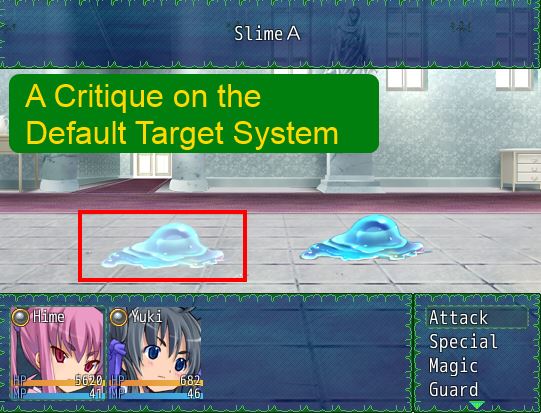
What is Targeting
In the context of battle actions (or actions in general), targeting refers to the object that an action will be used on. For example, you want to cast a Heal spell on your ally. We say that the ally is the target of your healing spell. Similarly, if you want to attack a Slime, we say the Slime is the target of your attack.
Target Scope
All items and skills have a scope. You can see the list of default scopes in the database editor. Check the help file for a description of each one, but they should be self-explanatory,
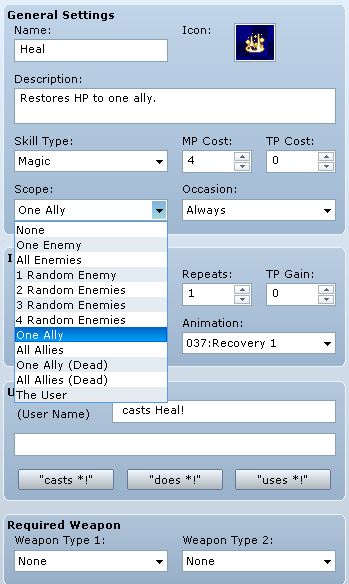
The scope determines who you may select as a target.
The Ally and the Enemy
The scope uses terms like "ally" and "enemy" to describe who the targets are. Recall that the default battle system consists of two units of battlers: the party and the troop. The party holds all of the actors, and the troop holds all of the enemies.
Every battler has their own idea of who an ally is, and who an opponent is. For actors, allies are members in the party, and opponents are members in the troop. You can verify this in the Game_Actor class
Code:
For enemies, the opposite is true. You can verify this in the Game_Enemy class.def friends_unit $game_partyenddef opponents_unit $game_troopendOverview of the Targeting Workflow
Now that the basics are out of the way, we look at how targeting is implemented. This is the general workflow in the default battle system, supposing that you want your actor to attack an enemy.
- Battler's turn comes up
- Battler selects a skill (eg: Fire)
- The engine checks the scope of the skill and determines that it may target "one enemy"
- The engine brings up the target selection window asking you to select a target
- The battler chooses to cast fire on the first enemy
- A Game_Action object is created with the index of the target (zero, because Ruby) and the skill set as the action
- When the action is executed, the information is used to apply the skill to the correct enemy that you've selected
Target Selection
When you select an item that allows you to select your target, a target window will appear. There are two separate windows: an actor selection window, and an enemy selection window. Depending on whether the scope targets allies or enemies, the appropriate window will appear.
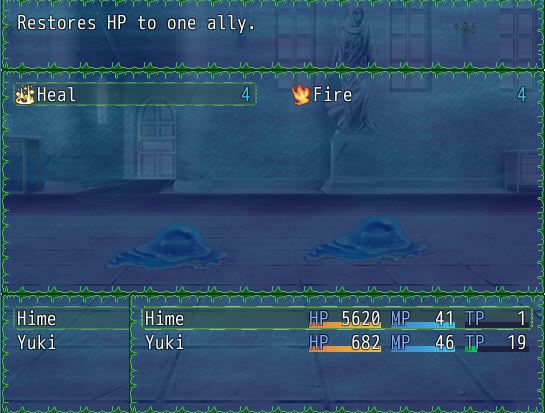
If an actor selects a skill that targets allies, then the actor selection window will appear showing all of your allies
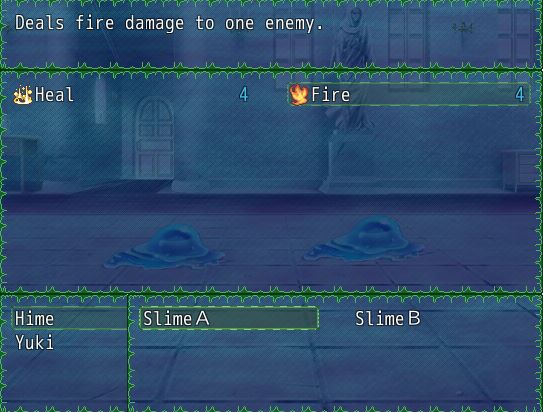
If the skill targets enemies, then the enemy selection window will appear showing all of the enemies that can be targeted
Target Index
Once you have selected your target, the engine determines the target's index. In the default engine, every unit has an index. The index represents their position in the unit. If you think of your party's formation, the leader is in the first position (index 0), the first follower is in the second position (index 1), and so on.
Your index is not necessarily related to where you appear on the screen. Indeed, enemy indices are based on the order that they are added to the troop (you can read more about troops in this tutorial), but you can place them wherever you want on the screen.
Action Target Adjustment
Recall that the target index is stored with the action when the action is created. In the default battle system, actions not executed immediately. Instead, they are queued up and will be executed when the battler's "action phase" comes around.
When the action is executed, a separate set of methods are used to determine the actual battler which the action's skill or item will be applied to. Furthermore, if the target is no longer available, the battler doesn't simply cancel their action. Instead, the action will automatically be applied to the next available target. If no available target exists, then the action will be canceled.
So for example, you wanted to heal a wounded ally. However, before you could cast your spell, the enemy attacks and your ally dies. Now, when you try to cast your heal spell, the target is already dead...but the skill doesn't apply to dead allies, so it will try to find the next available ally that is alive and automatically sets that as the target.
You can refer to the make_targets method in Game_Action to see how it is done.
Analysis of the Default Target System
Read my analysis of this system at HimeWorks!